
Rota Templates for Health and Care Teams
What a rota template has to contain, which one fits a care home, a GP surgery or a small team, and the point at which a spreadsheet stops being enough.

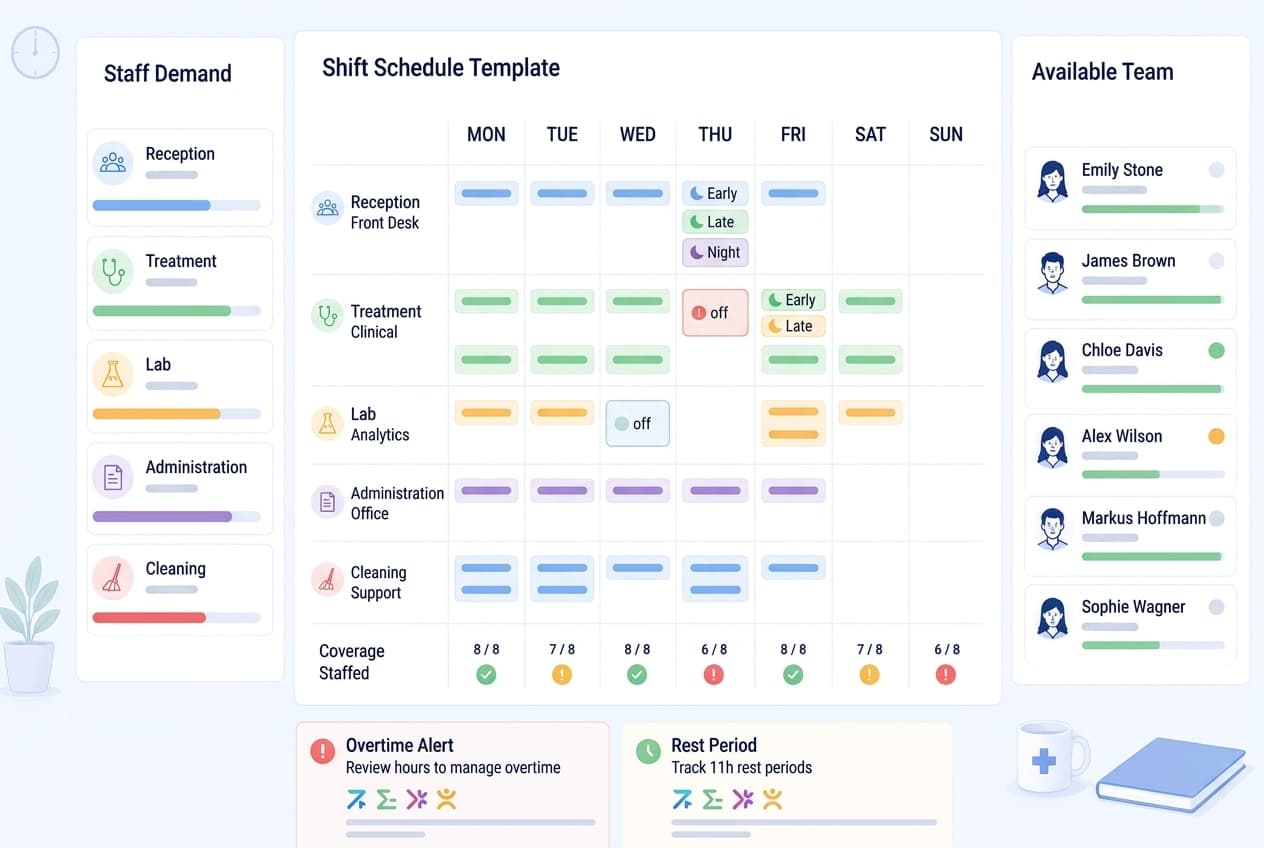
A rota template is a staff schedule drawn in Excel before anybody's name goes on it, and the reason it exists is that most of a working week repeats. Reception opens at the same time on Tuesday as it did on Monday. The night shift starts at 20:00 whoever is on it. Writing that down once and filling it weekly is the difference between a job that takes twenty minutes and a job that eats a Friday evening.
This page covers what a rota template has to contain, which shape fits a care home as opposed to a GP surgery, the rest rules that catch people out, and the honest answer to the question underneath all of it: when does a spreadsheet stop being the right tool. Free templates for each of the patterns described here sit at the foot of the page.
What a rota template actually has to do
A usable rota template does four things. It holds the shape of the week, meaning the shifts the service needs rather than the people you have. It gives every shift a start and a finish written into the cell, not implied by a colour. It totals cover per day, so an understaffed Thursday shows itself. And it prints onto one sheet of paper, because in most care homes and surgeries the rota still ends up on a wall.
The first of those is the one people get wrong. A blank grid invites you to start from names: Sarah does Mondays, James cannot do Wednesdays, and the week assembles itself around whoever came to mind first. What you get is a rota that covers the people and not the service, and the gap surfaces on the morning nobody turns up for the late.
Starting from cover inverts that. List the shifts first, put a headcount on each, and only then place people. The same twenty minutes produces a week you can defend, because every cell exists for a reason you wrote down before you filled it.
A staff rota template also has to survive being read by somebody who did not build it. Abbreviations that made sense at 23:00 on a Sunday are a support call on Monday. Write times out. Keep one legend. If a shift has a name, use the same name everywhere.
Rota, roster or schedule: what the words mean here
British workplaces mostly say rota. It is the default word in the NHS, in social care, in hospitality and in retail, and it is what your staff will type into a search box. Roster carries the same meaning but belongs more to aviation, the military and Australian usage, and it turns up in the phrase e-rostering, which in the NHS means the software rather than the document. Schedule is the American term for the same thing.
This matters less for the document and more for what you search for. A free rota template, a staff rota template and a shift schedule template are the same artefact under three names, so do not assume the first result that uses a different word is a different thing.
One distinction is real, though. A rota tells people when they are working. A timesheet records when they actually worked. Keeping those two apart in your head saves an argument later, because the whole point of the second is that it can disagree with the first.
Excel rota template or software: when the switch makes sense
The honest version of this comparison is that a spreadsheet is genuinely good at some of it. It is free, everyone has it, it prints, and it does not need anybody to log in. For a team of six whose week is the same week every week, that is the right tool and a rota template in Excel will serve for years.
What a spreadsheet cannot do is read itself back to you. It holds the information that Priya is on annual leave next Tuesday, and it will still let you put her on the early shift, because a cell does not know what the cell three tabs away says. Every check is a check you perform, and you perform it at the end of a working day when you are least able to.
The switch makes sense at the point where the checking outweighs the filling. In practice that arrives with the third simultaneous complication: a leave request, a sickness absence and somebody whose contracted hours changed, all in the same week. Below that threshold, keep the template. Above it, the arithmetic is no longer something to do by hand.
Which rota template fits which team
There is no universal grid. A care home template is built from long days, nights and twilight shifts and runs seven days without a natural gap. A GP surgery template is built from consulting sessions and reception cover, closes at the weekend in most practices, and has to account for extended access outside core hours. A domiciliary service is not a grid of shifts at all but a grid of rounds with travel between them.
Dental practices sit somewhere else again: surgeries run in parallel, each needing a nurse alongside the clinician, and the hygienist list moves week to week. A template that treats every row as one person on one shift will not represent that.
Pick the template whose rows already match your service, then adapt. Adapting a close fit takes ten minutes. Bending a generic weekly grid into a shape it was never drawn for takes an afternoon and produces something only you can read.
How to fill a rota template, in order
The order matters more than the tool. Cover first, fixed facts second, rest checks third, names fourth, publication last. Work in that sequence and the week holds. Work in any other and you will rebuild it on Monday.
The step people skip is the third one. It is tempting to treat rest gaps as something to verify at the end, once the grid looks full. By then every change is expensive, because moving one shift to fix a gap opens another somewhere else. Checking as you assign costs nothing and catches the problem while it is still one cell.
Two specifics make the sequence faster in practice. First, put the headcount per shift in the grid as a number, not as a count of filled cells. A shift needing two people and carrying one is a different situation from a shift needing one and carrying one, and a glance at coloured boxes will not tell you which you are looking at. Second, enter unavailability as a blocked cell rather than a note. A note is something you read if you happen to scroll to it; a blocked cell is something you cannot fill by accident.
There is also a question of who does this. In most GP surgeries the rota is built by the practice manager, in care homes by a senior on shift, and the difference shows. A manager builds at a desk with the leave file open. A senior builds between handovers, from memory, which is precisely the condition under which the eleven-hour gap gets missed. If the person building the rota is doing it mid-shift, the template has to do more of the checking, not less.
The legal frame: Working Time Regulations 1998
Most adult workers in Great Britain are entitled to eleven consecutive hours of rest in each 24-hour period, an uninterrupted 24 hours off each week or 48 hours each fortnight, and a rest break of at least 20 minutes when a shift runs longer than six hours [1][3]. Average weekly working time is limited to 48 hours over a 17-week reference period, with an individual opt-out available in writing [2].
Night workers carry their own limits: normal hours are not to exceed an average of eight in 24, and there is an entitlement to a free health assessment [1]. Different rules apply to young workers under 18.
Employers must keep records adequate to show that the weekly limit and the night work limits are being met, and keep them for two years [1]. The regulation asks for evidence of compliance rather than a prescribed format, which is why a published rota plus a record of hours actually worked is usually what an employer relies on [5].
The Health and Safety Executive treats fatigue as a risk to be managed in the rota design itself rather than a matter for individual stamina, and its guidance is worth reading before you commit to a pattern of consecutive nights [4]. Medishift gives no legal advice, and none of the above replaces taking your own.
Annual leave belongs in the same conversation, because it is the entitlement that most often collides with a rota. Statutory leave is 5.6 weeks, and bank holidays may be counted towards it rather than granted on top [6]. For somebody working five days a week that is 28 days. For somebody on three long days a week it is 16.8 days, and this is where a leave column counted in days quietly goes wrong: 16.8 days of twelve-hour shifts is 201.6 hours, while 28 days of eight-hour shifts is 224. Two people with the same statutory entitlement, two very different numbers in the rota.
The practical fix is to hold leave in hours for anyone on long days, and to write the unit at the top of the column so the next person to open the template knows which one they are looking at. Several care employers do this as standard, and it is the single change that stops a part-time long-day worker being quietly short-changed.
The practical consequence for the template itself is smaller and more specific: put the finish time of the previous shift somewhere you can see it while you assign the next one. The eleven-hour gap is arithmetic, and arithmetic you can see is arithmetic you do.
Shift patterns a rota template has to carry
Care rotas commonly run long days of twelve hours plus a break, paired with nights of the same length, which produces the familiar pattern of three or four shifts a week rather than five. Twilight cover from late afternoon into the evening exists because that is when residents need most help, and it is the shift that most often sits too close to the next morning.
Surgeries run sessions rather than shifts: a morning list, an afternoon list, and administrative time that is real work but invisible on a grid drawn only from patient-facing hours. Leave it off the template and you will consistently under-count what people are actually doing.
Rolling patterns, where a cycle repeats over several weeks rather than one, need a template with the whole cycle visible. Four on, four off is an eight-day cycle against a seven-day calendar, so the two drift: the same person works a different day of the week each time round, and a grid laid out Monday to Sunday will never show the pattern cleanly. Lay the cycle out as the cycle and put the dates underneath.
That drift has one consequence for the template itself, and it is a column most people leave off. On a rolling pattern no single week carries the average, because heavy weeks and light weeks alternate by design. A running total against the weekly target therefore belongs on the sheet rather than in somebody's head, or the first month closes with a balance nobody can explain. The full working-through of that pattern, including what a week of annual leave actually costs on it, is in the guide to the 4 on 4 off shift pattern, and the wider family is covered under rolling rotas.
One caution belongs with the arithmetic, because it is where rota discussions most often go wrong. The 48-hour weekly limit is measured on working time, and an unpaid break during which somebody is genuinely free is not working time [2]. Whether a break in a care setting counts at all turns on whether staff remain at the employer's disposal during it, so it is not a figure to state flatly for every service. Work out which of your breaks count before you use any hours figure to argue that a pattern is compliant.
From template to a running rota: the rollout
Start with one site and one month. Build the month in the template you have chosen, print it, and put it where the old one lived. Nothing else changes yet.
In the second month, add the things you were keeping in your head: booked leave, stated unavailability, contracted hours per person. These are the entries that make the template worth having, and they are also the ones people skip because they take an hour to enter once.
By the third month you will know whether the template is enough. The signal is not how it looks but how long the Friday takes. If it still takes the same time it always did, the constraint was never the grid, and no better-drawn grid will fix it.
Common mistakes with rota templates
Colour as the only signal is the most common. A rota template where the early shift is yellow and nothing else says so is unreadable in black and white, and it prints in black and white.
Copying last week forward without clearing the names is second. The week arrives already full, which feels like progress and means every assignment is now an unchallenged default rather than a decision.
The third is keeping leave somewhere else. A staff rota template and a separate leave sheet is two sources of truth, and two sources of truth is one more than a rota can survive.
The fourth is not marking what is uncovered. An empty cell reads as nothing to do. A cell that says uncovered reads as a job.
The fifth is building the rota around the people who complain. Everybody has a colleague who asks for Fridays off and a colleague who never asks for anything, and a template filled from memory will reliably reward the first and burden the second. Writing preferences down in a column, even if you then override half of them, at least makes the pattern visible over a quarter rather than leaving it to whoever shouts.
The sixth is keeping the only copy in one person's files. A rota template that lives on the practice manager's desktop is a rota template that stops existing for a fortnight every August. Put it where at least one other person can open it, and say out loud who that person is.
Connecting the rota to hours actually worked
The rota says what was planned. What people actually worked is a second record, and the gap between the two is where overtime, short shifts and the late finish nobody logged all live. Keeping time tracking alongside the rota rather than in a separate timesheet means the comparison is available rather than reconstructed.
In practice that means each entry carries a start, a finish and the break, and sits next to the shift it was meant to match. Hours worked against contracted hours then becomes a figure you read rather than an evening with two spreadsheets. Medishift keeps both in one place, and the rota, absence management and the mobile app are free for teams of up to ten people, with time tracking from the Premium plan.
Printing, posting and sharing the rota
A printed rota is still the primary display in most care homes, and a template that does not fit one sheet in landscape will be photographed in two halves and sent round a group chat, which is how two versions start circulating.
Set the print area before you distribute anything. Check that the legend prints. Check that the week number or date range appears on the sheet itself, because a photograph of an undated rota is indistinguishable from last week.
Sharing digitally solves the versioning problem properly, but only if there is exactly one place people look. A rota in an app that half the team has not installed is worse than paper, because now there are two systems and neither is authoritative.
The transition is the awkward part, and the usual mistake is running both for a month to be safe. Running both is precisely what creates the ambiguity you were trying to remove. Pick a date, publish the last paper version with that date written on it, and take the sheet down the following week whether or not everyone has installed anything. A fortnight of mild friction is cheaper than a quarter of two rotas.
Summary
A rota template earns its place by holding the shape of a week so you only fill the exceptions. Choose one whose rows already match your service, fill it cover first and names last, and check the eleven-hour gap while you assign rather than afterwards. Keep leave in the same document as the shifts, mark what is uncovered, and make sure it prints.
The spreadsheet stops being the right answer at the point where you are checking it more than filling it. That point arrives at a different size for every team, and the signal is the Friday evening, not the headcount. The free templates below cover the common patterns, and each one is a starting grid rather than a finished rota.
Comparison
| What you need | Excel rota template | Rota software |
|---|---|---|
| Shape of the week | Built once, copied forward by hand | Saved as a weekly template and applied in one step |
| Booked leave | Lives in a second file you cross-check | Sits in the same week as the shifts |
| Rest gaps and long runs of days | Worked out in your head, if at all | Checked against limits you set, flagged as you assign |
| Getting it to the team | Printed, photographed, sent round | Published to the app everyone already has |
| A change on Wednesday | Reprint and hope people look | Reaches every phone at once |
How to do it
- 1
Write down the week before the people
List the shifts the service needs and how many people each one takes. A care home week is a grid of long days, nights and twilight cover before a single name goes on it. Get that down first and half the rota is already decided.
- 2
Put the fixed facts in next
Contracted hours, leave already booked, the days somebody has told you they cannot work. These were settled weeks ago, so they belong in the grid before anything flexible. This is the step that separates a rota you adjust from a rota you redo.
- 3
Check the gaps, not just the boxes
Look at the end of one shift against the start of the next. Eleven hours is the figure to hold in mind for adult workers, and the twilight-to-early sequence is where it breaks. Also check the longest run of consecutive days anyone is carrying.
- 4
Fill what is left and mark what is not
With the shape and the constraints in place, assigning people is quick. Leave an uncovered shift visibly marked rather than blank, so the gap is something you can see instead of something you have to remember.
- 5
Publish it, then keep it current
Send one version and make it the version. A rota that changes on Wednesday and reaches only the people who happen to walk past the noticeboard is worse than one nobody changed at all.
For your practice
GP surgeries and dental practices
A surgery week is built from consulting sessions, reception cover, phone lines and the extended-access slot that sits outside core hours. Most of it repeats, which is exactly what a rota template is for. The awkward part is the half day that fits none of the standard patterns, plus the reception desk that has to stay staffed while clinical rooms run to their own timings.
Care homes and domiciliary services
Cover has to hold around the clock, so the template carries long days, nights and twilight shifts rather than a nine-to-five grid. Rest gaps matter more here than anywhere else, because the twilight-to-early sequence is genuinely tempting when somebody calls in sick. Domiciliary teams add travel between calls, which the grid has to leave room for.
Small teams under ten people
With five or six people the rota is mostly memory, and a template exists to get it out of one head and onto paper everyone can read. The risk is not complexity but concentration: when the only copy lives with the manager who builds it, a fortnight of annual leave becomes a problem for the whole team.
Frequently asked questions
Related articles
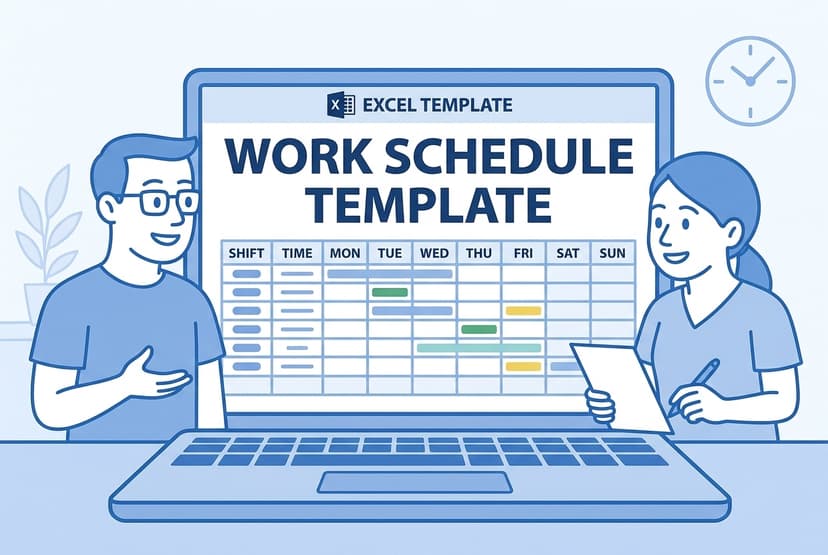
Work Schedule Template - Free Excel Download
Free work schedule template as an Excel download for weekly and monthly planning. Print or share it digitally - for medical practices and small care teams.
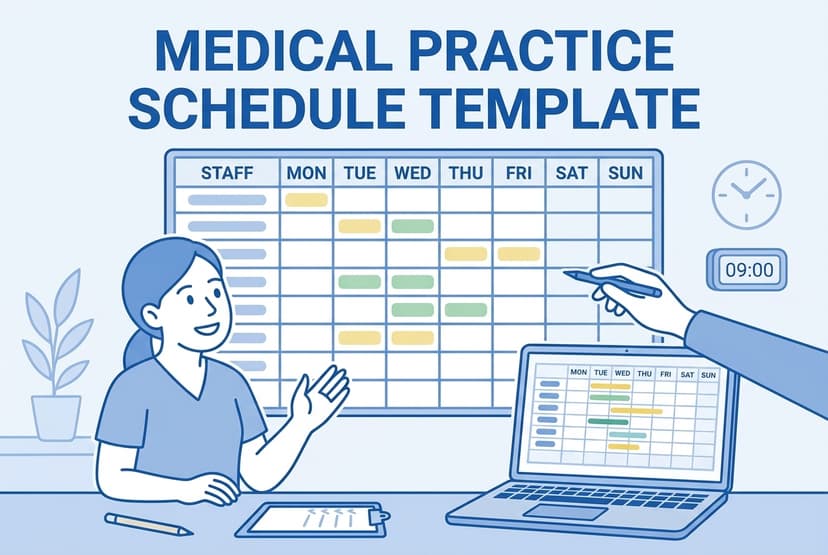
Medical Practice Schedule Template - Free Excel Template for Clinics
Free Excel template for scheduling in medical practices. Perfect for staff scheduling, office hours, and coverage planning.
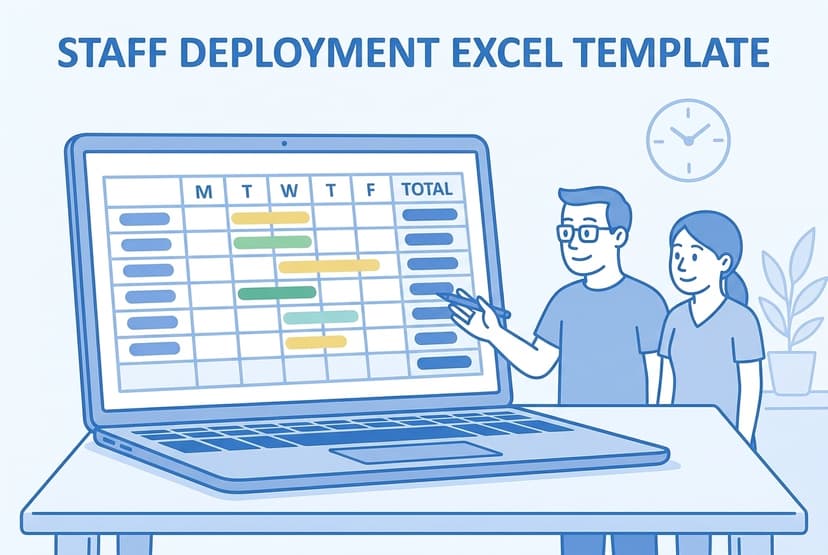
Staff Deployment Excel Template - Free Download
Staff deployment Excel template, free: weekly grid, automatic hour totals and a qualification column - for medical practices, MVZs and home care services.
Nursing Staff Schedule Template for Excel
Free nursing staff schedule template for Excel. One row per person, 31 day columns, three shift codes and automatic shift counts for every nurse.
Sources
This content references the following public sources:
- [1]The Working Time Regulations 1998 — legislation.gov.uk (1998)
The statutory instrument that sets daily and weekly rest, the weekly working time limit and the record-keeping duty in Great Britain.
- [2]Maximum weekly working hours — GOV.UK (2026)
The 48-hour average week, the 17-week reference period and the individual opt-out.
- [3]Rest breaks at work — GOV.UK (2026)
Daily rest, weekly rest and the in-work break for shifts longer than six hours.
- [4]Human factors: Fatigue — Health and Safety Executive (2026)
HSE guidance on shift work, fatigue and the design of rota patterns.
- [5]Working time rules — Acas (2026)
Practical guidance for employers on working hours, rest and record keeping.
- [6]Holiday entitlement — GOV.UK (2026)
Statutory annual leave of 5.6 weeks and how bank holidays count towards it.