
How to create a rota step by step
Cover first, names second, and the rest gap checked before anyone agrees to it. Here is the order to create a rota in, the two places a hand-drawn week quietly breaks, and a free tool to build it in.
- The order to work in, from the cover the week needs to the names on it
- Where the Working Time Regulations 1998 catch a rota drawn by hand
- Create a rota free for up to ten people, then print it or send it to their phones
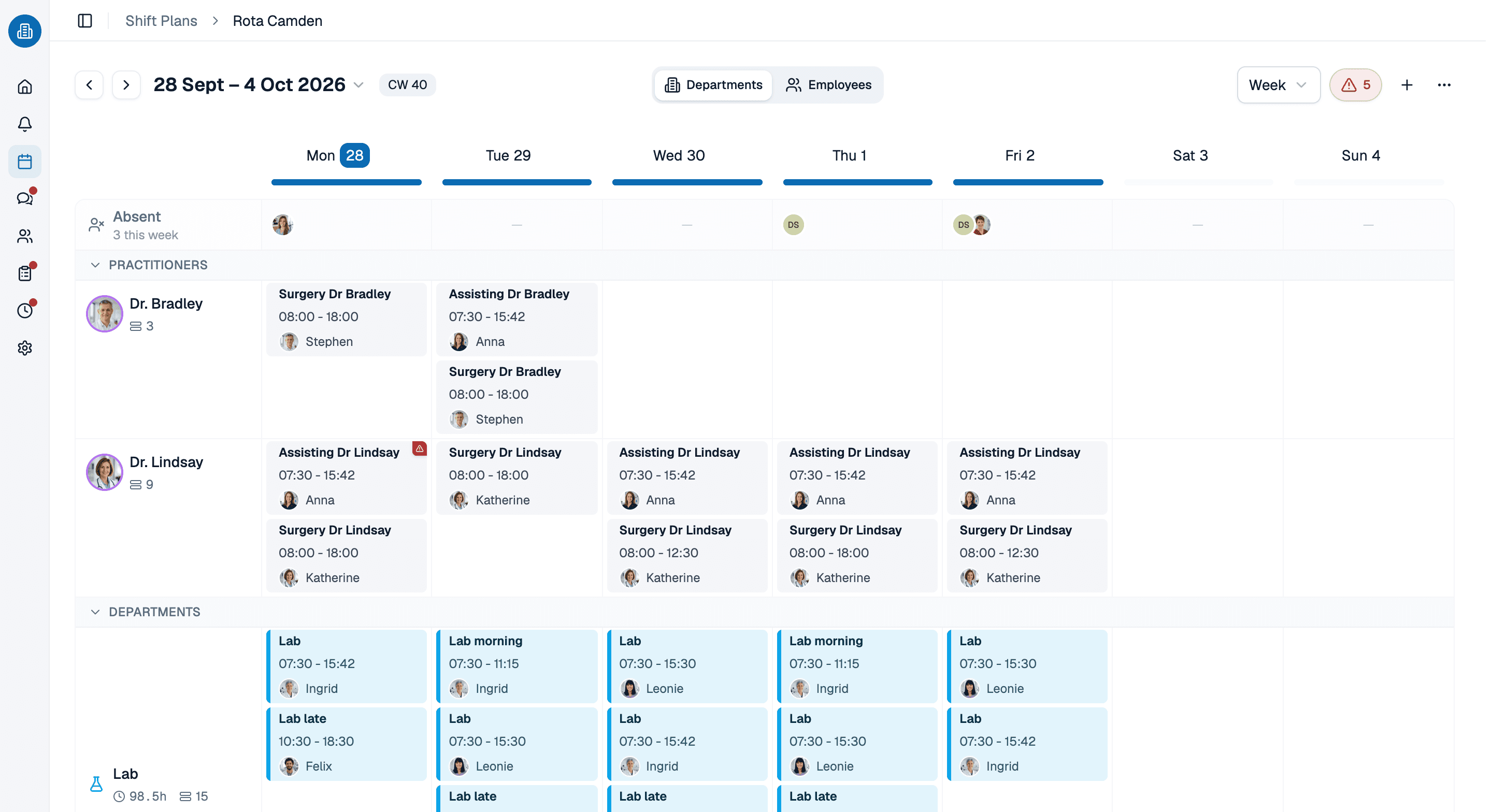
More than 100 practices already trust medishift







Create a rota in five passes, in this order
Two ways to build the same week
Name by name, on a spreadsheet
- You start from the people you have and hope the cover works out.
- Booked leave lives in a second file nobody cross-checks.
- Rest gaps are worked out in someone's head, late in the evening.
- The half-finished version gets photographed and sent round.
- A change means printing it again and hoping everyone looks.
Cover first, checked as you go
- You start from the shifts the week needs and fill them.
- Leave and unavailability are part of the same picture.
- The gap below your rest limit is flagged while you assign.
- Nothing leaves draft until you publish it.
- A change reaches every phone at once.
Which rota are you creating?

Hospital wards
Earlies, lates and nights, where the rest gap between two of them is the thing that actually constrains the week.

GP surgeries
Opening times, the phone lines and the Saturday clinic, and one afternoon a week that obeys none of them.

Dental practices
Surgeries running in parallel, each needing a nurse alongside the dentist, and a hygienist list that moves week to week.
Physiotherapy with home visits
Appointments on the road rather than in one treatment room, where travel sits between two patients and the rota has to account for it.
The fixed facts are already in the picture
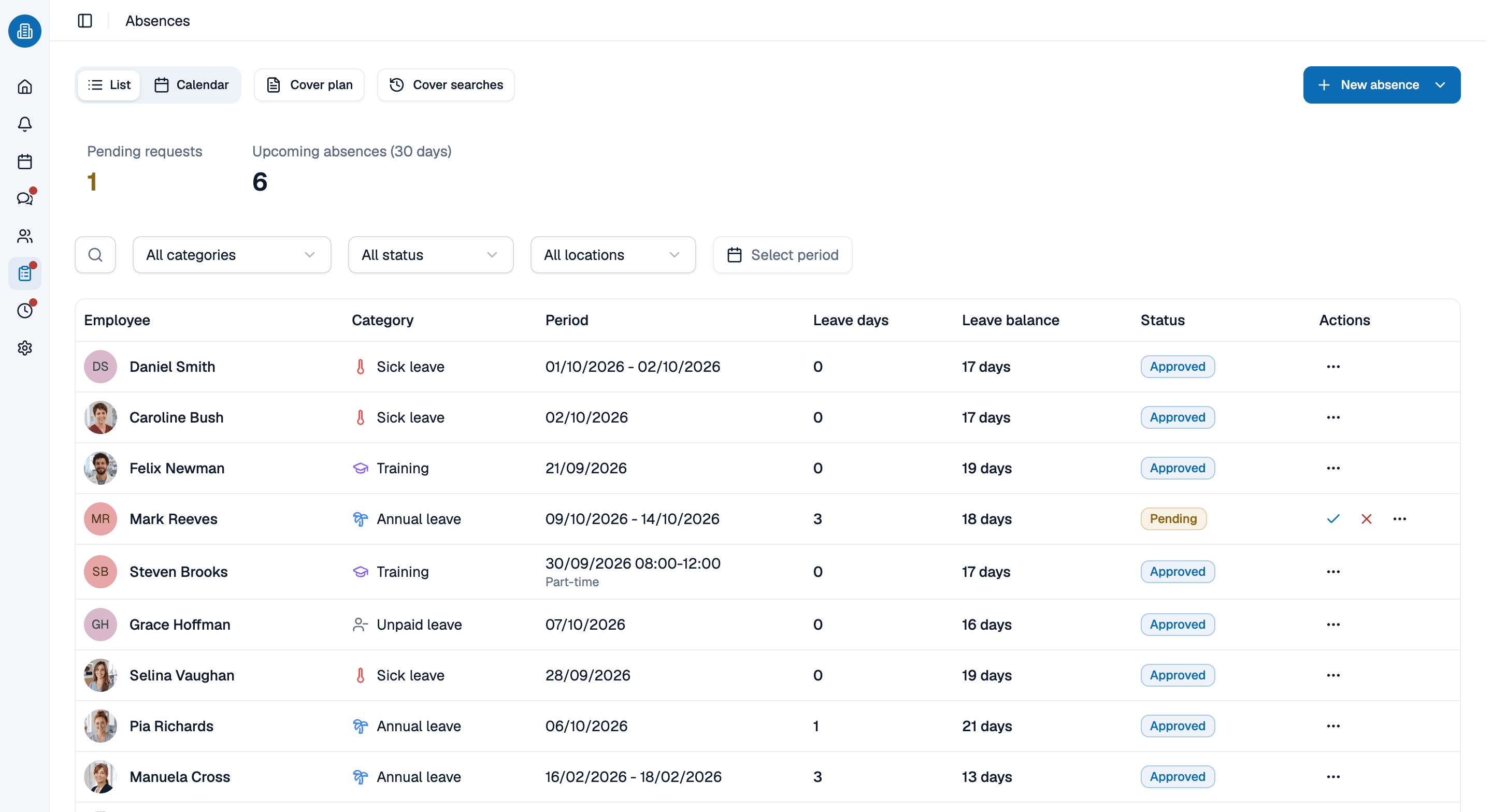
Step two only works if the leave is where you can see it. Booked holiday, training days and sickness sit in the same week as the shifts, so an assignment onto a day somebody is away is caught while you are making it rather than on the morning it matters.
- Booked leave is part of the week you are building, not a second file.
- Stated unavailability counts as a fixed fact too, and is checked the same way.
- What is left is genuinely what is free, so filling the week is quick.
Build it once, keep it right all month
Creating the rota is one evening; the month is the rest of it. Move a shift to another day or another person and the warnings work themselves out again. Tell Kira somebody is off sick all week and it books the absence, lifts them out of their shifts and names the colleagues who could cover, with the reason each one can or cannot.
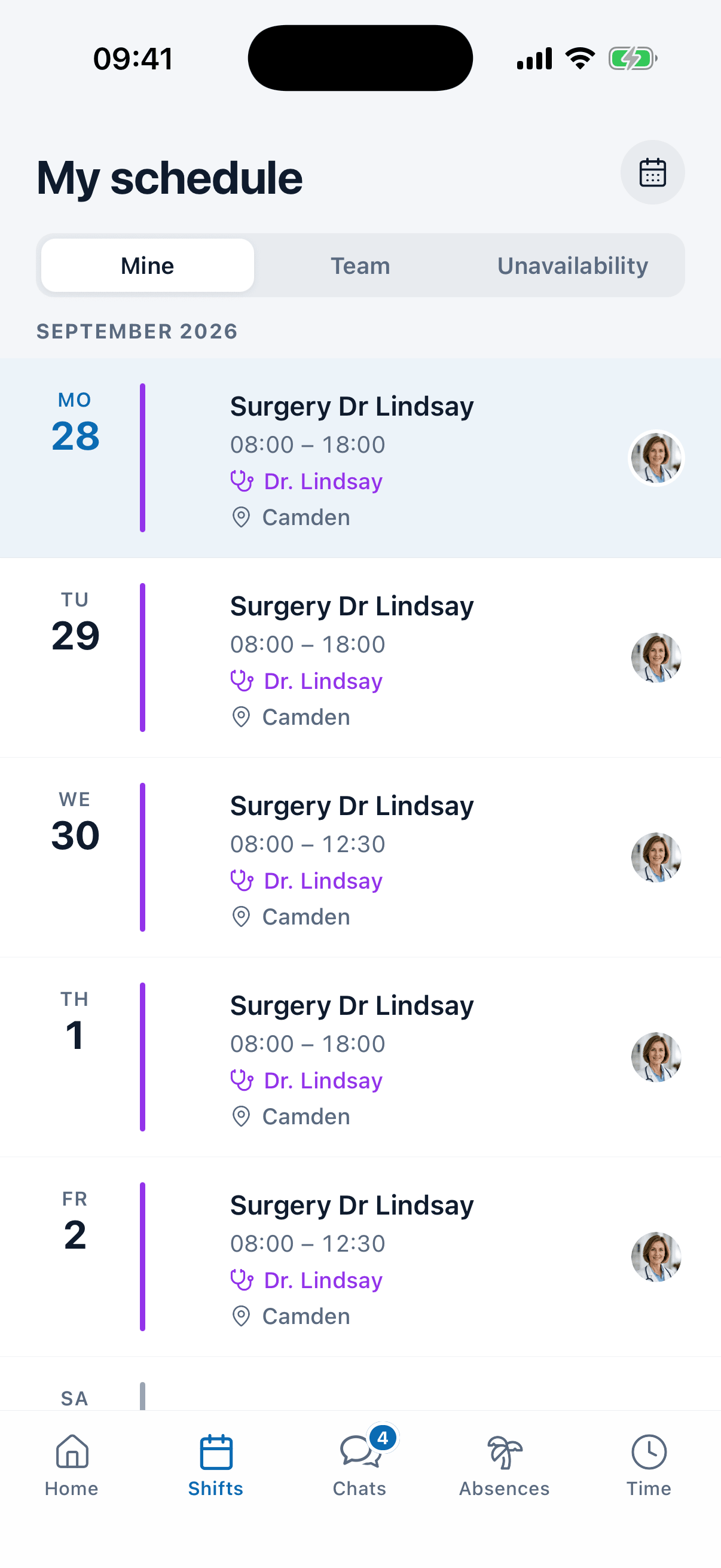
- A change after publishing reaches the phone, not the noticeboard.
- Kira books the absence and suggests the cover when you ask it to.
- Whoever cannot make a shift asks colleagues for cover without waiting on you.
Build next week's rota with us, in 30 minutes
Bring the week you are wrestling with at the moment. We will put it together with you, in the order above, and stop wherever it gets interesting. Thirty minutes, and you keep whatever we built.
- 30 minutes
- Via Google Meet
- Free and without obligation
1. Pick a slot
Saturday 17 October
How to create a rota: common questions
Cover first, names second. List the shifts the week needs and how many people each one takes, then place staff against contracted hours, booked leave and the rest gap. Do it the other way round and you get the rota that has to be redone on Monday.
Under the Working Time Regulations 1998, most adult workers in Great Britain are entitled to eleven consecutive hours off in each 24-hour period, with separate rules for young workers. medishift gives no legal advice: you set the minimum rest gap for your own site, and shifts below it are flagged while you assign.
Yes. A team of ten or fewer pays nothing, permanently and without card details, and that covers the rota itself, leave planning and the app your staff use. Past ten the price is per person and the pricing page states it.
It helps while you are still settling the shape of the week, and a simple grid on paper or in a spreadsheet does that job well. After that the spreadsheet costs you the checking: it cannot tell you somebody is on leave, double-booked or short of rest.
Shifts stay in draft until you publish, and the team then sees the current version in the mobile app. A change you make afterwards reaches them there as well, rather than leaving the printout on the wall to go out of date.
Far enough that people can plan around it, and in most healthcare teams that means four weeks. There is no statutory notice period for a rota in Great Britain, so what binds you is your own contracts of employment and any collective agreement. medishift gives no legal advice. What software changes is the cost of a late change: the corrected week reaches phones instead of needing a new sheet on the wall.