
The clock in clock out system
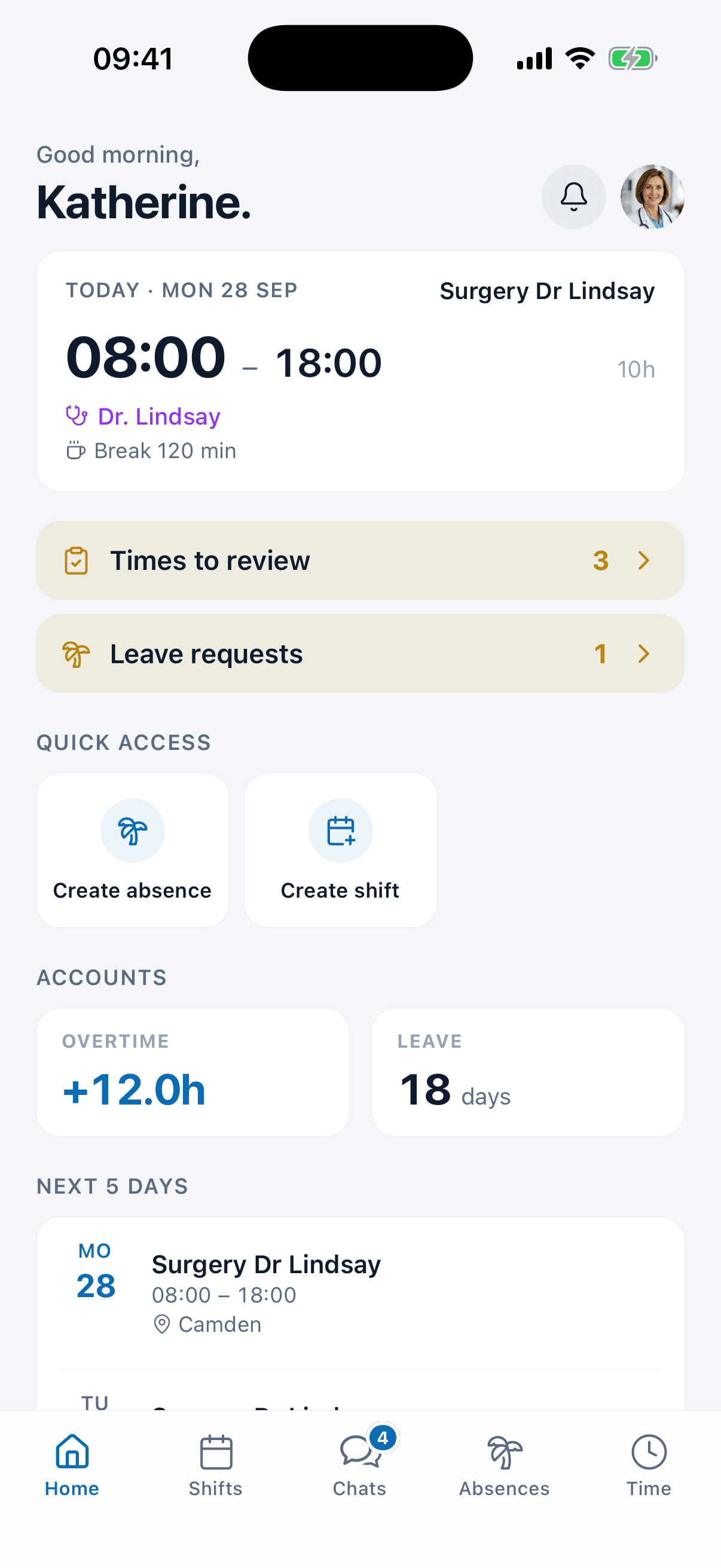
A clock in clock out system for GP surgeries, hospitals and clinics. Your team stamps in from the phone they already carry, and every entry lands next to the shift it was meant to match instead of on a card nobody reads until payday.
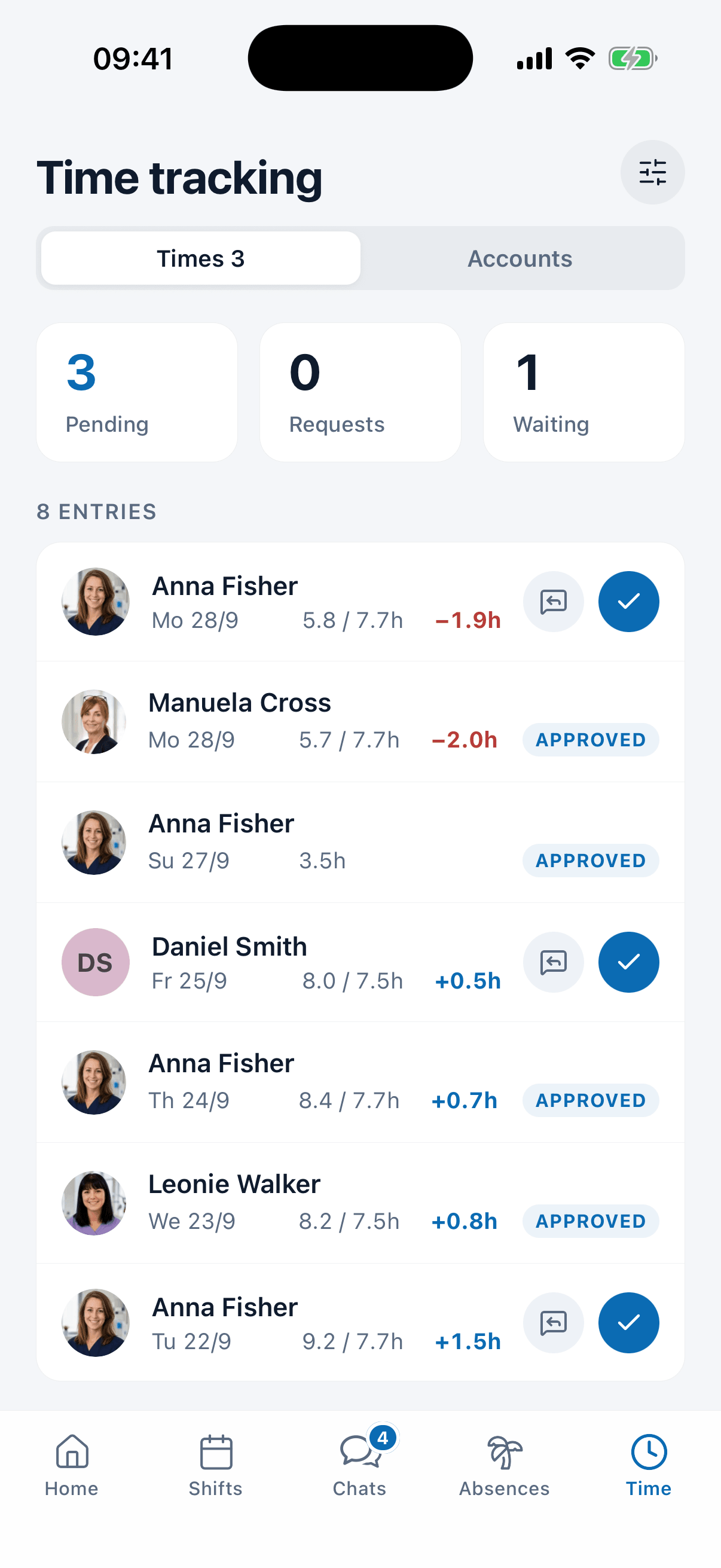
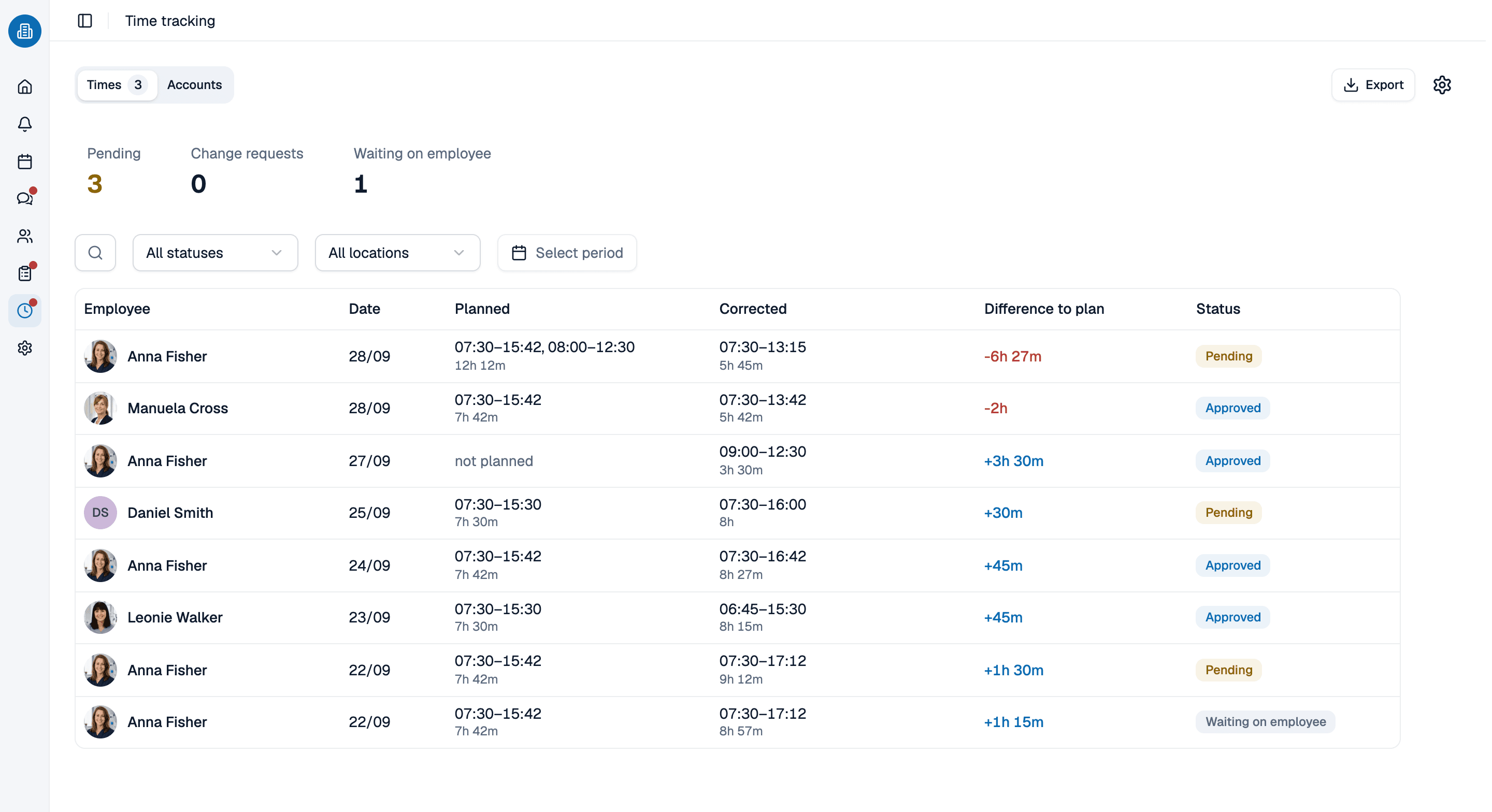
- Your team stamps in and out on a running timer, or types the hours in later
- Approval is a rule you set: hours pass by themselves, or a planner releases them
- A wrong entry is put right by a change request, not quietly rewritten
More than 100 practices already trust medishift







What has to happen between stamping in and the hours counting
Before and after
Clocking in on paper
- The sheet on the wall is filled in from memory on the way out.
- Breaks are guessed at, or forgotten, or both.
- Nobody approves anything; the figure simply appears.
- A mistake is corrected with a biro and an initial.
- The hours and the rota live in two places that never meet.
A clock in and clock out system
- Both ends of the shift carry the time they happened.
- Breaks are captured with the entry and deducted from it.
- Approval is a rule, and the status is on the entry.
- A correction is a request somebody decides.
- The entry sits beside the shift it was meant to match.
Who needs a clock in clock out system?

Hospital wards
Cover that runs round the clock, with nights and handovers whose hours have to be evidenced as carefully as they are worked.

GP and dental practices
A small team, no terminal on the wall, and nobody whose actual job is chasing a timesheet on the last Friday of the month.
Physios on home visits
Physiotherapists who begin the day at a patient's door rather than at the clinic, and clock in from where they really are.

Bank and agency cover
People who work a handful of shifts a month, where the hours have to be right first time because there is no next month to put them right in.
The stamp knows which shift it belongs to
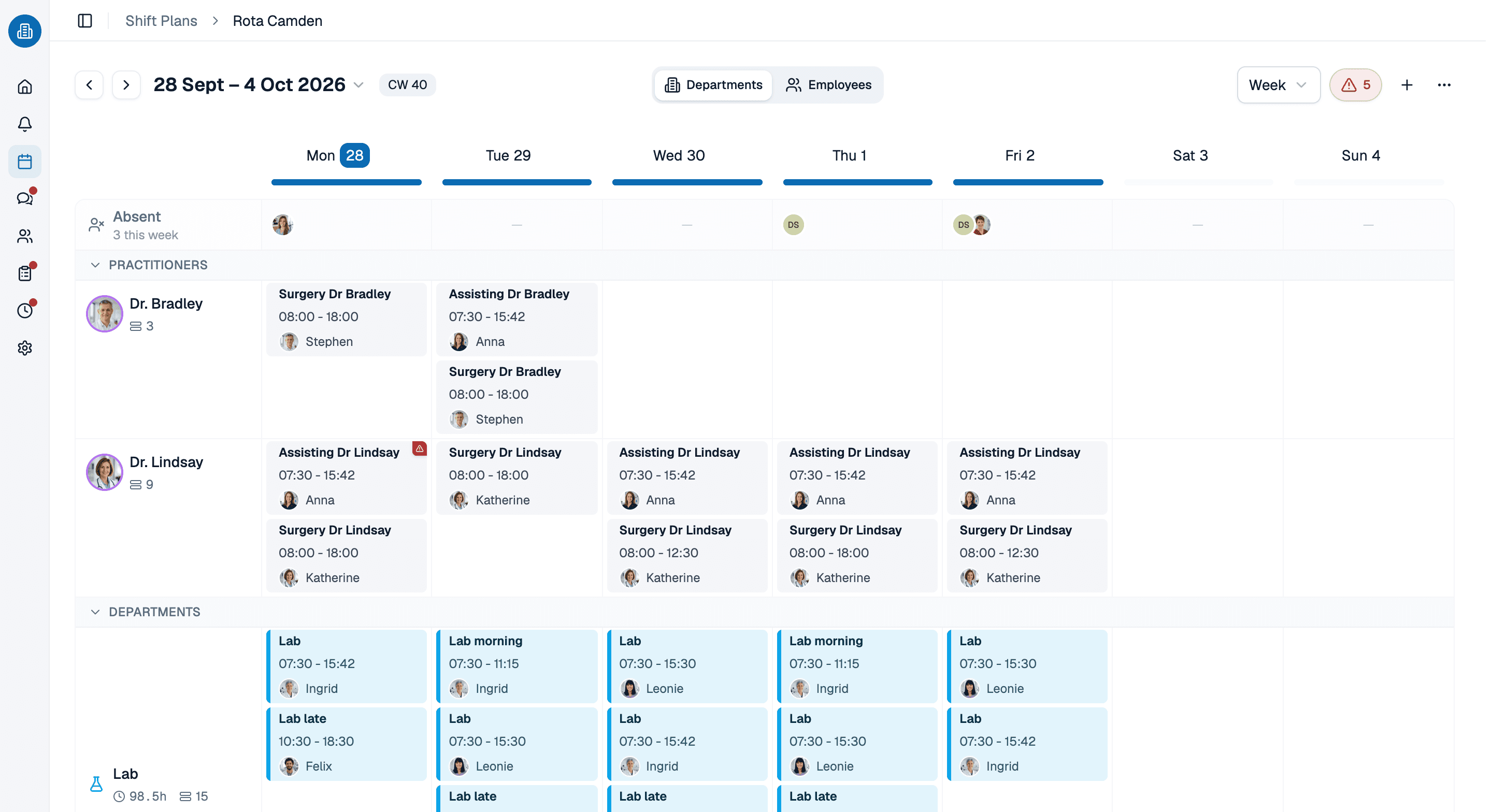
A timestamp on its own says somebody was here. Next to the shift they were rota'd for, it says whether the day went the way it was planned. medishift already holds the rota, so a clock in system for employees has something to measure against instead of a blank column.
- The shift is already on file when the entry arrives.
- A week still in draft counts for nothing until you publish it.
- Absences and holidays are part of the same week, not a second file.
Where the hours end up
Approved entries flow into the overtime account and into the monthly comparison of contracted against worked. This is where a clock in clock out system hands over: the stamping is this page, what the month does with the hours afterwards has a page of its own.
- The balance moves as entries are approved, not at the end of the month.
- Everyone reads their own hours; planners read the team's.
- Payroll is not something hours are exported to. Worth knowing first.
See the clock in clock out system in 30 minutes
We will set up a week the way your team actually works it, stamp a shift in and out, and walk through what happens when somebody gets it wrong. Pick a slot and we will do the rest.
- 30 minutes
- Via Google Meet
- Free and without obligation
1. Pick a slot
Saturday 17 October
Clock in clock out system: common questions
A start and a stop with real timestamps, the break, and whose hours they are. What matters comes after that: who approves the entry, how a wrong one is put right, and what the hours are measured against.
Not clocking-in records specifically. Under the Working Time Regulations 1998, employers in Great Britain must keep records adequate to show that the weekly working time limit and the night work limits are being met, and must keep them for two years; the regulation asks for proof of compliance, not for a particular way of recording it. medishift gives no legal advice.
They raise a change request and a planner decides it. Nothing is rewritten in silence, and nothing is sealed: a status can change again later. Admins can also correct an entry directly.
No. Clocking in and out systems built around a fixed terminal suit a factory door; they suit a physio's home visits badly. medishift works in the clock in clock out app your team already opens for the rota, and in the browser on a shared screen if you would rather have one place to stamp.
The captured times export, so the hours your team clocked can leave the system. What does not exist is the step after that: no connector pushes them into a payroll package, so somebody still carries them across once a month. The time and attendance page sets out what that monthly figure is made of.
Nothing for a team of ten or fewer, permanently, and without card details: that covers the rota, leave planning and the app itself. Stamping in and out belongs to the paid plans, where the price is per person and stated on the pricing page.