
Time and attendance, settled by the month
Time and attendance software for surgeries, care homes and clinics. Contracted hours on one side, hours actually worked on the other, and a balance that keeps itself current instead of being rebuilt in a spreadsheet every month.
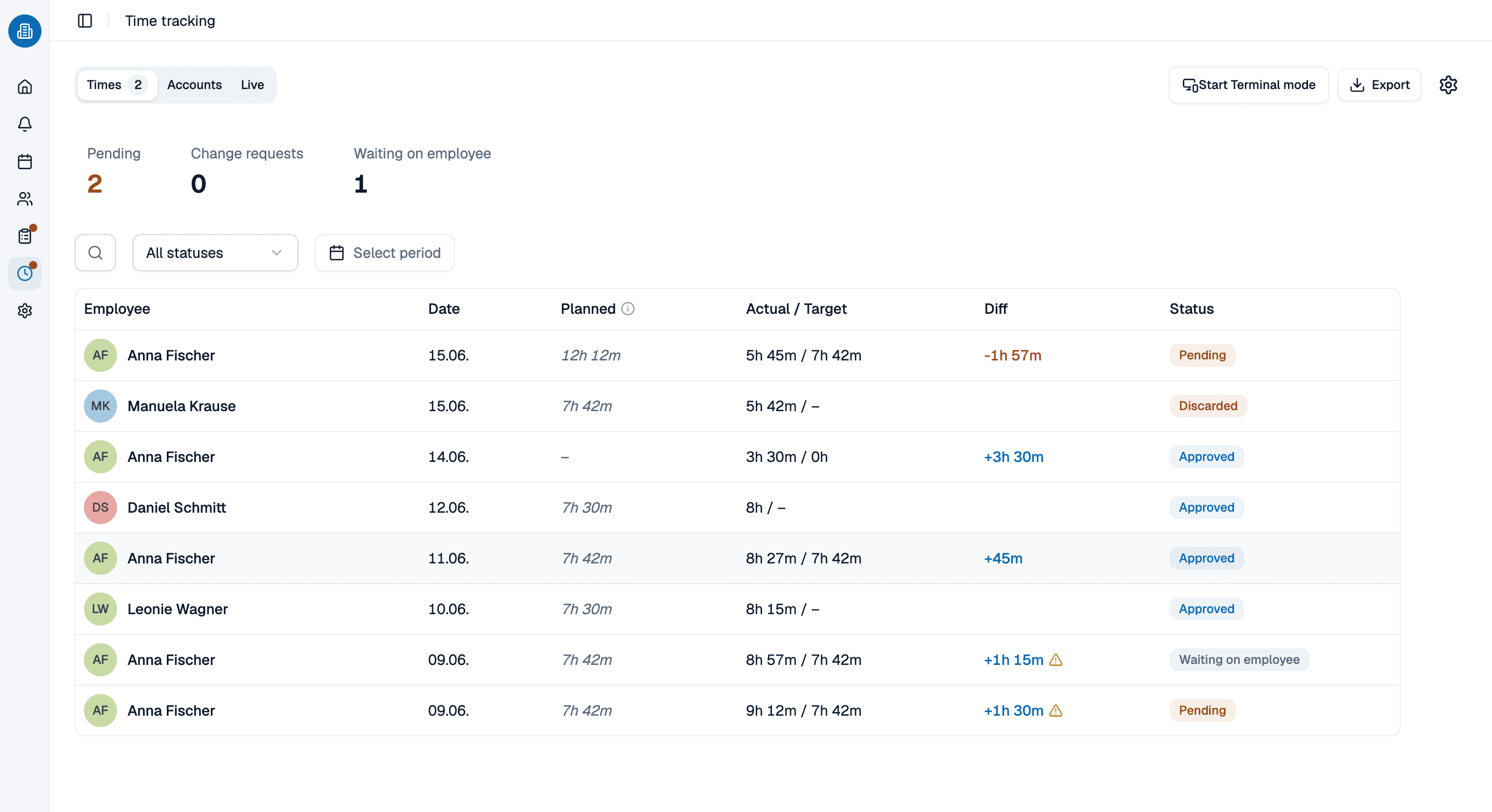
- Contracted hours per weekday, with earlier versions kept when they change
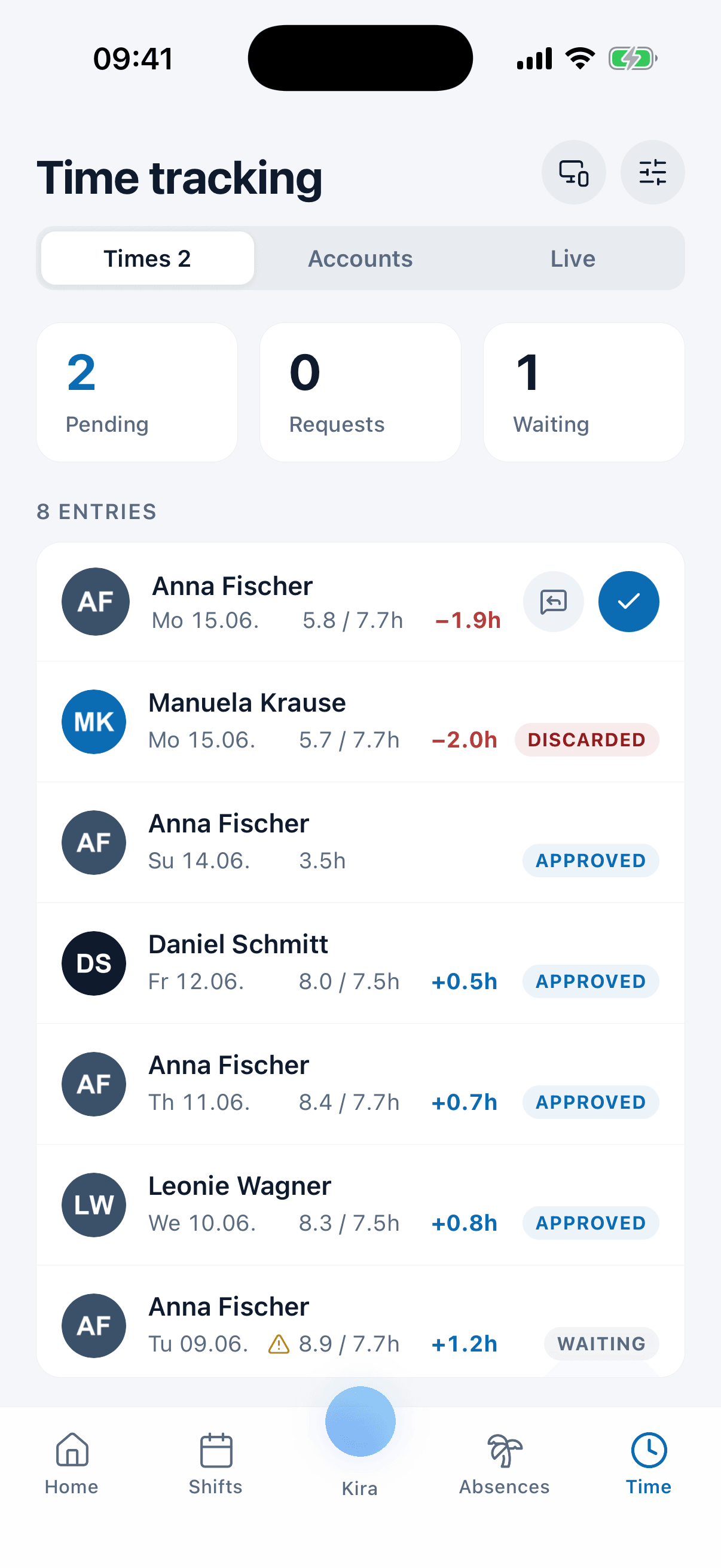
- Staff clock in and out on a timer, or enter the hours they worked
- Breaks come off the total, and the balance updates itself
More than 100 practices already trust medishift






From contracted hours to a month that closes itself
Before and after
Hours on a spreadsheet
- Somebody adds up the month by hand, and somebody checks the adding.
- Breaks are remembered, or they are not.
- A wrong entry is corrected by overwriting it.
- Nobody knows their balance until the month is done.
- Last year’s contract is gone, so last year’s figures cannot be checked.
Hours in time and attendance software
- The balance recalculates itself instead of being added up again.
- Breaks come off the total as they are captured.
- A night that crosses midnight lands on one day, not two halves.
- Everyone can see their own hours as they go.
- Contract changes are versioned, so old months still add up.
Who is attendance software for?

Part-time teams
Where three people share two full-time posts and no two weeks are shaped the same.

Teams working nights
Cover that runs past midnight, where a shift belongs to two dates and the hours still have to land in one.

Surgeries and dental practices
Sessions, reception cover and the extended-hours clinic that sits outside the standard week.

Clinics with several departments
Different hours per department, one set of figures at the end of the month.
Where the worked hours come from
The captured side of the figure is a subject of its own: who starts a timer, who types the hours in afterwards, who releases them and what happens to a mistake. That belongs on the clocking-in page, and this account reads whatever it produces.
- Captured time arrives here once it is approved.
- The approval rule is set over there, not here.
- Your own hours stay readable to the person who worked them.
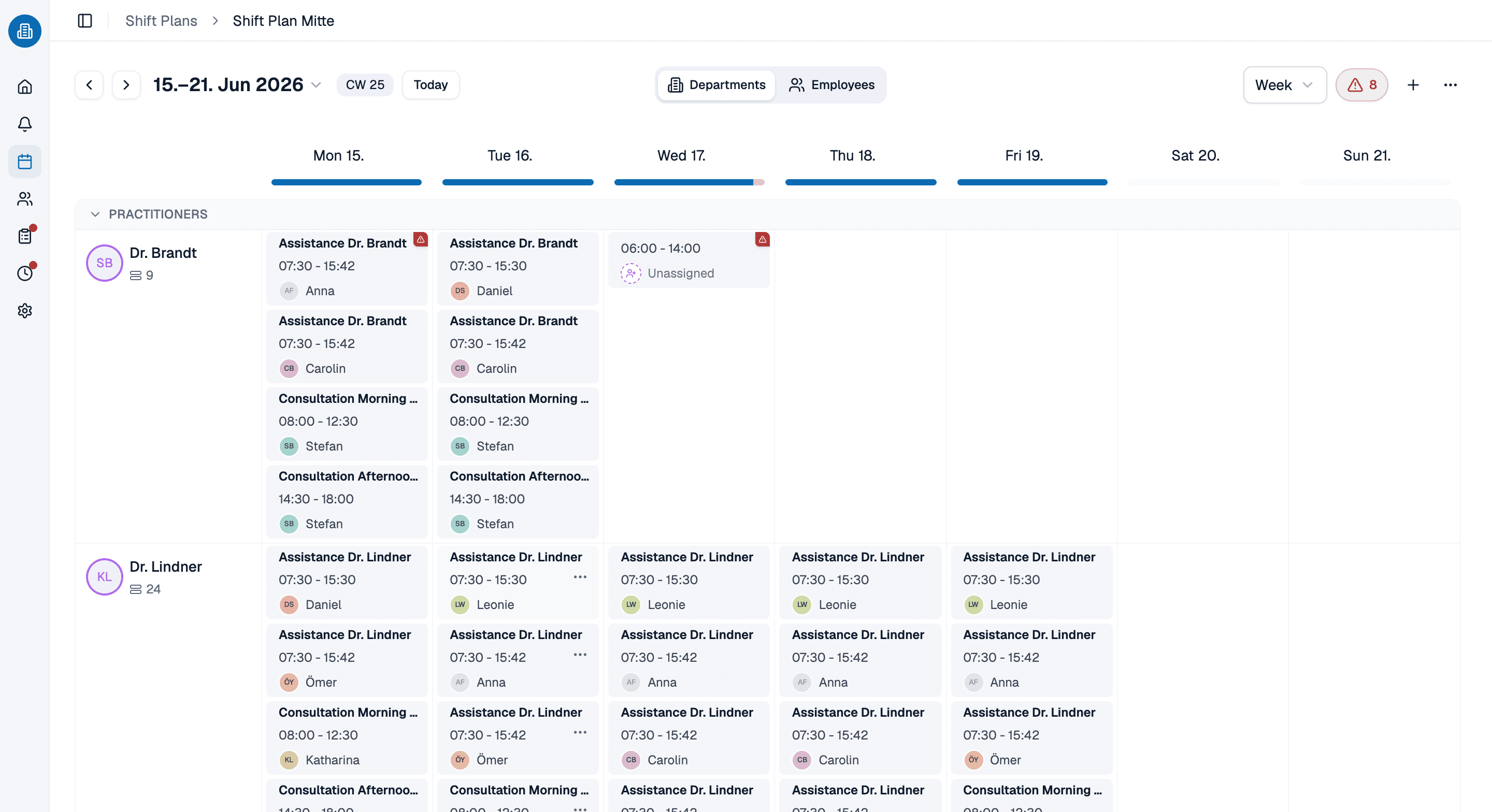
The rota is where the hours come from
Published shifts, approved absences and bank holidays are what the contracted hours are measured against. Because the rota and the hours live in the same place, a shift that moves does not need telling twice.
- Published shifts feed the figures; drafts do not.
- Approved absence lands in the same account.
- A shift that moves is counted again by itself.
Time and attendance software on a real month, in 30 minutes
Bring a month you have already paid against and we will rebuild it in medishift, so you can see where the figures agree and where they do not. Pick a slot, we will take care of the rest.
- 30 minutes
- Via Google Meet
- Free and without obligation
1. Pick a slot
All times in Europe/Berlin.
Monday, September 21
Frequently asked questions about time and attendance software
It measures hours worked against what the person was contracted to work, and keeps the difference current. A timesheet records the first half of that and leaves the arithmetic, and the checking of the arithmetic, to somebody at the end of the month.
Either. Staff can clock in and out on a timer that records real timestamps, or enter the hours they worked afterwards. Both routes work in the browser and in the mobile app, and breaks are captured with the time and deducted from it.
Each absence category can be marked as counting towards working time. Sickness, training and similar categories then leave the balance where it was instead of pushing it into minus hours, which is usually what you want and almost never what a spreadsheet does by default.
While a month is running, yes, and by itself: publishing a shift, approving an absence or changing somebody’s contracted hours each recalculate the balance they touch. Once a month is paid it is closed off, and moving a figure in it takes a deliberate adjustment that stays visible.
A change creates a new version with the date it takes effect, and the earlier version stays on file. Closed months are frozen on top of that, so last year’s figures do not move when this year’s contract is signed.
Rostering, absence management and the app your team uses are free forever for up to ten people, with no payment details asked for. Time and attendance sits in the paid plans; the pricing page carries the price per person.
No, and it is worth knowing before you buy. The hours stay in medishift; what you carry into payroll is the monthly figure per person, contracted against worked, read off the report. For most practices that is the number the payroll run needs anyway.