
The rota planner for your team
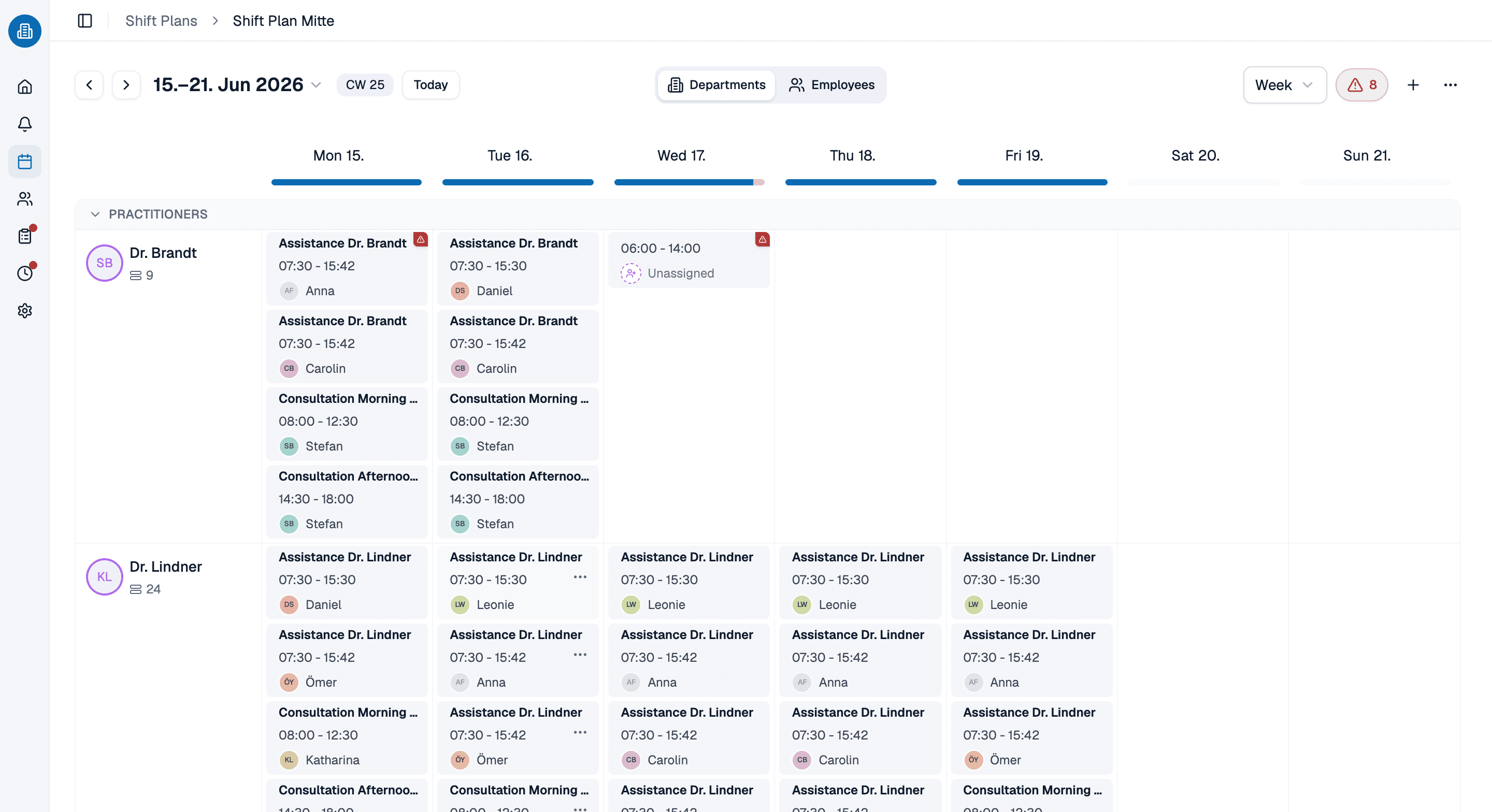
A rota planner built for GP surgeries, care homes and clinics. You drag the week into place, and medishift flags the clash, the missing rest gap and the booked leave while you assign, not on the morning nobody turns up.
- Drag and drop the week, then let a template fill in the part that repeats
- Clashes, booked leave and the days somebody cannot work are checked as you assign
- Your team opens the rota app on their phone and picks up open shifts
More than 100 practices already trust medishift






From a blank week to the rota in your team’s pocket
Before and after
The rota on a spreadsheet
- The rota is printed on Friday and out of date by Tuesday.
- A double booking turns up on the morning of the shift.
- Rest gaps are checked in someone’s head, if at all.
- Leave sits in a second file that nobody cross-checks.
- Anyone who wants to know their shift rings the practice.
The rota in a rota planner
- An online rota, on every screen, current for everyone at once.
- The clash reports itself while you are still assigning.
- Rest gaps and long runs of days are checked against your own limits.
- Booked leave is part of the same picture as the rota.
- Everyone sees their own shifts in the app.
Who is the rota planner for?

GP surgeries and clinics
Consulting hours, reception cover and the half day that never quite fits the standard week.

Care homes
Cover that has to hold around the clock, with rest gaps that matter and a team that changes shape every week.

Practices with a branch surgery
A main site and a branch, each with a rota of its own, drawing on one pool of people and the standing question of who is where this week.

Out-of-hours and night cover
Nights, weekends and on-call as shifts of their own rather than a note in the margin of the rota.
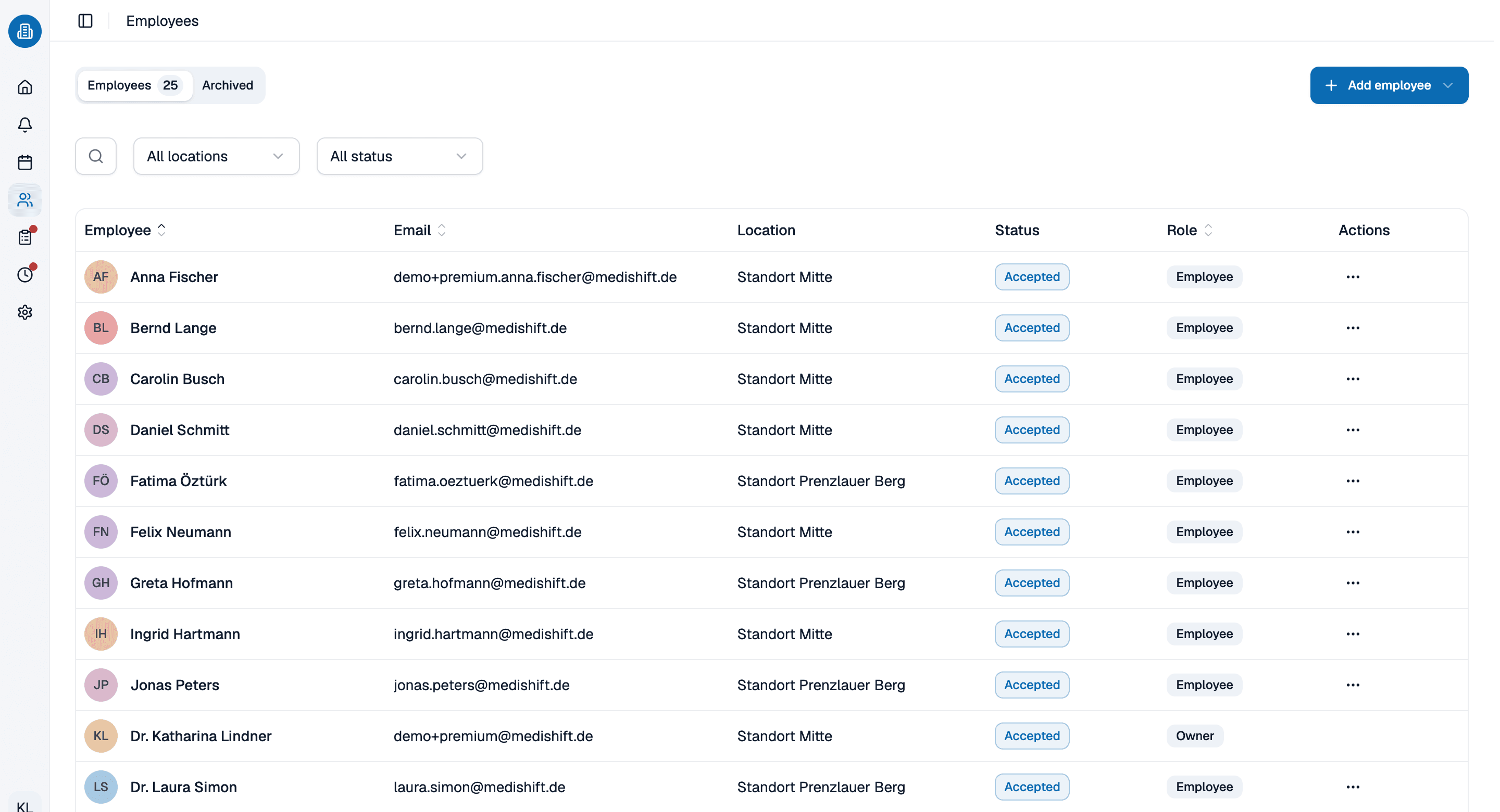
Every person, every site, one list
Roles, departments and status sit with the person instead of in a second spreadsheet. Run a branch surgery as its own rota and it still draws on the same people and the same departments, which is what stops the same name being booked twice on the same evening.
- Roles and departments belong to the person, not to the site.
- Fixed working times are on file and checked as you plan.
- The status shows who is active and who has been archived.
A shift becomes hours worked
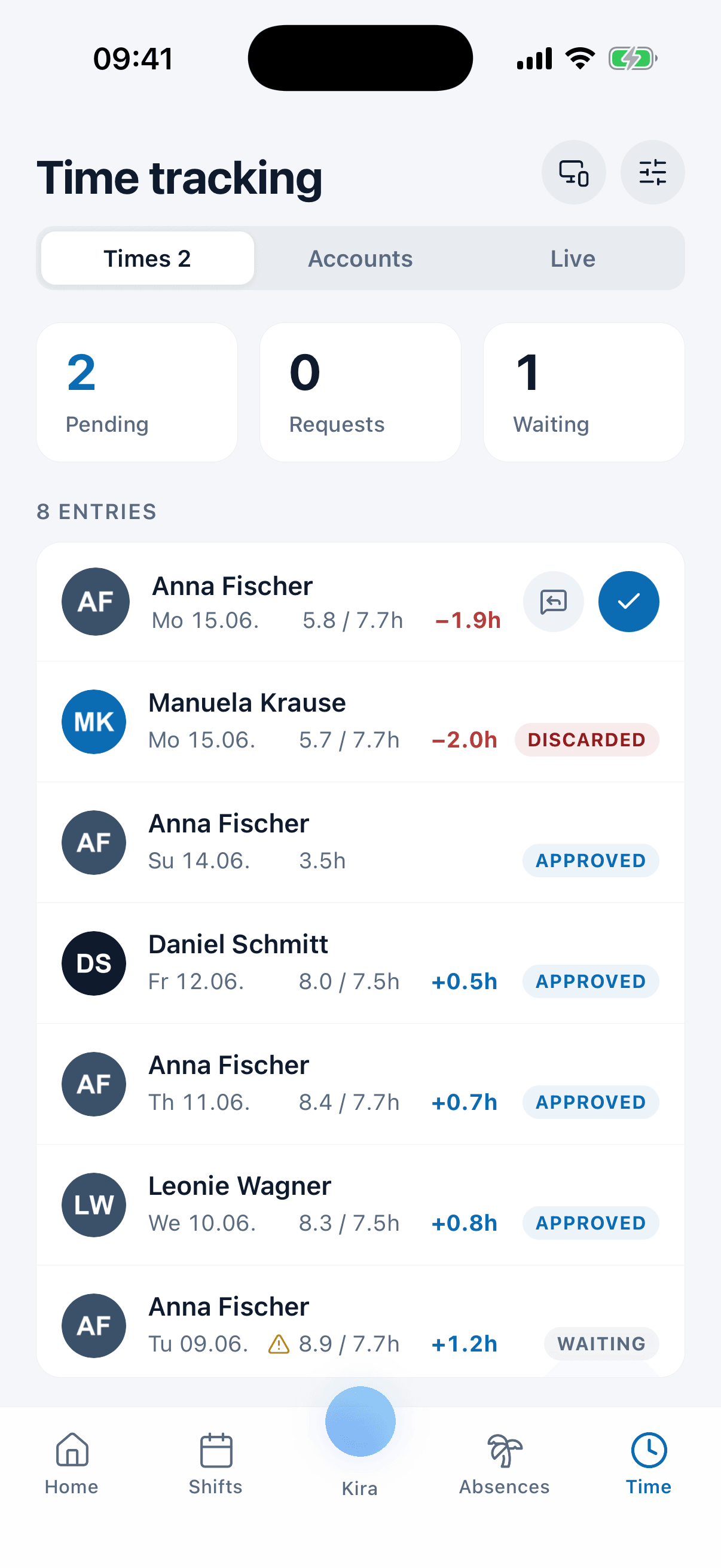
The late finish shows up as a plus hour in the account rather than on a scrap of paper. Target and actual sit side by side per day and per person, and you approve them in the same list you were already looking at.
- Target against actual sits side by side per day and per person.
- Plus and minus hours flow into the overtime account by themselves.
- Approval happens in the same list.
Let us show you the rota planner in 30 minutes
We will rebuild a week from your own rota in medishift and show you where the checks would have caught something. Pick a slot, we will take care of the rest.
- 30 minutes
- Via Google Meet
- Free and without obligation
1. Pick a slot
All times in Europe/Berlin.
Monday, September 21
Frequently asked questions about the rota planner
It checks the rota while you build it. As you assign a shift, medishift looks for double bookings, booked leave and stated unavailability, and it measures the assignment against the rest gap and the daily hours you have set. A spreadsheet holds the same information but never reads it back to you. That is what separates a shift planner from a grid of cells, and the reason staff rota software exists at all.
For teams of up to ten people the rota software is free forever, including the rota, absences and the mobile app. You do not need payment details to start.
Yes. Minimum rest between shifts, maximum hours in a day and the longest run of consecutive working days are all yours to set per site. medishift warns when an assignment breaks one of them. The warnings flag the issue rather than blocking the shift, and medishift does not give legal advice.
Through the rota app on their phone. Your staff see their own shifts there, apply for open shifts, book annual leave and say when they are unavailable. A change to the rota reaches their phone without anyone sending a new printout.
Yes. A main site and a branch run as separate rotas that share the same departments and the same people, so somebody rota’d in both places is still one person and the clash check sees both shifts.
Kira, the assistant built into medishift, creates shifts, applies a template, books an absence and resolves a flagged conflict when you ask it to in plain language. You instruct it and check what it did. It assists with the rota, it does not write the whole thing on its own.