
Auto scheduling software that fills next week's rota, not your diary
Kira is the assistant inside medishift. It brings your team in from a file, turns a sentence into a rota rule, fills every uncovered shift of a week in one pass, and still answers your questions a month later. That is auto scheduling software for GP surgeries, dental practices and care homes, free for the first ten people.
- Your team, their contracted hours and last year's annual leave come in from a file
- Say bring this week into order, and an automatic rota generator fills every uncovered shift at once
- Free for up to ten people, permanently, with no card details
More than 100 practices already trust medishift





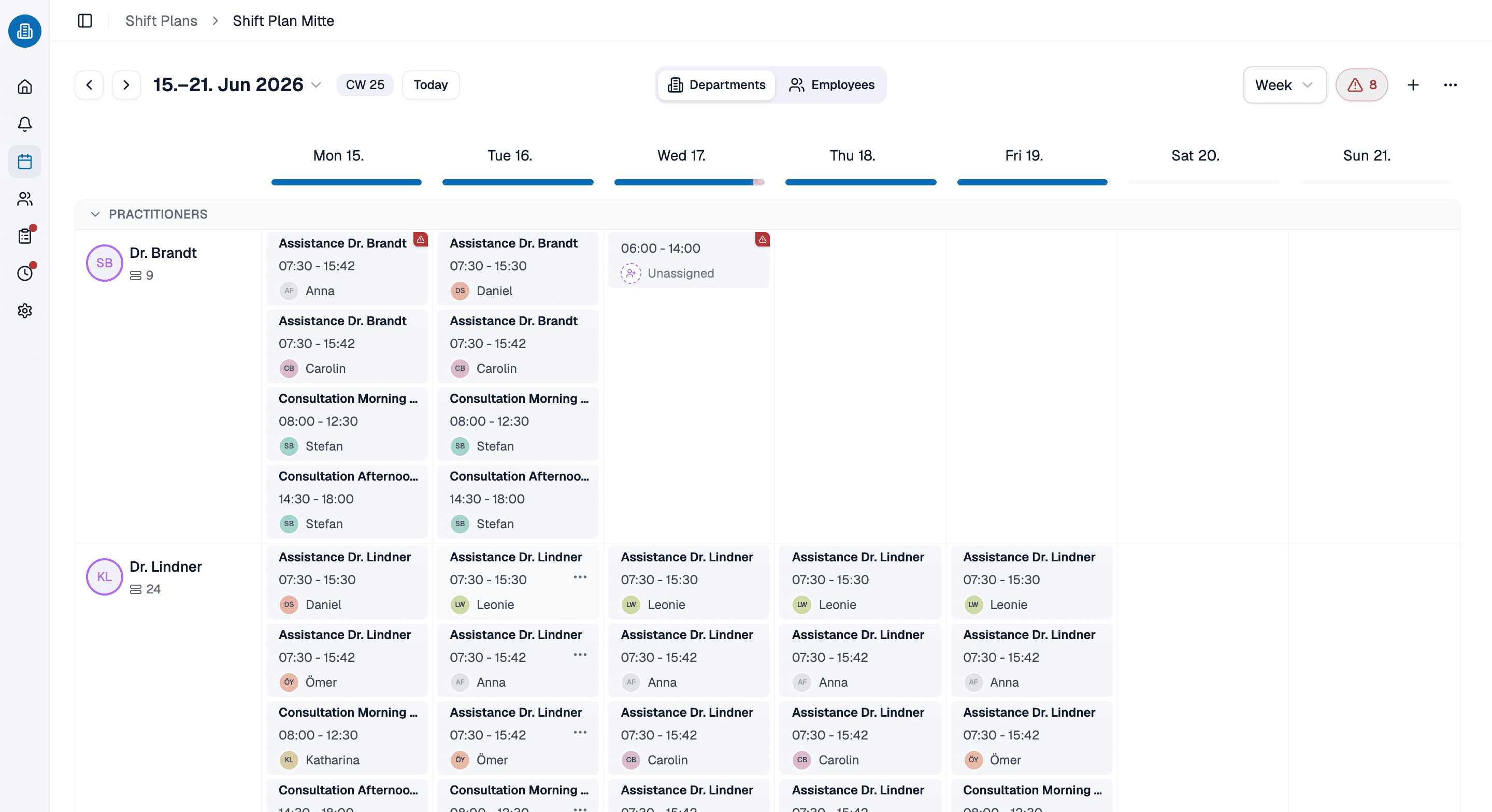
How automated scheduling software carries a week in a surgery, in five steps
Two ways to run the same month
By hand, on a spreadsheet
- Team, hours and last year's annual leave get typed in row by row.
- The rules that matter live in one person's head.
- You fill the easy days first and leave Thursday until last.
- A sick call at seven costs you the morning.
- Every question about hours means another spreadsheet.
Auto scheduling software, rules first
- The old file goes into the chat and you approve the rows.
- Your own sentences sit beside the rota and get checked as you plan.
- An automatic rota generator fills every uncovered shift in one pass.
- Cover comes back with names and the reason behind each one.
- You ask the AI rota planner a question and a table comes back.
Which week are you trying to cover?

GP surgeries
Opening times, reception cover, two clinicians in parallel on a Tuesday, and the afternoon that obeys neither.

Dental practices
Surgeries running side by side, a nurse alongside each dentist, and a hygienist list that moves week to week.

Care homes
Long days, nights and twilight cover, where the rest gap between a late and an early decides whether next week holds together.
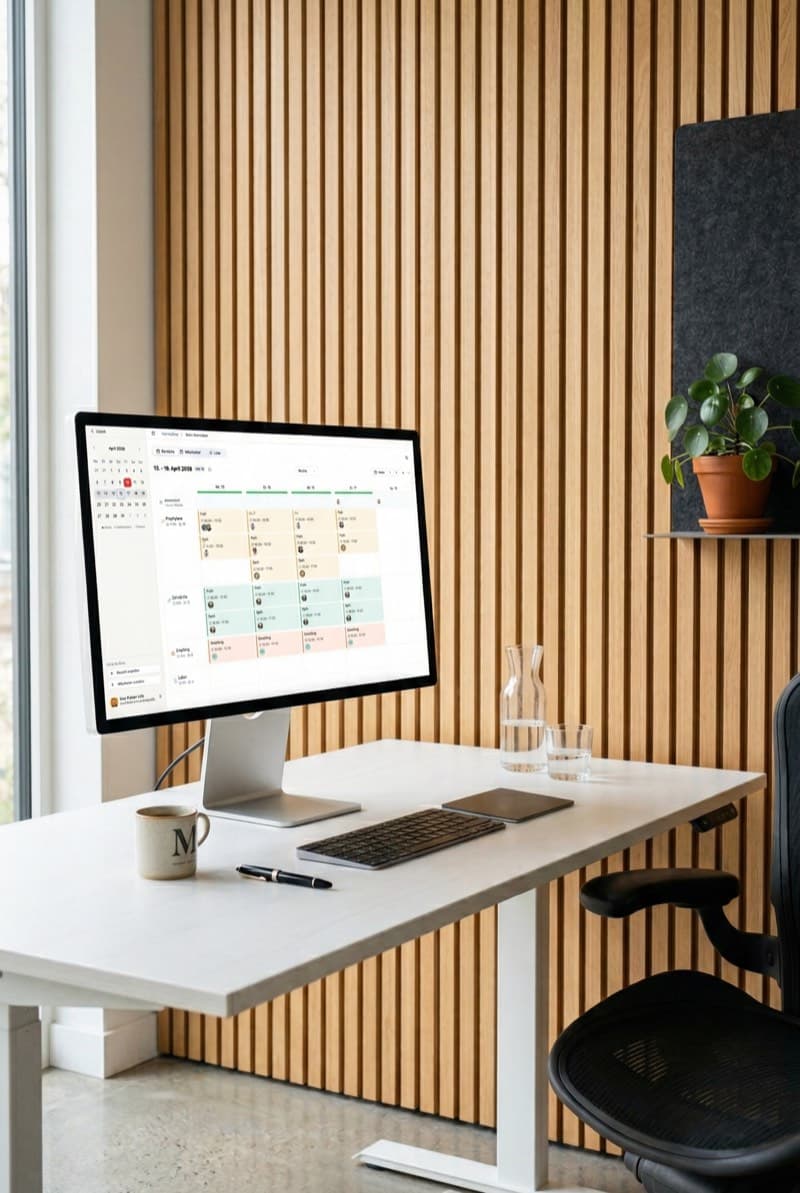
Practices with a branch surgery
A main site and its branches as rotas of their own, each site keeping its own rules and holiday calendar.
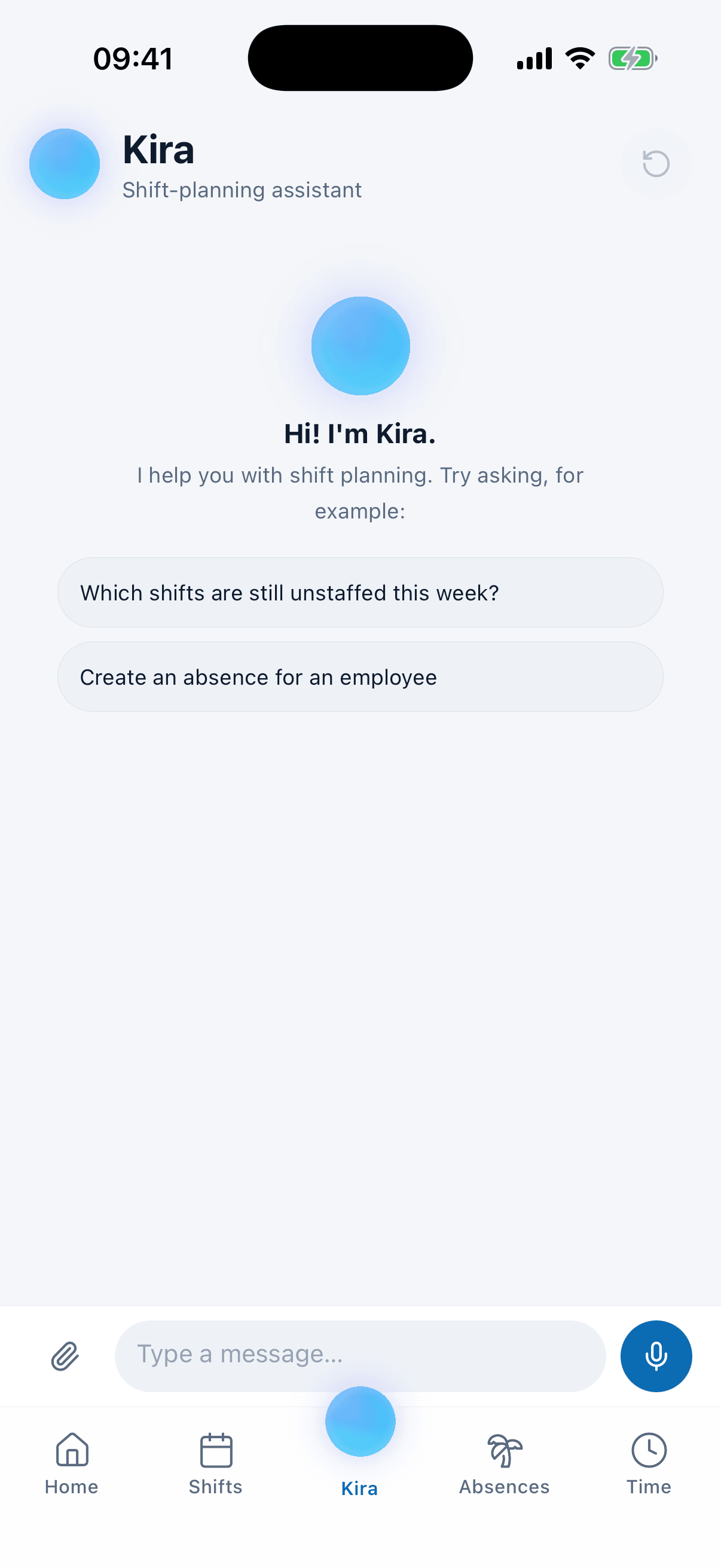
Kira comes with you on the phone
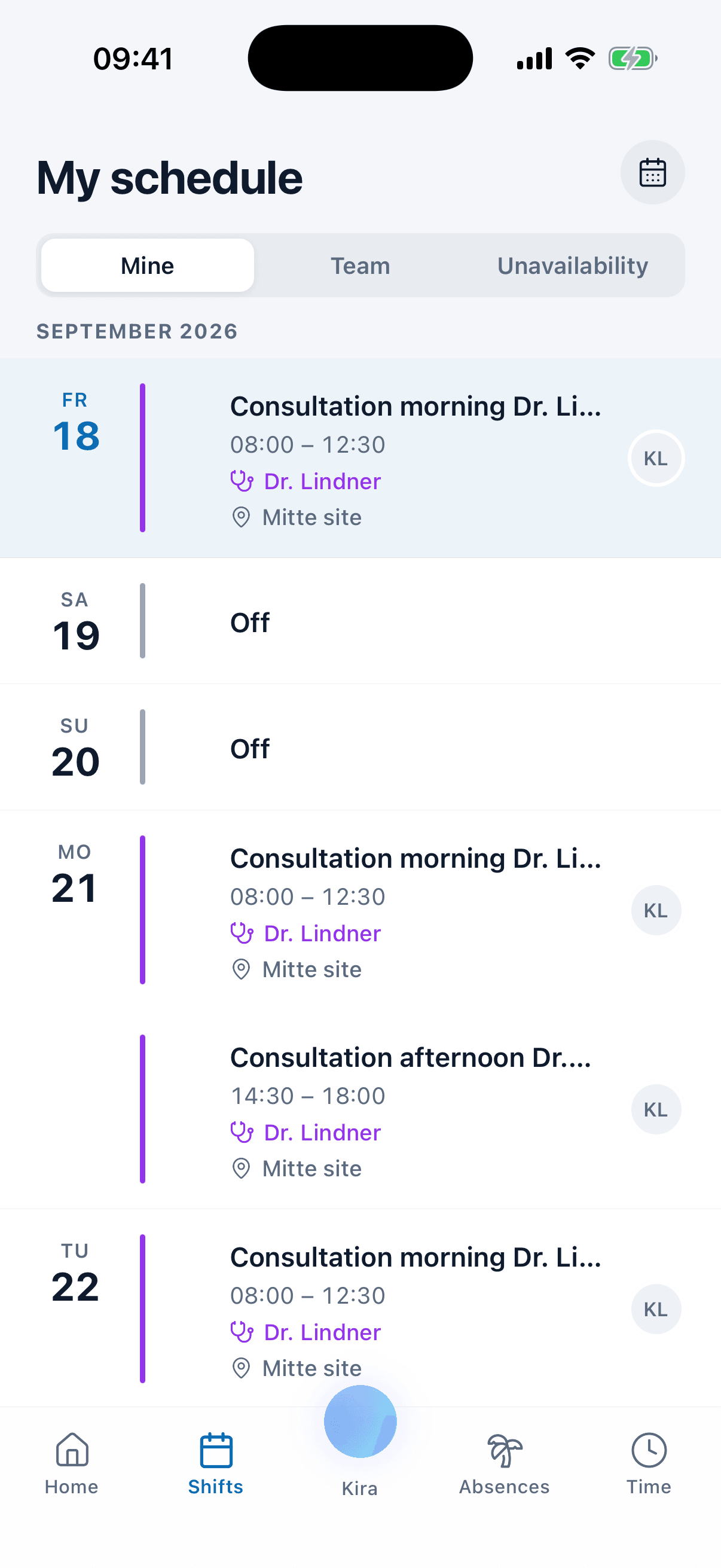
A sick call rarely arrives while you are at your desk, which is where AI staff scheduling usually stops. In the medishift app Kira has a tab of its own, with the same confirmation cards, attachments and voice messages as the browser: hold the mic, say what has happened, let go. By the time you are through the door the absence is booked and the cover is waiting for your yes.
- Say it on the way in, as a voice message of up to 59 seconds, or typed, with a file attached.
- Your team sees its own rota, books annual leave and applies for the open shifts you post.
- Push notifications, the moment you publish a week or change one.
Ask Kira how the hours stand
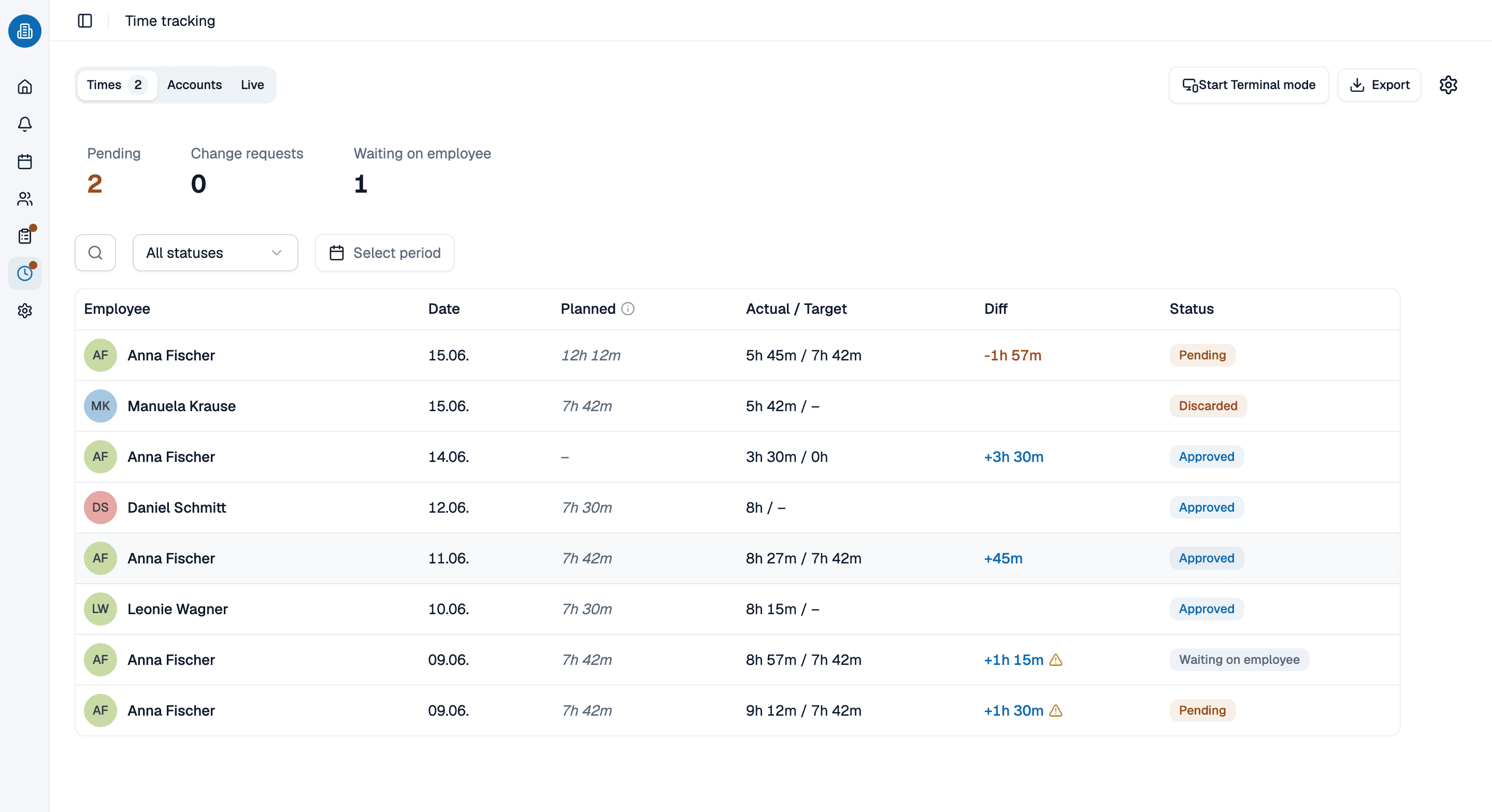
The rota and reality part company the moment somebody stays late. Captured hours feed the overtime balance, and Kira reads you the state of it without you opening the report. It calls the same calculation the page shows, so it cannot contradict the screen.
- How does Anna's overtime balance stand? comes back as the number the report shows.
- Contracted against actual hours side by side per person, per month, filterable by site.
- A follow-up question builds a second table; the first one stays put.
See Kira work on your week, in 30 minutes
Bring the week you are wrestling with, and the file your team still lives in. We will put your rules in, run the auto scheduling software at it and stop wherever it gets interesting, including where it says no.
- 30 minutes
- Via Google Meet
- Free and without obligation
1. Pick a slot
All times in Europe/Berlin.
Wednesday, September 23
Auto scheduling software: common questions
It carries a week from an empty account to the question you ask a month later. Kira takes your team in from a file, turns a sentence into a rota rule, builds the shifts the week needs, fills every uncovered one in a single pass, books a sick day and names who could cover, then publishes the rota to the phones. Almost everything it changes arrives on a card you approve first.
No. Those hunt for a free slot in two people's diaries. This is automated scheduling software for staff rotas: who is on reception on a Wednesday afternoon, whether a trainee has an experienced colleague in the same department, whether eleven hours sit between a late finish and an early start. AI staff scheduling here means a week of cover, not a free half hour.
Kira works the week through your rules, rest gaps, contracted hours and overtime balances at once. The run puts the assignments straight into the week and gives you Discard instead of asking first, for the whole plan or for any single assignment, because nobody reads twelve suggestions one by one. Anything that takes something away, lifting a colleague out of a shift or dropping a shift, still goes through a confirmation card first. Kira offers no ways round your own rules: a shift one of your rules deliberately keeps uncovered is the rota you asked for. Where the week cannot work, you get the smallest honest explanation, which rules cannot hold together, in your own words, not a constraint number. That is the honesty auto scheduling software needs before you leave it running.
The typing. Attach the list from your old system and Kira reads CSV, Excel, PDF and photos, then shows you every row before anything is written. It creates people in bulk with their contracted hours, departments and annual leave entitlement, and turns a photo of the rota on the wall into draft shifts. An automatic rota generator is not much use until it knows who is on the staff.
Yes. Kira has a tab of its own in the medishift app, with the same confirmation cards, attachments and voice messages as the browser, so a sick call can be dealt with from the car park. Your team uses the same app to see the rota, book annual leave and apply for open shifts. Automated scheduling software that only works at the desk misses the calls that break the week.
Anything your own data can answer that has no screen of its own: who worked the most weekends this year, how many days of annual leave the team took in June, who is free on Thursday afternoon. Kira reads the definition out of your data rather than inventing one, so an AI rota planner cannot quietly disagree with the report. Small results arrive as a table you can download as a CSV file, and a follow-up builds a second table instead of editing the first.
Yes. A team of ten or fewer pays nothing, permanently and without card details, and that covers the rota itself, annual leave planning and the app your staff carry. Past ten the price is per person and the pricing page states it.