
Time and attendance software for medical and dental teams
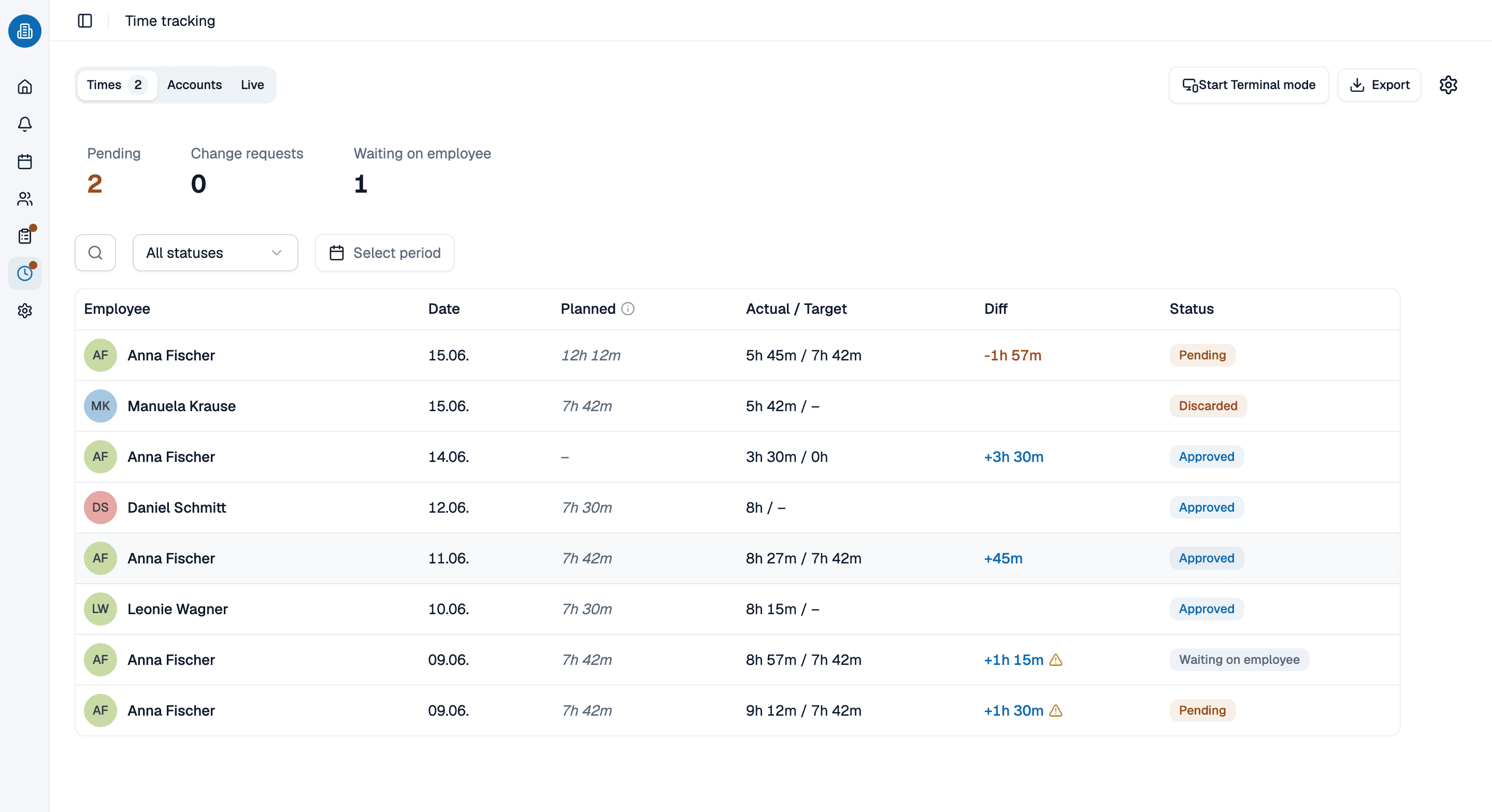
Target hours on one side, hours actually worked on the other, and a balance that keeps itself current instead of being rebuilt in a spreadsheet every month. Time and attendance software for practices of five to fifty, not a punch clock bolted to the wall.
- Target hours per weekday, with the old version kept when a contract changes
- Your team clocks in and out in the employee time clock app, or enters the hours worked
- Breaks come off the total, and the overtime balance recalculates itself
More than 100 practices already trust medishift






From target hours to a month that closes itself
Two ways to count the same month
Hours on a spreadsheet
- Somebody adds up the month by hand, and somebody else checks the adding.
- Breaks get remembered, or they do not.
- A wrong entry is fixed by overwriting it, and the original is gone.
- Nobody knows where they stand until the month is closed.
- Last year's contract is gone, so last year's numbers cannot be checked.
Hours in time and attendance software
- The balance recalculates itself instead of being added up again.
- The time clock software deducts the break as the time is captured.
- A night that crosses midnight lands on one day, not two halves.
- A correction is requested and decided, so the original stays visible.
- Contract changes are versioned, so closed months still add up.
Who needs time and attendance software?

Part-time teams
Where three people share two full-time roles and no two weeks are shaped the same.

Teams working nights
Coverage that runs past midnight, where a shift belongs to two dates and the hours still have to land on one.

Medical and dental practices
Front desk, assistants and the late clinic that sits outside the standard week: a time clock app for small business practices, not a factory floor.

Clinics with several departments
Different target hours per department, one set of numbers at the end of the month, filterable by location.
Where the worked hours come from
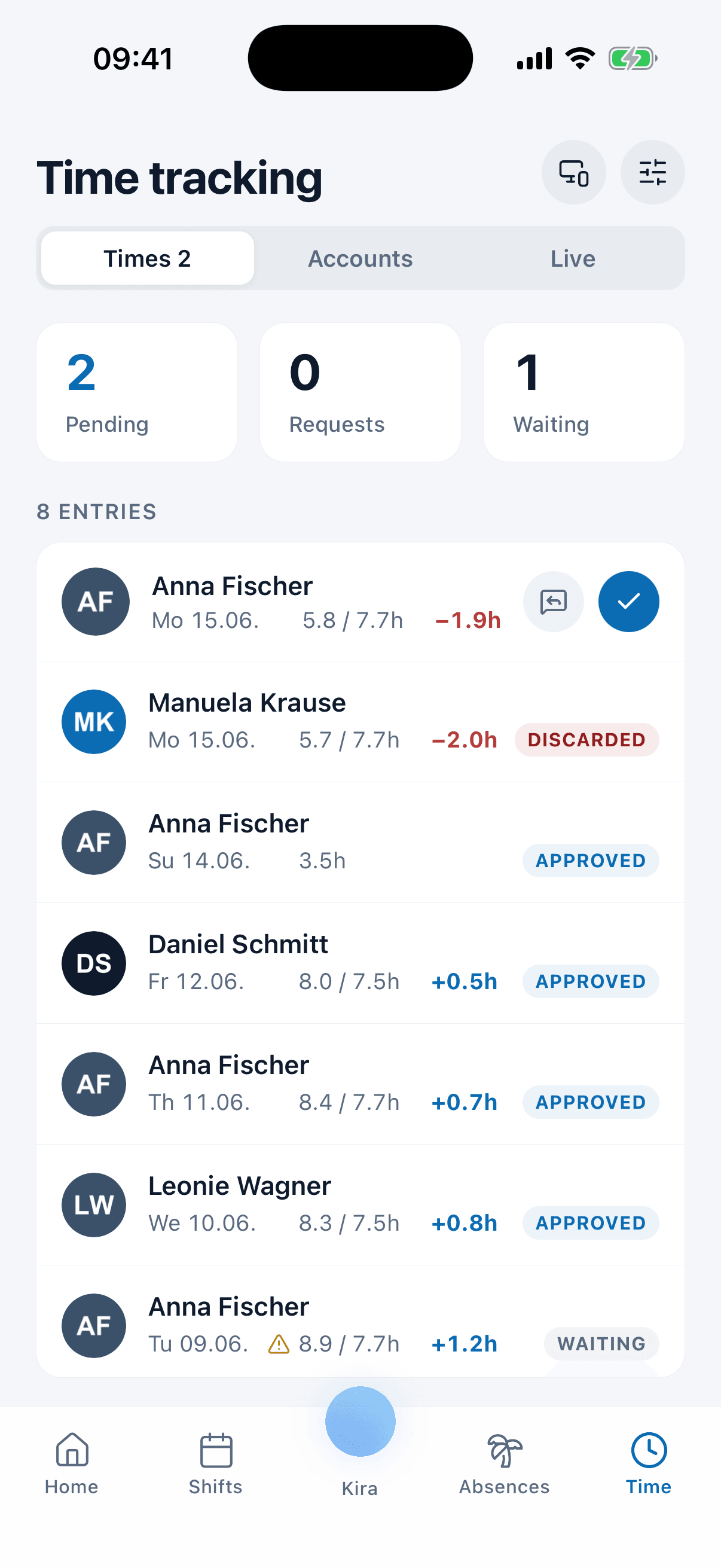
Who starts a timer, who types the hours in afterward, who releases them and what happens to a mistake is a subject of its own. Rules decide whether captured hours are approved automatically or have to be released by hand, and a retroactive correction runs through a request somebody decides on rather than a quiet overwrite. The employee time clock app is where your team does all of that, and this account reads whatever it produces.
- A timer or a typed entry both land in the same place, in the browser or on the phone.
- The approval rule decides whether hours release automatically or by hand.
- A correction is requested and decided, so the original stays on the record.
The schedule is the other half of the number
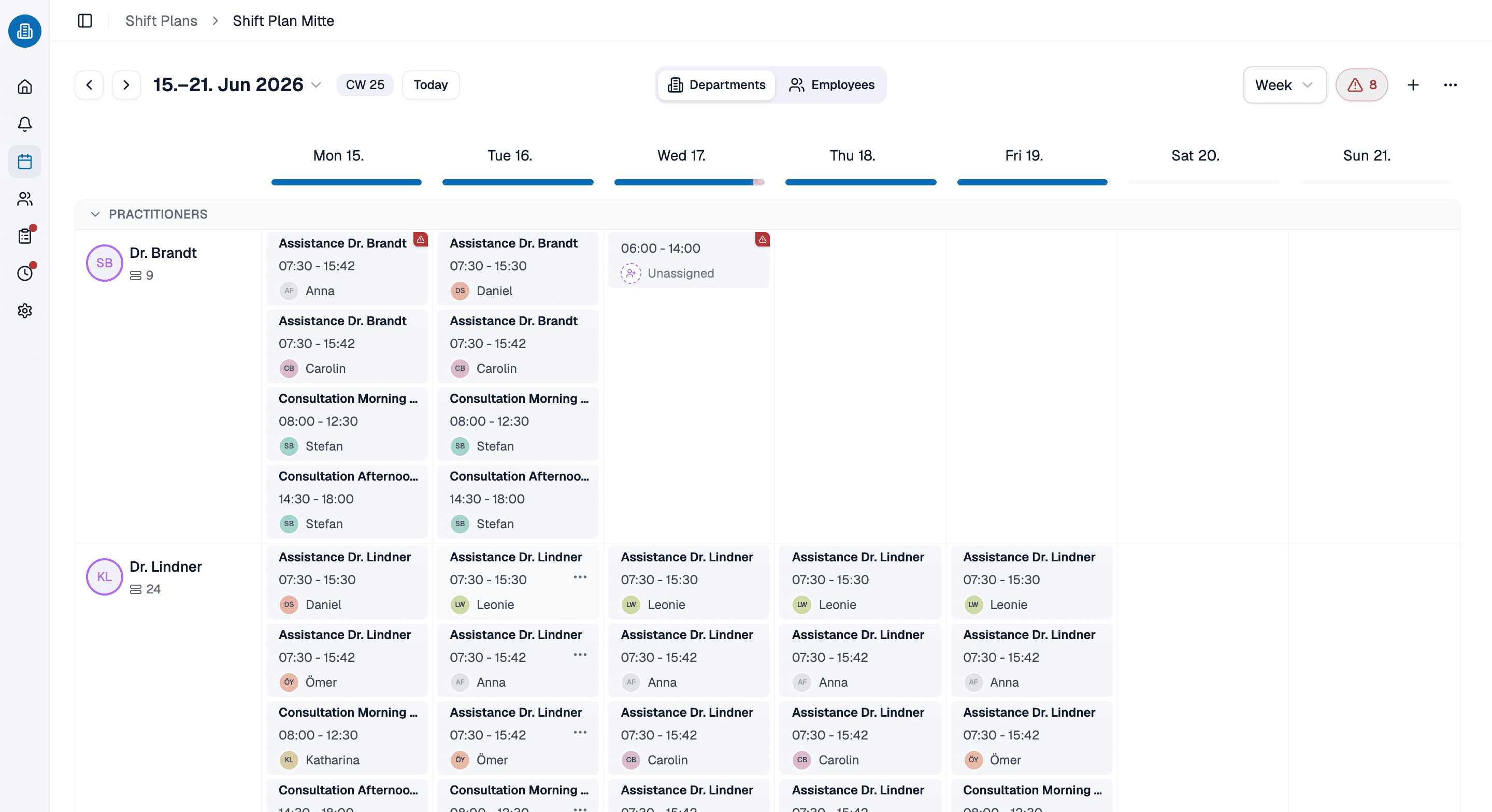
What was actually worked is not only what the timer caught: published shifts, approved absences and a holiday on a working day feed the same account. Because the schedule and the hours sit in one system, a shift that moves does not have to be told twice, and a week still in draft stays out of the numbers until you publish it.
- Published shifts feed the balance; drafts do not.
- Approved PTO lands in the same account, by category.
- A shift that moves is counted again on its own.
Time and attendance software on a month you already closed, in 30 minutes
Bring a month you have already closed out and we will rebuild it in medishift, so you can see where the numbers agree with yours and where they do not. Thirty minutes, and you keep whatever we build.
- 30 minutes
- Via Google Meet
- Free and without obligation
1. Pick a slot
All times in Europe/Berlin.
Wednesday, September 23
Time and attendance software: common questions
Time clock software captures the hours somebody worked. Time and attendance software also knows what those hours were supposed to be, and keeps the difference current: the balance recalculates the moment a shift is published, PTO is approved or a target changes. A timesheet captures the first half of that and leaves the arithmetic, and the checking of the arithmetic, to whoever is free at the end of the month.
No, and you can mix the two. People can clock in and out on a timer that records real timestamps, or enter the hours they actually worked afterward. Both routes work in the browser and in the mobile app. Breaks are captured either way and deducted from the total, which is the part of time clock software most teams find they were getting wrong by hand.
It is a time clock app for small business practices. Your team installs an app, you set target hours per weekday, and the overtime account is a one-click setup from the hours report. Scheduling, time off management and the app your staff use are free for up to ten people, permanently, with no card details. Everything this page describes sits in the paid plans, though: the time tracking itself, the overtime account it feeds, and the fixed working days the targets are read against. The pricing page states the price per person.
Yes, and not by quietly overwriting it. There is a request and decision flow for retroactive changes to captured times: the person asks for the correction, somebody decides on it, and the change stays visible. Admins also see their team's captured times and can correct an entry directly when that is the faster route.
Yes, on iOS and Android as well as in the browser. The employee time clock app is where most of the clocking in and out actually happens, and everyone can see their own captured times, so the balance is not a surprise at the end of the month. Admins see their team's captured times and can correct an entry directly.
The United States is selectable as the location country, so federal holidays are imported automatically and the time zone is set with them. A holiday falling on a working day is credited against target hours unless a shift was actually worked that day, so nobody is credited twice. A shift running from 10 p.m. to 6 a.m. is recognized as a night shift and counted on one day rather than split across two dates.
Somebody reads them off the report, and the captured times export if the detail has to travel with them. What medishift does not do is push hours into a payroll system. There is no connector and no automatic handoff, and it is better you know that before you buy. What it gives you is the monthly hours report: target against actual per person, overtime included, filterable by location, with a day-by-day breakdown when a number needs checking. For most practices that is the figure the payroll run needs anyway, and it is one screen instead of a spreadsheet somebody rebuilt.