
PTO tracking software that counts in days, not pay periods
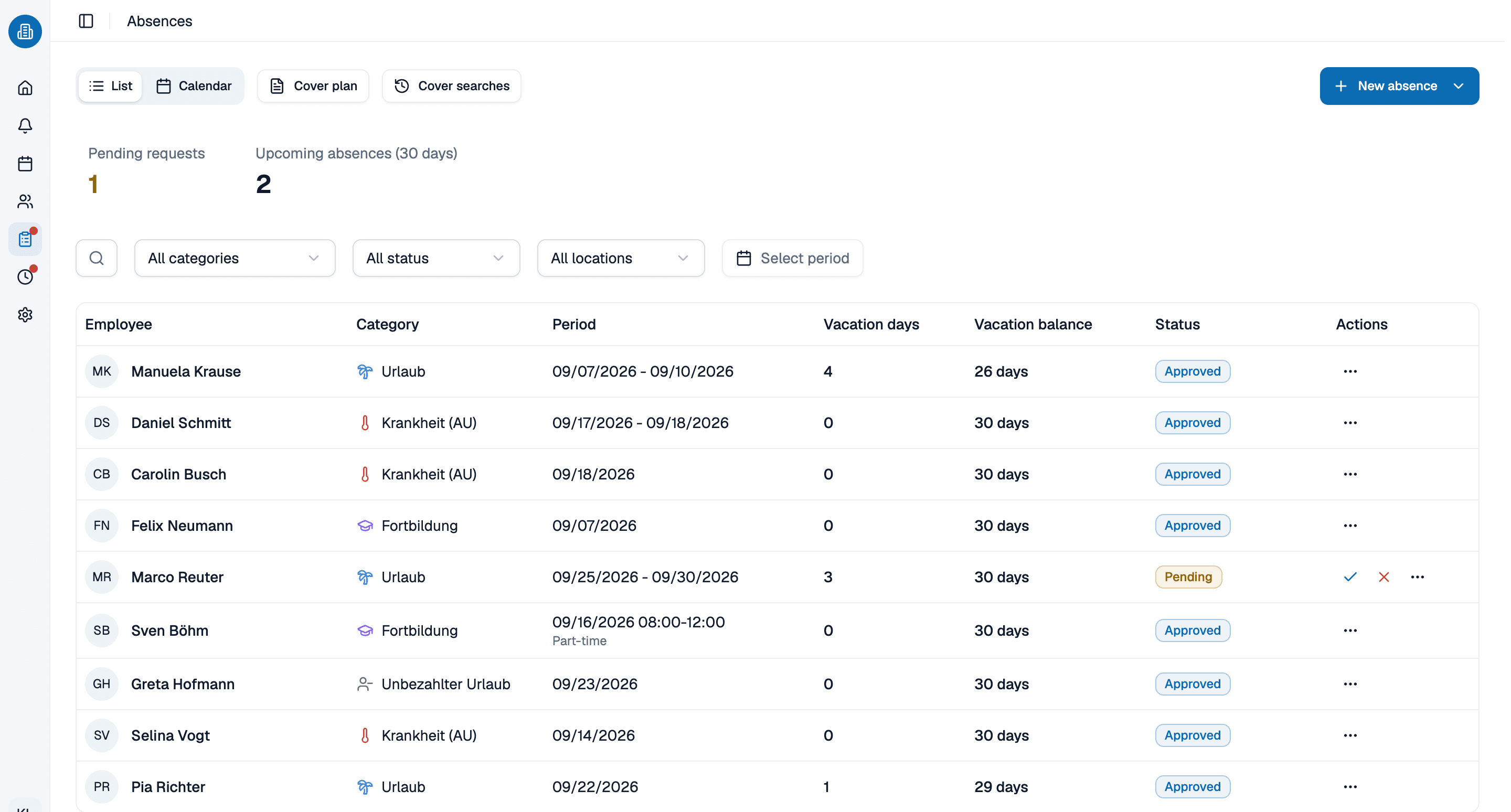
Your team requests time off in the same app they open to see their shifts, you see who else in the work area is already out before you decide, and the balance works itself out. PTO tracking software for practices and clinics of five to fifty people, free for the first ten.
- Employee time off tracking that starts on the phone and ends in one list
- An overlap warning names who else in the same work area is already out
- Free for up to ten people, permanently, with no card details
More than 100 practices already trust medishift






What a pto tracker has to get right, in five passes
Two ways to track the same year
A wall calendar and a group chat
- Requests arrive by sticky note, text message and hallway conversation.
- Two people out from the same work area gets noticed in week four.
- Somebody works out the remaining days by hand, twice, and gets two answers.
- Half days get argued about every single time.
- Nobody can see their own balance without asking you first.
PTO tracking software the whole team can read
- Every request arrives the same way, because the pto tracker is in the app they already open.
- The overlap in a work area is flagged before you approve anything.
- The balance follows every decision: entitlement plus carryover minus confirmed days.
- A half day is 0.5 and stays 0.5, on the one day it applies to.
- An employee vacation tracker the people in it can open themselves.
Who is this employee time off tracking software for?

Medical practices
Where one medical assistant out in July changes what the appointment book can offer that week.

Dental practices
Hygiene and operatory coverage that cannot both dip in the same week, and a summer everybody wants two weeks of.

Home health and senior care
Coverage that never drops, and vacation that has to be spread across the year rather than granted first come first served.
Multi-site groups
Two or three sites whose quiet weeks are not the same weeks, each with its own holiday calendar and its own categories.
Time off and the schedule are one picture
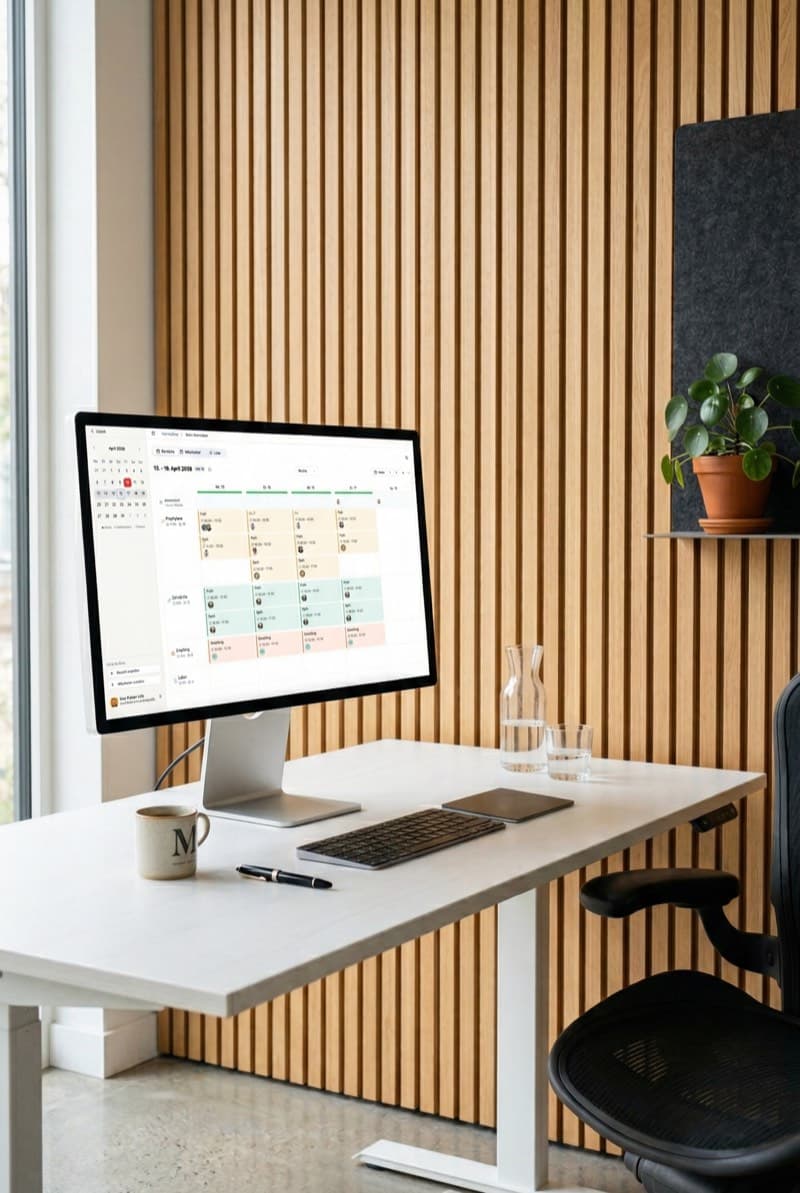
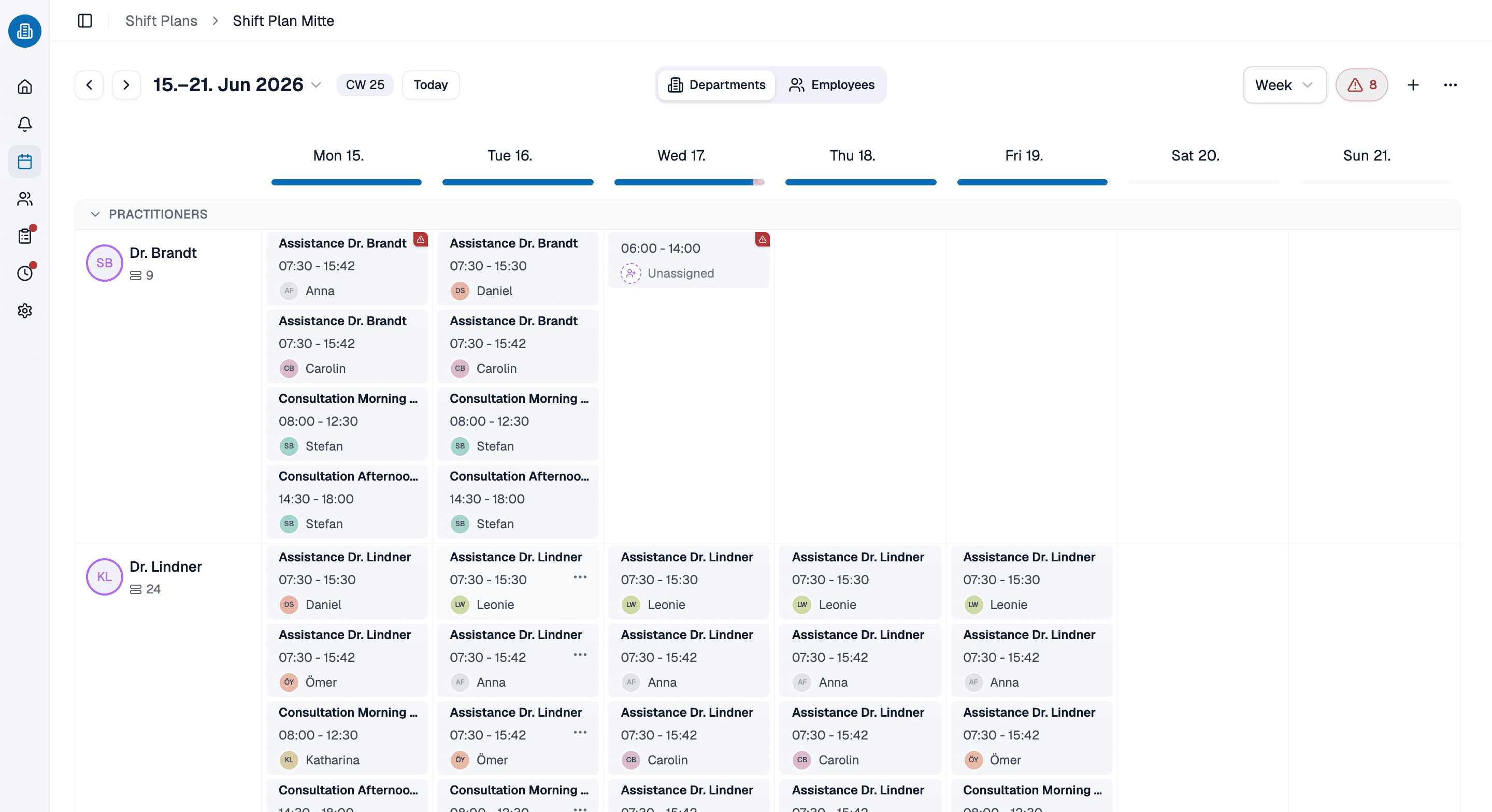
Approved time off lands in the schedule rather than beside it, so the week you are building already knows who is gone. That is the part standalone pto tracking software cannot do: assign somebody onto a day they are out and you find out while you are doing it, not on the morning it matters.
- Approved time off is visible in the same week the shifts are built in.
- Each category decides for itself whether it deducts vacation days and whether it counts as working time.
- Sick days usually do the second without the first, which is exactly how you set them up.
Tell Kira somebody is out and it handles the rest
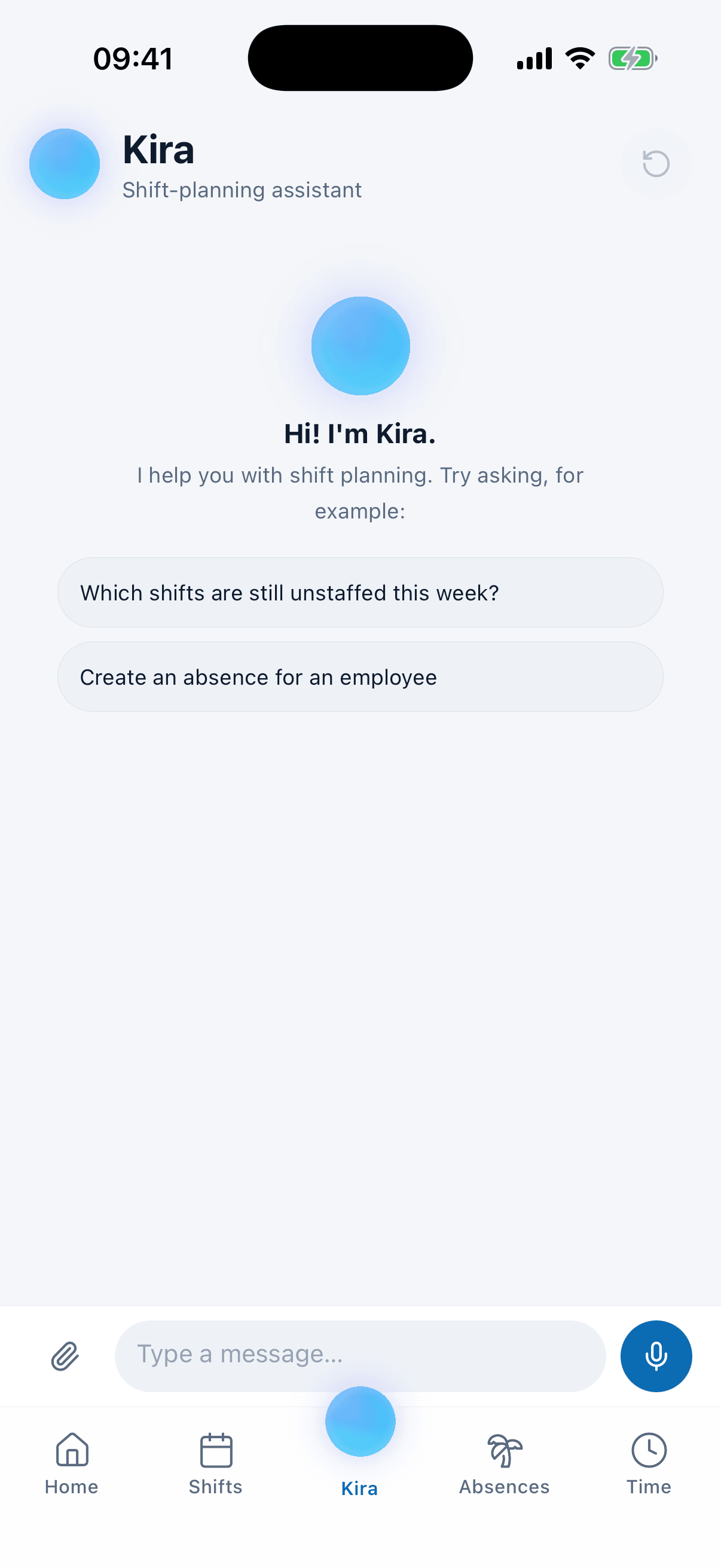
Kira is the AI assistant sitting on every page of the app. Say that somebody is sick all week and it books the absence, pulls them out of every shift they were holding, and proposes two or three real people who could cover each open day, with what the pickup would cost them in hours.
- Who can cover comes back sorted by fairness, with their hours after the pickup.
- Who cannot comes back too, with the reason: out, unavailable, or already on a shift.
- If nobody can Kira says so out loud instead of quietly dropping the day.
Set up your vacation year with us, in 30 minutes
Bring the entitlements you are already working with and we will put them into pto tracking software while you watch, carryover and all. If you keep an employee vacation tracker in a spreadsheet today, bring that too and we will start from it. Thirty minutes, and you keep whatever we set up.
- 30 minutes
- Via Google Meet
- Free and without obligation
1. Pick a slot
All times in Europe/Berlin.
Wednesday, September 23
PTO tracking software: common questions
No, and this is the honest limit of the product for an American buyer. medishift does not accrue hours per pay period. It works in days for the year: each employee has an annual entitlement in days, carryover from last year on top of that and capped at 15 days, and confirmed absences subtracted. Available equals entitlement plus carryover minus confirmed days, and a pending request does not reduce it until you approve it. You can adjust any balance by hand at any time. If your policy is written in hours that build up every other Friday, this employee time off tracking will not reproduce it, and it is better you know that now than after you have moved your team in.
In the same app they open to see their shifts, on the phone or in the browser. They choose a category, the date range and whether it is a full or a half day, and add a note. Anything an employee creates arrives as Pending; anything you create as an admin is approved the moment you save it. A pto tracker only gets used if requesting takes less effort than walking down the hall, which is the whole reason it lives in the app they already have.
Automatically, from the date range. medishift counts the calendar days, then takes out weekends, the holidays configured for that location, and the non-working days that follow from any fixed working windows you set for that person. What is left is what the request costs. If the number still comes out wrong for a particular case, you can override it by hand. The United States is selectable as the location country, so federal holidays come in automatically.
Yes, and it is the point. While an absence is being entered, an overlap warning shows which colleagues in the same work area are away over the same dates. Per work area, not per practice, because the front desk running one short is a different problem from two medical assistants being gone. It warns rather than blocks, so a deliberate exception is still yours to make. This is the piece a spreadsheet cannot give you, and the reason time off tracking software pays for itself in the first summer.
Their own vacation account in the dashboard: the bookings, the approved absences and the pending ones, color coded by status. They can read their own balance without asking anyone, which removes most of the questions that used to arrive at your desk on a Monday morning. An employee vacation tracker only the office manager can open ends up being maintained by the office manager alone, and then trusted by nobody else.
A team of ten or fewer pays nothing, permanently, with no card details, and that covers the absence side, the schedule and the app your staff use on their phones. Past ten people the price is per person and the pricing page states it. Free pto tracking software is genuinely the product here, not a trial that quietly expires in fourteen days.