
The team chat app for practices, hospitals and care teams instead of group texts
With the medishift team chat app, your staff message each other directly, in groups and in one group for everyone, whether at a medical practice, a multi-location clinic, a hospital unit or a home health or skilled nursing team. It lives in the same account as your schedule, on everyone's phone and at every workstation.
- Every active employee is automatically in the Whole practice group
- Only the people in a direct message can read it, not even owners or admins
- Nobody has to give out a personal cell number for a work group text
More than 100 practices already trust medishift



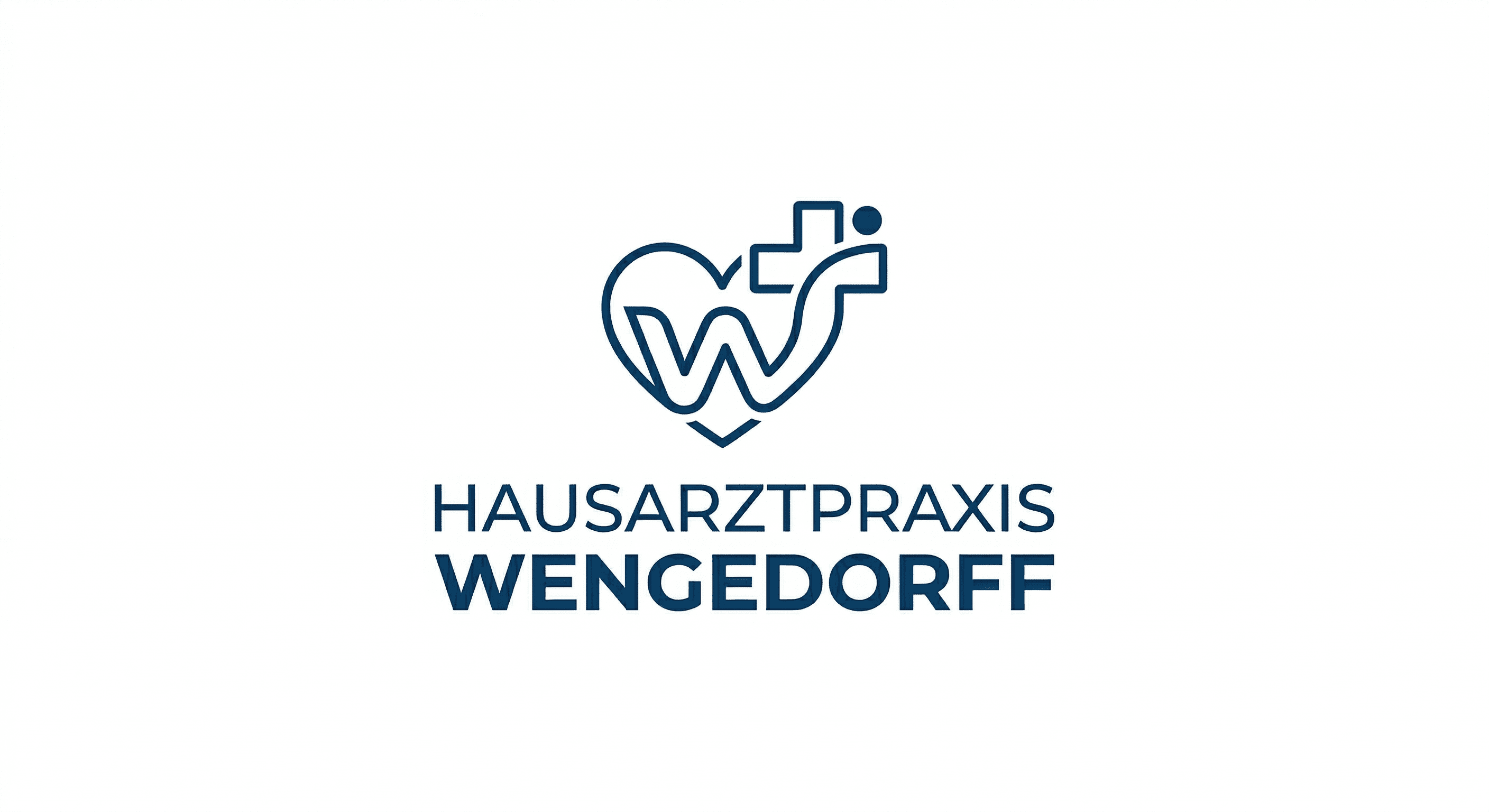



What the team chat does for your staff
Before and after
Running the team on group texts
- The office group text runs on everyone's personal cell number, including the MA who started Monday.
- Half the staff is on iPhone, half on Android, and the group thread keeps breaking apart.
- Work texts land between family chats and the kids' soccer schedules.
- Someone who left in the spring is still on the thread.
- The schedule lives somewhere else, so every shift swap starts with a screenshot.
With the medishift team chat app
- Messages live in the practice's account, and personal numbers stay personal.
- Every active employee is automatically in the Whole practice group.
- Work stays in the work app, and chats can be muted after hours.
- Owners and admins create groups, open or closed.
- Schedule, PTO and chat sit in the same app.
Who is the team chat app for?

Primary care and specialty practices
The front desk, MAs and providers coordinate without walking down the hall or leaving sticky notes on a monitor.

Clinics with multiple locations
Direct messages reach staff at every location, and each location gets its own group.

Hospitals
Each unit and department gets its own group. Whoever comes on for the evening shift reads what changed operationally during the day shift.

Home health and skilled nursing
Between home visits or on the floor: last-minute changes reach your staff in the app, and nobody needs a coworker's personal cell number.
The team chat app on every phone on your staff
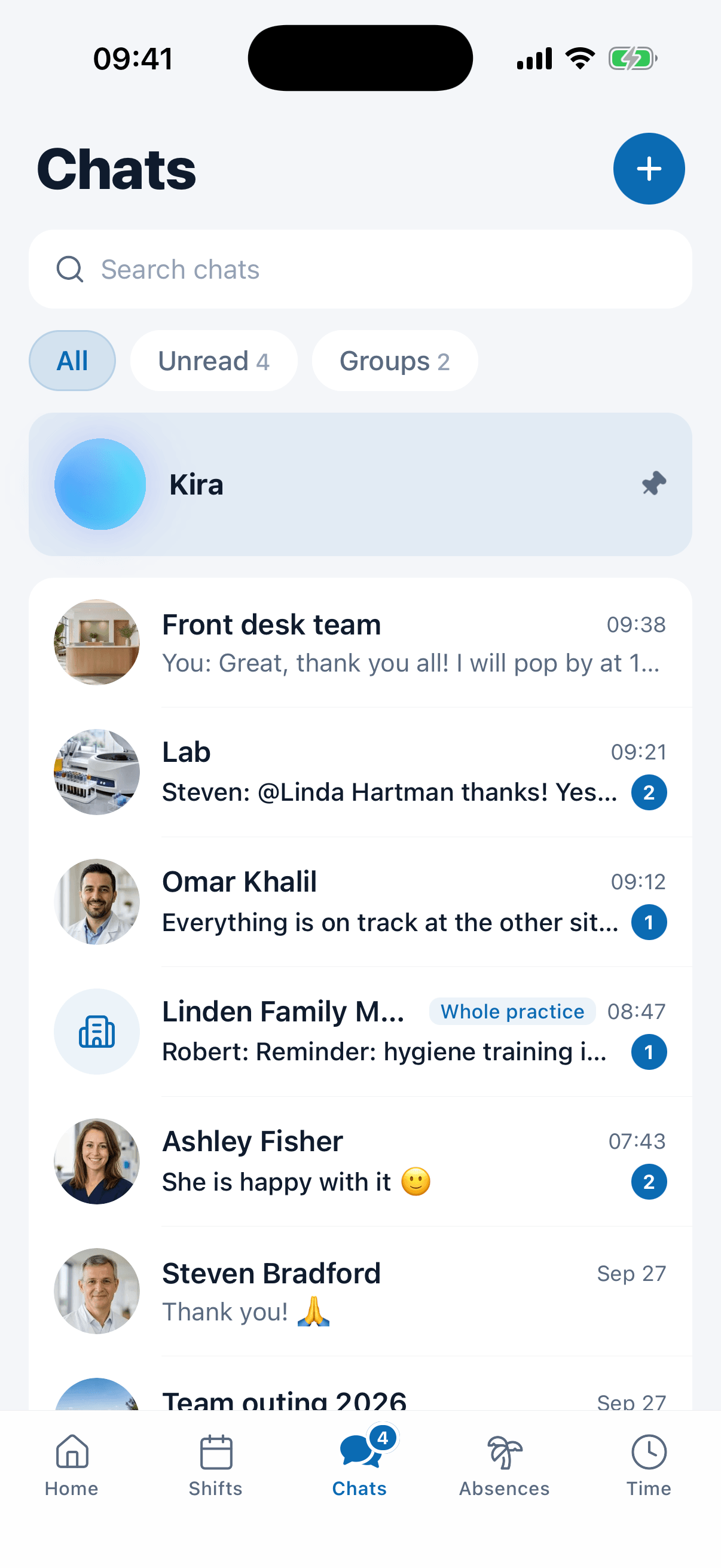
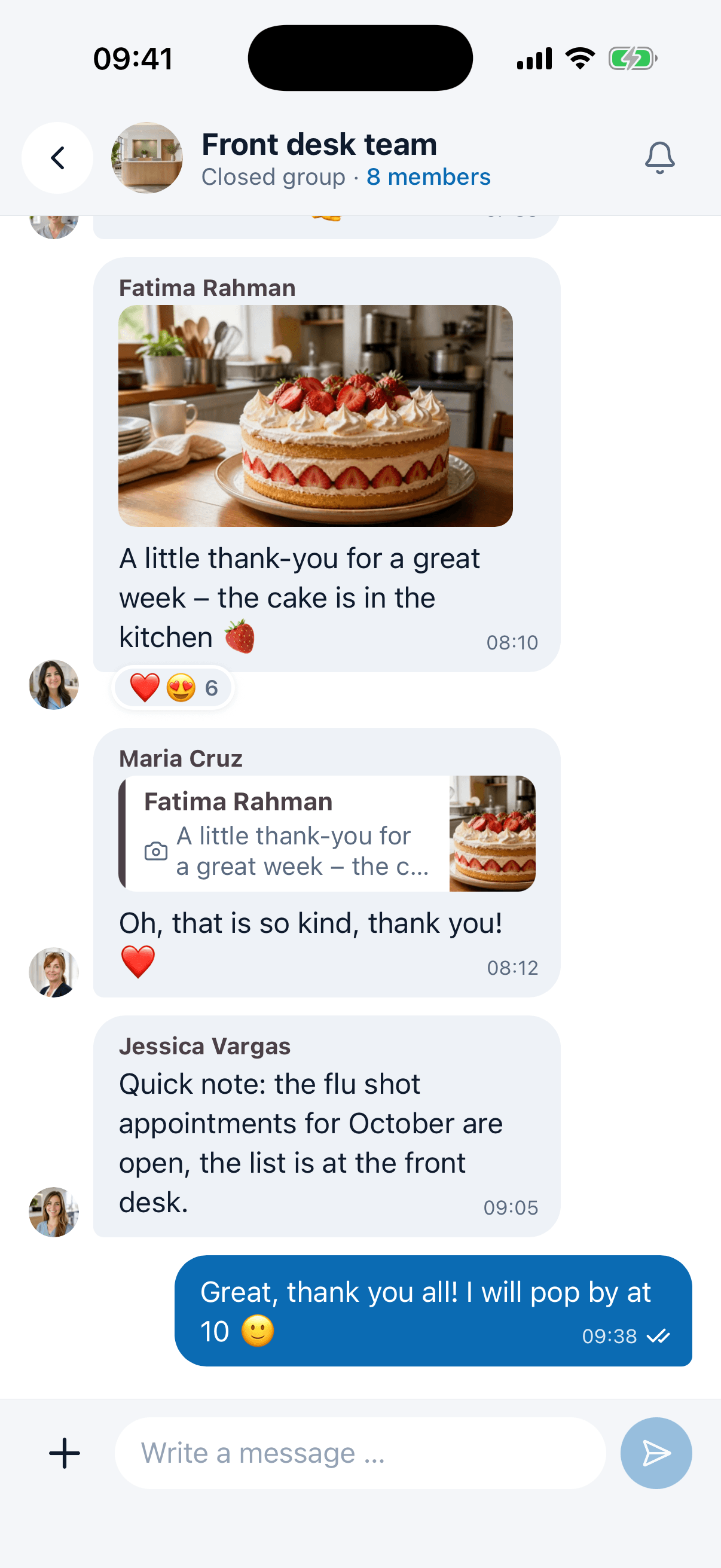
In the medishift app, chat has its own tab next to the schedule, time off and time tracking. New messages arrive as push notifications, and anyone who is off the clock can mute individual chats.
- Push notifications for new messages, in the app.
- Mute chat by chat, @mentions still get through.
- In the browser the same chat sits in the sidebar.
Chat and schedule in one app
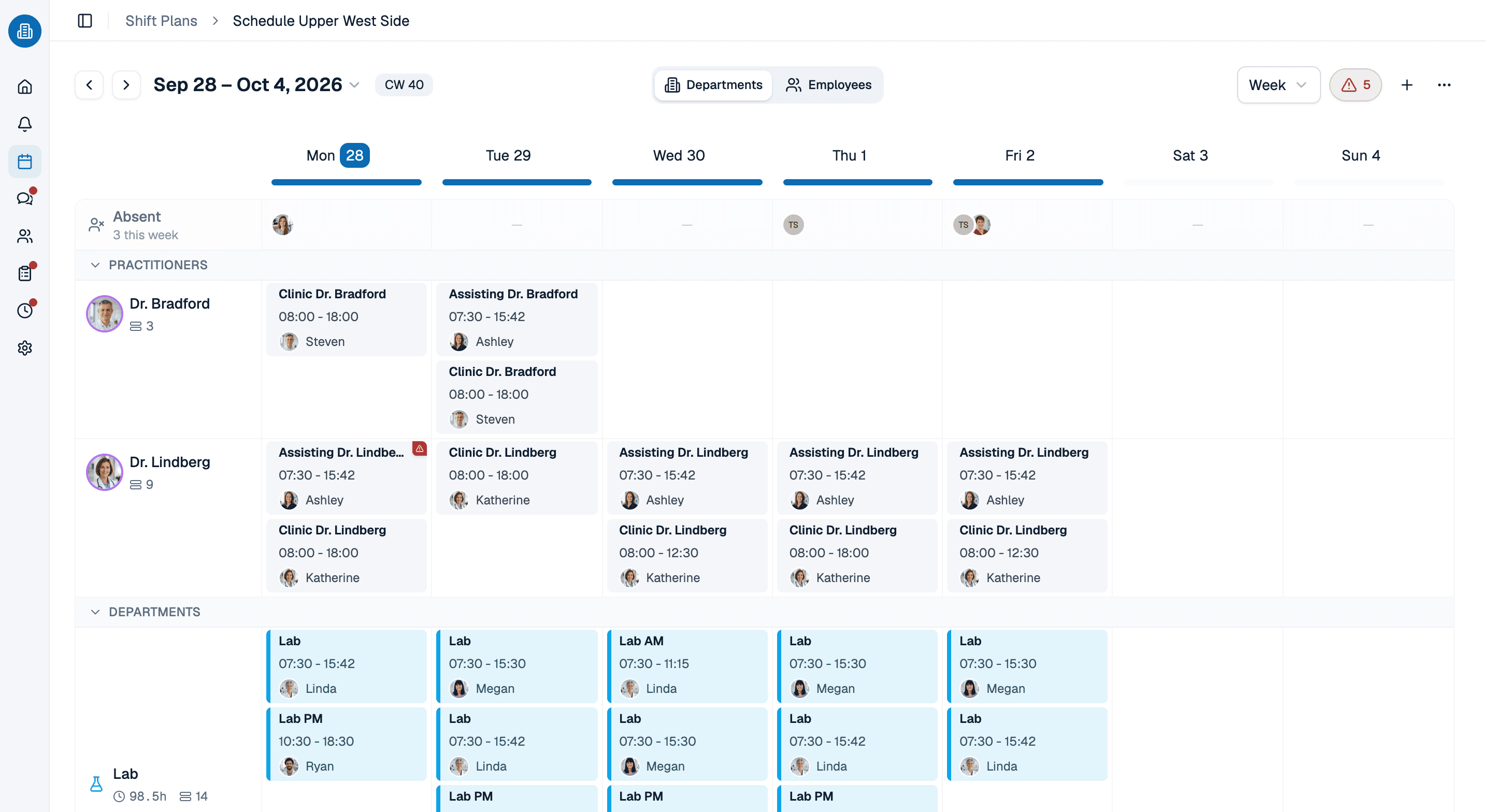
The question of who can cover Thursday afternoon starts in the chat, and the answer is on the schedule. In medishift both live in the same account, and your staff see the published week in the same app they message in.
- Published shifts everyone can see on their phone.
- Double bookings and time off are flagged while you build the schedule.
- Free for up to 10 employees.
PTO requests that don't get buried in a text thread
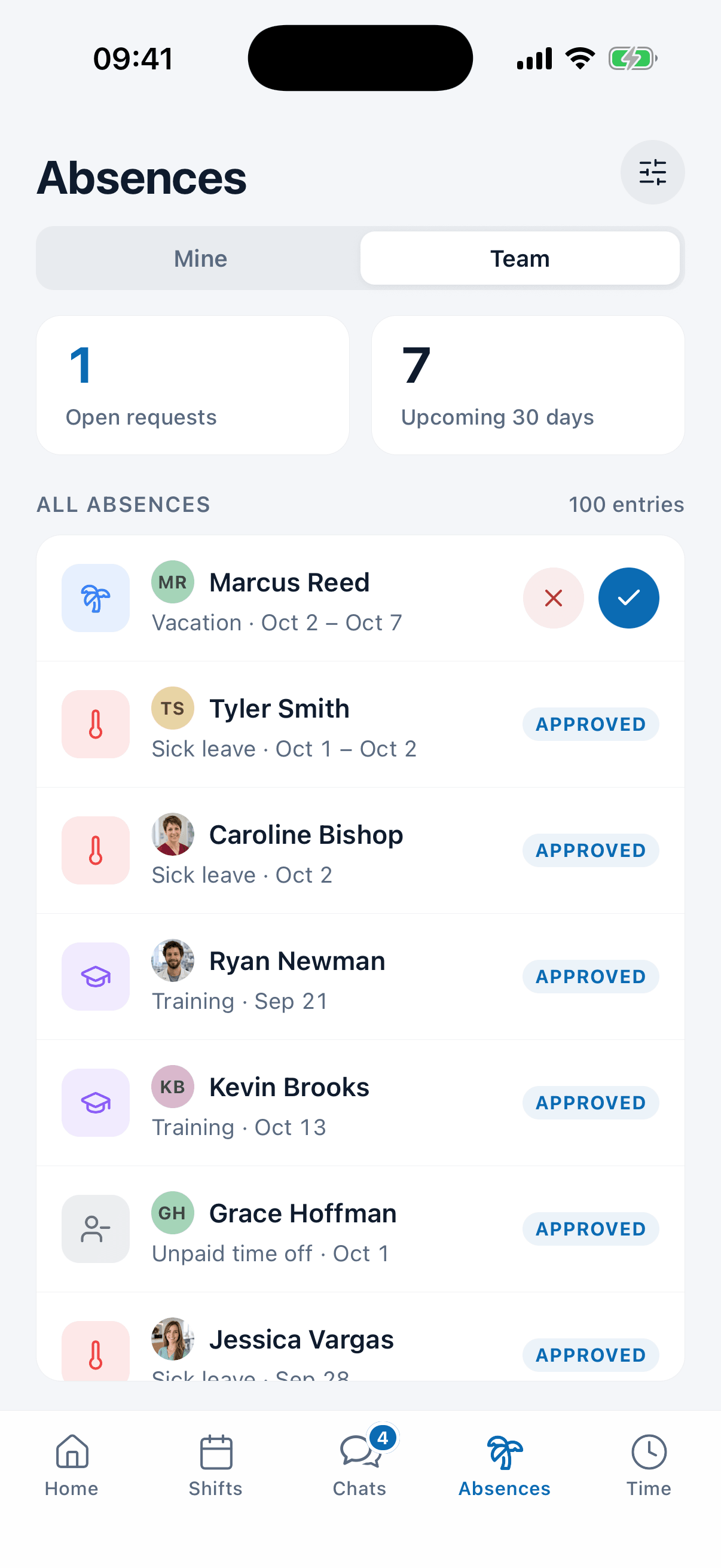
Asking for time off by text seems easy, until the request gets lost between two questions about the supply order. In medishift your staff request PTO in the app, you approve it there, and the chat stays free for everything else.
- Requests submitted and approved in the app.
- Team calendar shows who is out and when.
- PTO balance with carryover from last year.
See the team chat in a 30-minute demo
We'll show you how to set up groups for the front desk, the clinical staff and each location, how the group for the whole practice works, and how chat and the schedule fit together. Pick a time and we'll take care of the rest.
- 30 minutes
- Via Google Meet
- Free and without obligation
1. Pick a slot
Thursday, October 1
Team chat app FAQs
The medishift team chat app is a messenger for the staff of medical practices, hospitals and home health agencies: direct messages, groups by work area and one group for every active employee, on the web and in the iOS and Android app. It lives in the same account as the schedule and PTO, and replaces group texts on personal phones.
Direct messages and groups are included in the free version for teams of up to 10 employees. On the free version, chat history is deleted after 90 days. Images, files and unlimited history come with the paid plans; see the pricing page for details.
No. Only the two people in a direct message can read it. Owners and admins create groups and manage who is in them, but they can't see into anyone else's direct messages.
Anyone who is an active employee in your account is automatically in the Whole practice group and can be messaged directly. You add them to other groups, or they join an open group on their own and can read its history.
Everyone can mute individual chats, including the Whole practice group. Push notifications only come through the app. Anyone who is @mentioned still gets notified, so anything urgent gets through.
Like all medishift data, messages are hosted in Germany, in the EU, under GDPR. medishift is not set up for HIPAA and does not sign a BAA, so keep protected health information out of the chat. It is an employee communication app for coordinating the team: who covers the front desk, which exam room is down, when the training starts.
It is a team messaging app for your staff, built for talking to each other. There are no video or voice calls, you can't message patients or anyone outside the practice, and chat is hidden on a shared device set up as a time clock.
In the team chat, people message people. Kira is medishift's AI assistant, which owners and admins give tasks to, such as creating shifts or entering time off. For them, Kira is pinned at the top of the chat list.
No. Chat is built into the medishift app for iOS and Android, where your staff also see their schedule and time off. At a workstation, open it in the browser from the sidebar.
Yes. You can set up groups by work area, such as one per unit, floor or care team, and add an entire work area as members in one step. Staff on shift or between home visits read and reply in the app.
No. It is built for coordinating your own team: shifts, coverage and announcements. It does not send messages to other organizations such as hospitals, pharmacies or other practices, and it is not a channel for patients.