
Healthcare employee scheduling software built for practices, not warehouses
See the coverage every day needs, check who is qualified for the work while you assign, and keep approved time off in the same week. Healthcare employee scheduling software for teams of five to fifty, free for the first ten.
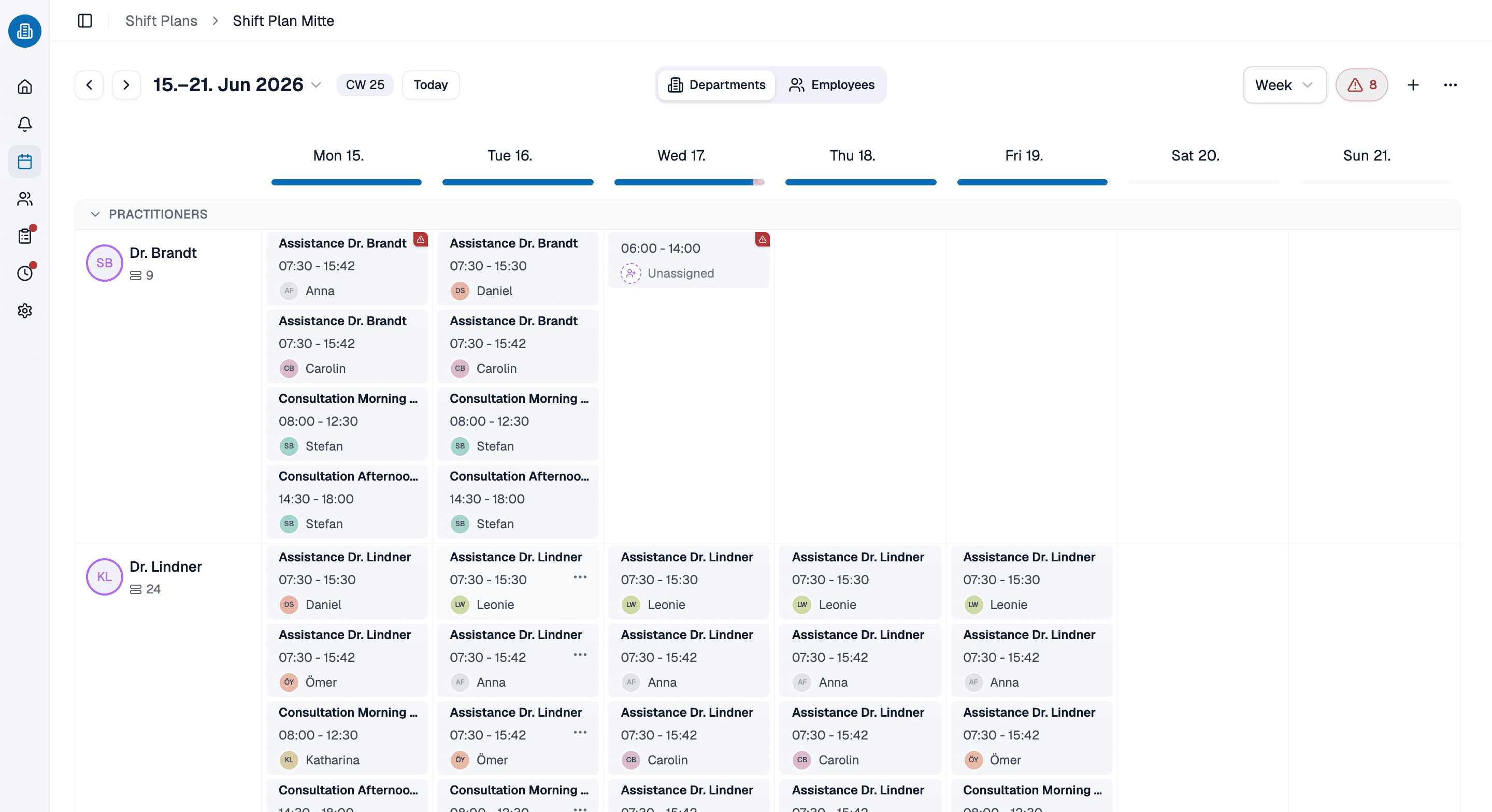
- Coverage first: say what each day needs before a single name goes on it
- Qualifications, roles and work areas checked while you assign, not afterward
- Free for up to ten people, permanently, with no card details
More than 100 practices already trust medishift






How a healthcare schedule comes together, in five passes
Two ways to staff the same week
A spreadsheet and a group chat
- You start from the people you have and hope the coverage works out.
- Approved time off lives in a second file nobody cross-checks.
- Whether somebody is trained for a room is carried in your head.
- The half-finished version gets screenshotted and sent around.
- A change means posting it again and hoping everyone looks.
Healthcare scheduling software, coverage first
- You start from the shifts the week needs and fill them.
- Time off and unavailability are part of the same picture.
- Roles and qualifications are checked while you assign.
- Nothing leaves draft until you publish it.
- A change reaches every phone at once.
Which schedule are you building?

Medical practices
Opening hours, two providers running in parallel, and the one afternoon a week that obeys none of it.

Dental practices
Operatories running side by side, each needing an assistant alongside the dentist, and a hygiene column that moves weekly.

Home health and senior care
Rounds rather than shifts on one site, where the rest gap between a late and an early is what constrains the week.
Multi-site groups
Separate schedules under one roof that share its work areas, and a second location that brings its own rules and holiday calendar.
Time off is already in the picture
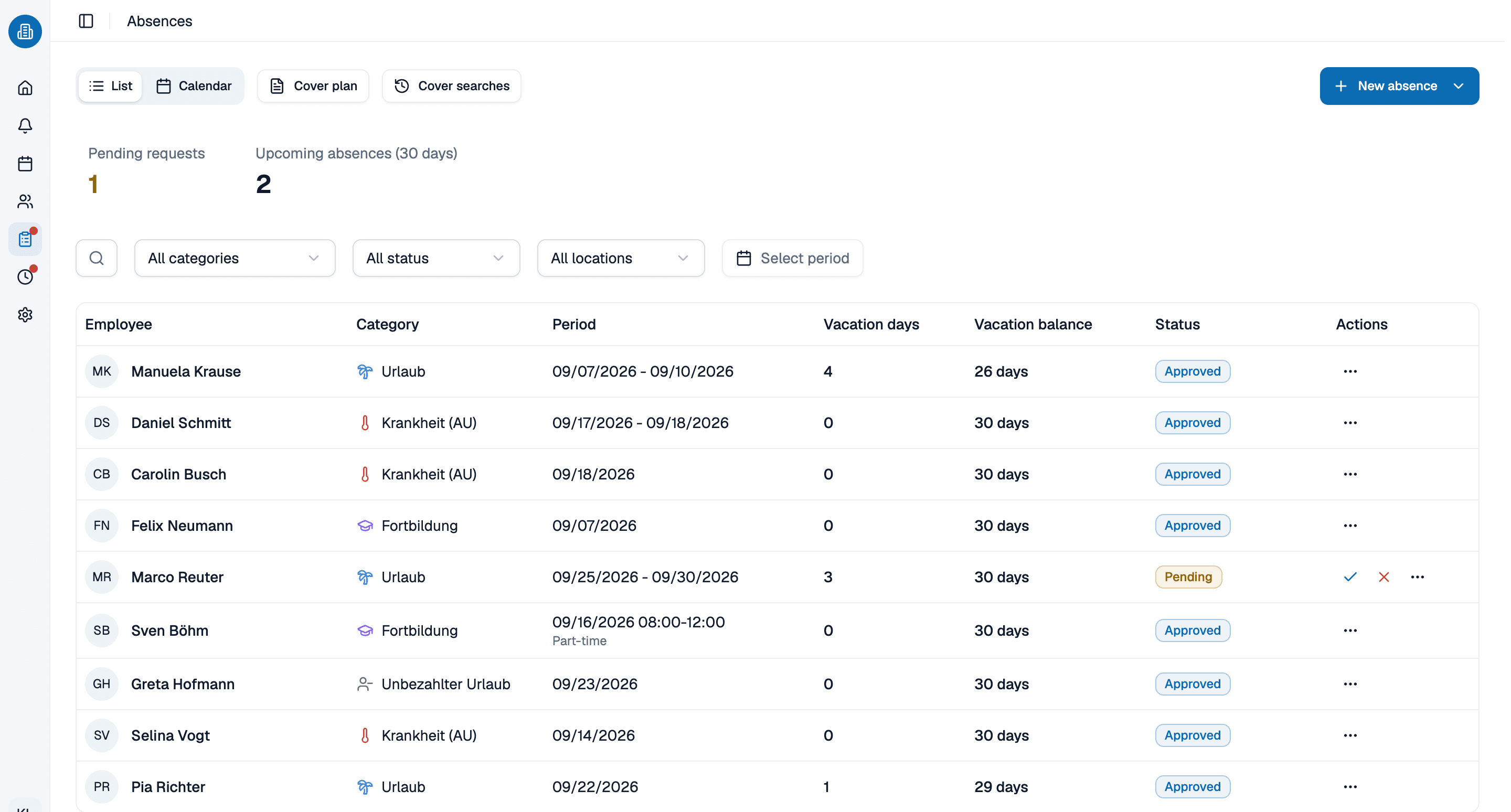
The third pass only works if the time off is where you can see it. Approved PTO, sick days and training sit in the same week as the shifts, so assigning somebody onto a day they are out is caught while you are making the assignment rather than on the morning it matters.
- Approved time off is part of the week you are building, not a second tracker.
- Stated unavailability counts as a fixed fact too, and is checked the same way.
- What is left is genuinely who is free, so filling the week goes quickly.
Build it once, keep it right all month
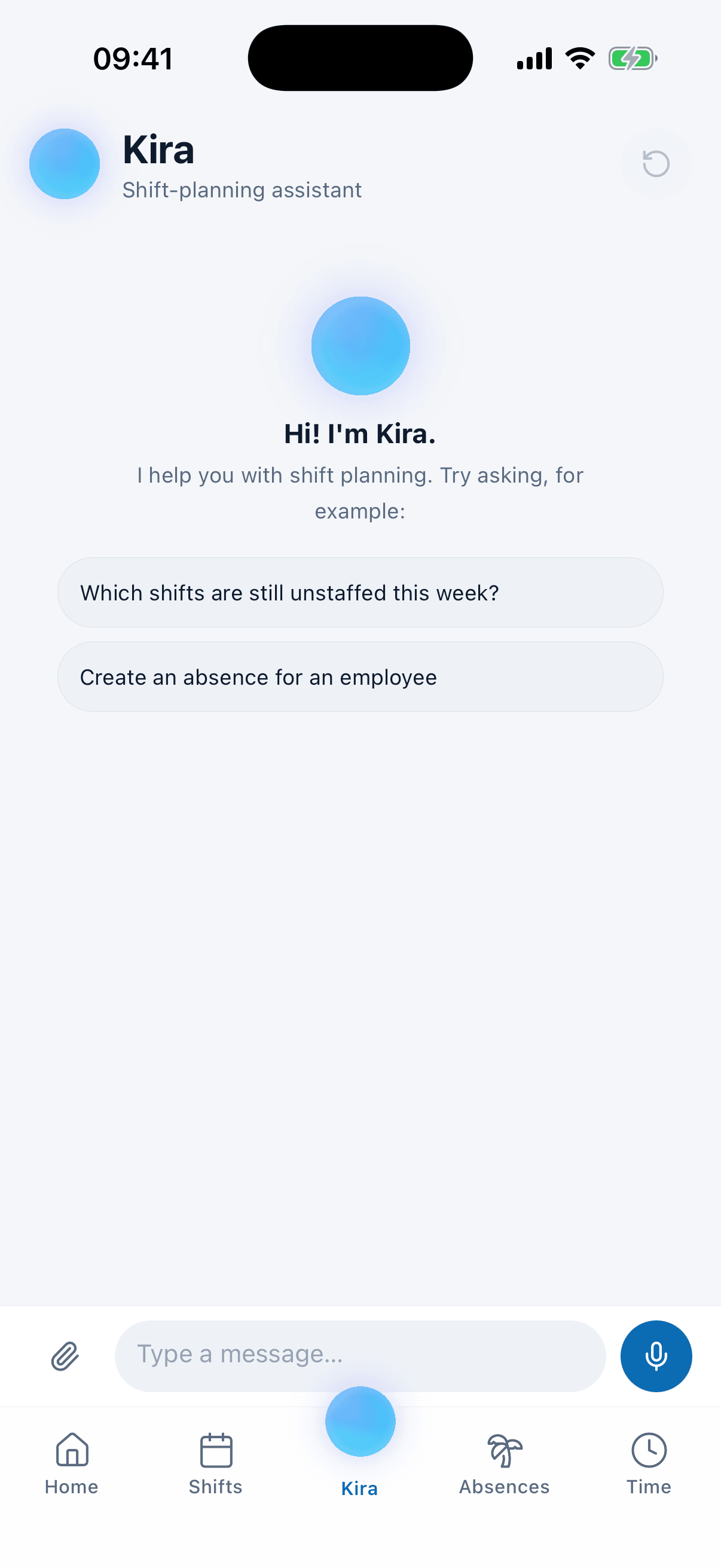
Building the schedule is one evening; the month is the rest of it. Move a shift to another day or person and the warnings work themselves out again. Tell Kira somebody is out sick all week and it books the absence, lifts them out of their shifts and names who could cover, with the reason each one can or cannot.
- A change after publishing reaches the phone, not the noticeboard.
- Kira books the absence and proposes cover, with its reasoning shown.
- Every rule you set is rechecked against the new week, not just the old one.
Build next week's schedule with us, in 30 minutes
Bring the week you are wrestling with right now. We will build it with you in healthcare employee scheduling software, coverage first, and stop wherever it gets interesting. Thirty minutes, and you keep whatever we built.
- 30 minutes
- Via Google Meet
- Free and without obligation
1. Pick a slot
All times in Europe/Berlin.
Wednesday, September 23
Healthcare employee scheduling software: common questions
Two things a general tool does not carry: who is qualified for which work, and time off that has to be read together with coverage. Healthcare staff scheduling software has to know that a medical assistant and a front desk hire are not interchangeable, and that one approved vacation can leave a room uncovered three weeks out. That is also why medical staff scheduling software tends to be bought by the person who builds the schedule, not by IT.
Yes. A team of ten or fewer pays nothing, permanently and without card details, and that covers the schedule itself, time off planning and the app your staff use. Free healthcare employee scheduling software is genuinely the product, not a trial that expires. Past ten the price is per person and the pricing page states it.
Yes. The United States is selectable as the location country and the holidays are imported automatically, with time zones adjusted. A holiday falling on a working day is credited against target hours unless a shift is actually worked, so nobody is credited twice.
Yes, on iOS and Android. Employees see their shifts, request time off and pick up open shifts. Admins can also plan shifts, approve absences and use Kira from the phone, though the web app stays the fuller surface for building a complex week.
Both. A main office and a satellite can run as separate schedules while sharing work areas at the same site. Rules, absence categories and the holiday calendar are configured per location, so a second site does not inherit assumptions from the first. Teams using employee scheduling software for healthcare across several sites usually want exactly that separation.