
Pharmacy scheduling software
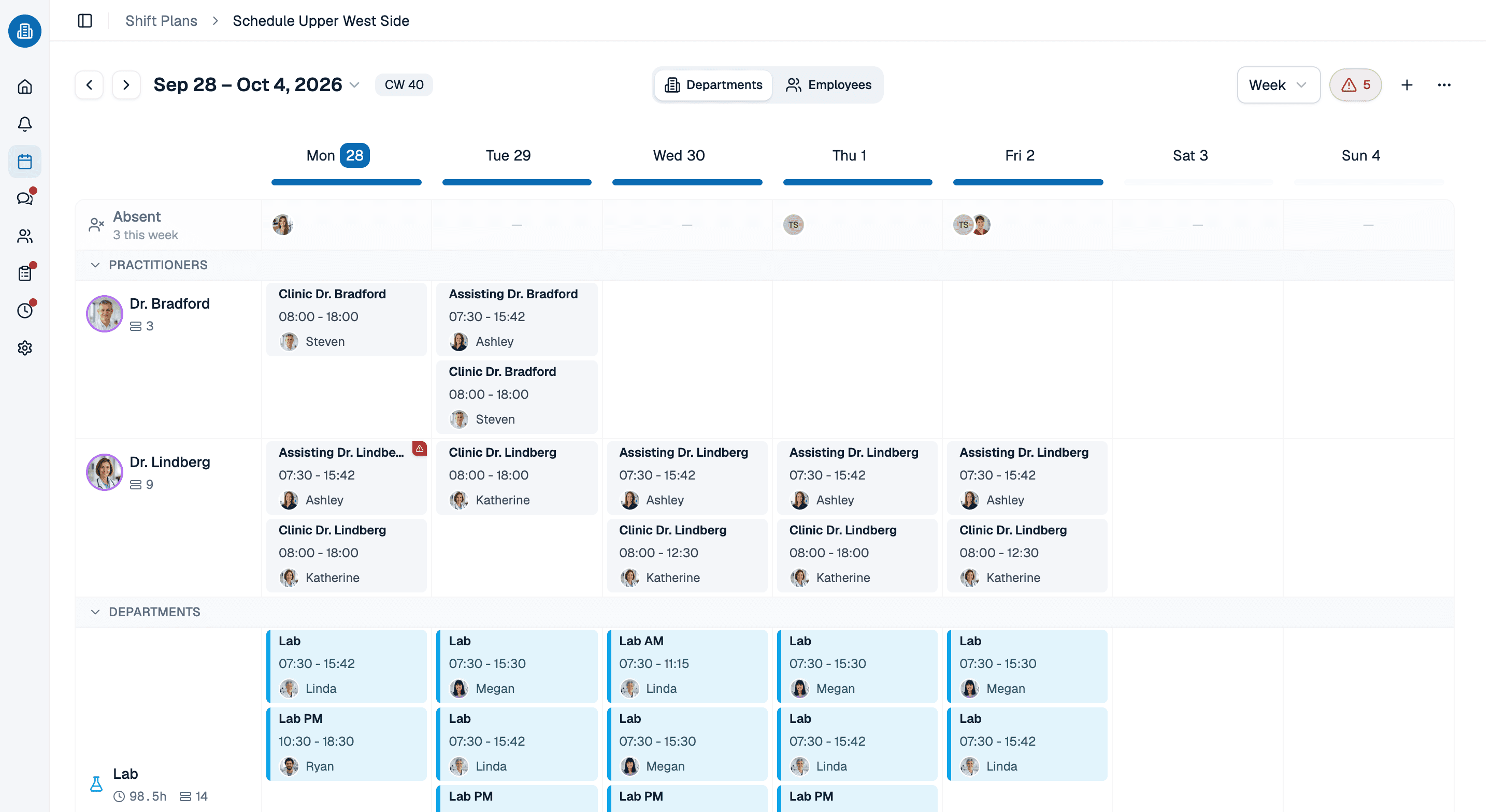
Pharmacy scheduling software for stores that open early, close late and stay open on Saturdays: pharmacists and technicians as roles of their own, a warning while you assign when someone is booked twice or out, and every store in one account.
- Pharmacists, technicians and clerks as roles on each person
- Double bookings, time off and unavailability checked as you assign
- Several stores in one account, each with its own rules and holidays
More than 100 practices already trust medishift







From opening hours to the phone in your team's pocket
Before and after
A printed schedule by the register
- The schedule is taped up in the back and out of date by Tuesday.
- Whether a pharmacist is on every shift gets checked by eye.
- A double booking shows up when one technician is due at two stores at once.
- Every store keeps a spreadsheet of its own.
- Anyone who wants to know their hours calls the store.
With pharmacy staff scheduling from medishift
- One current schedule for managers and staff, on every device.
- A pharmacist rule is checked against every shift.
- The conflict warning appears as you assign.
- Every store sits in one account.
- Everyone sees their own shifts in the app.
Who is this for?

Independent pharmacies
A small team covering long hours and Saturdays, where one sick call can leave the counter without a pharmacist.

Regional pharmacy groups
Several stores, staff who float between them, and the weekly question of who works where.

Hospital pharmacies
Day, evening and night coverage for a department that keeps running through weekends and holidays.

Mail order and specialty pharmacies
Fill and verification teams in shifts, with volume peaks that ignore store hours.
Every employee, every store, one list
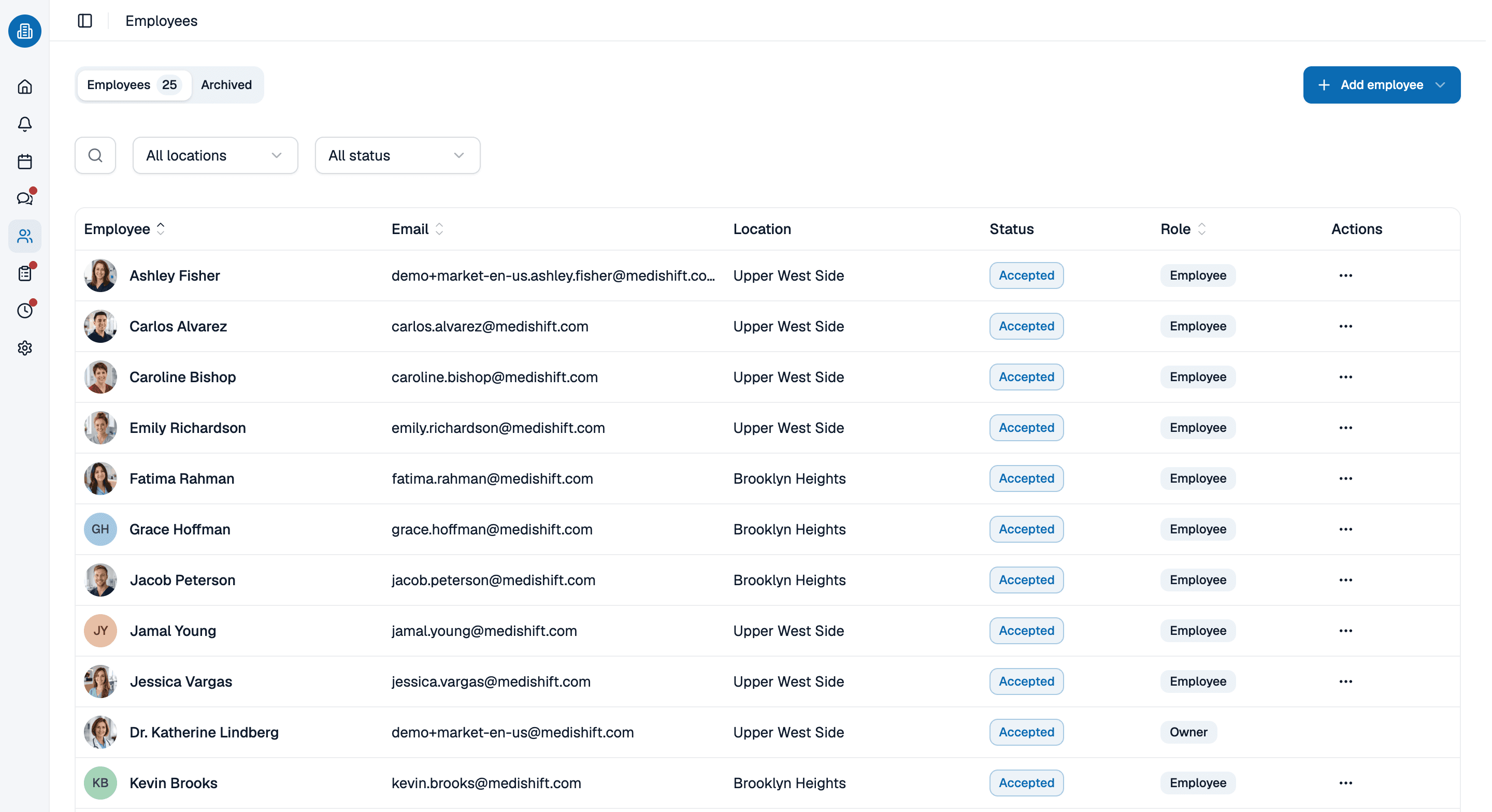
Roles, work areas and status sit with the person rather than in a second spreadsheet. A pharmacist, a certified technician and a clerk are different roles, and qualifications attached to a work area are checked when you assign somebody there.
- Roles and qualifications belong to the person, not to a list on the wall.
- Fixed working hours are on file and checked as you schedule.
- The status shows who is active and who has been archived.
A shift becomes hours worked
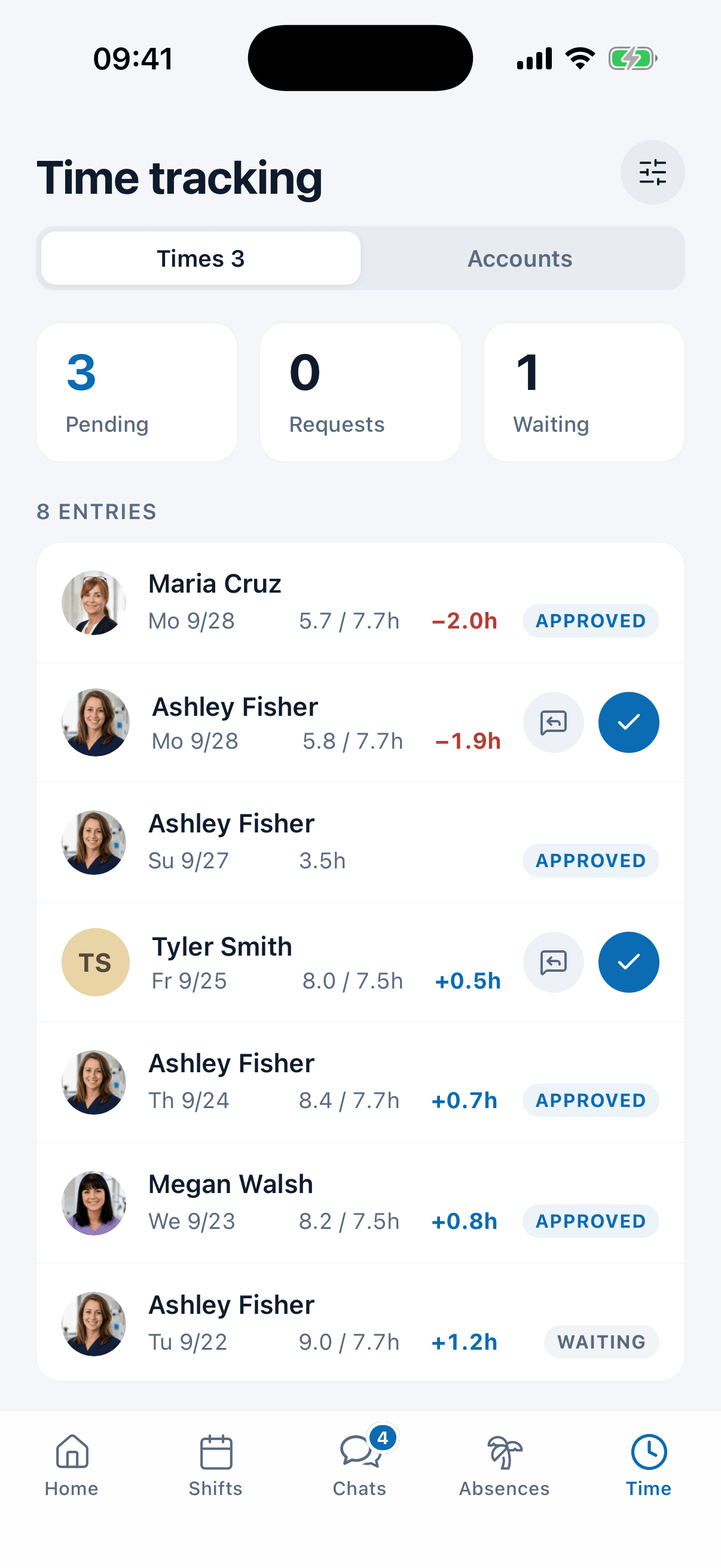
The closing shift that ran late shows up as extra time in the account instead of on a sticky note. Staff clock in and out in the app, breaks are deducted, and target and actual hours sit side by side per day, with approval in the same list.
- Target against actual side by side per day and per person.
- Extra and missing hours flow into the overtime balance automatically.
- Approval happens in the same list.
Build next week's pharmacy schedule with us, in 30 minutes
Bring the week that is giving you trouble. We set it up in medishift with you, store hours, roles and rules included, and you keep whatever we built.
- 30 minutes
- Via Google Meet
- Free and without obligation
1. Pick a slot
Thursday, October 8
Pharmacy scheduling software: common questions
Yes, for the staff schedule. You plan shifts by drag and drop, set up work areas such as the counter, the drive-thru and fill, and manage time off in the same place. medishift is pharmacy scheduling software, not a pharmacy management system: it does not touch prescriptions, inventory or claims.
You can set it as a rule. Pharmacists, technicians and clerks are roles or qualifications on each person, and you tell Kira in a sentence that every open hour needs a pharmacist. Kira then checks the schedule against that rule and points out the shifts that break it. A shared calendar cannot do that check; pharmacist scheduling software can.
As you assign a shift, medishift checks for double bookings, approved time off and stated unavailability. The warning appears right then, not on the day of the shift. Rest gaps between a closing and an opening shift can be checked the same way.
Yes. Each store can be its own location with its own rules and federal and state holidays. Stores that share floating staff can run as separate schedules under one location, so one person working at both stays on a single staff list.
In the mobile app for iOS and Android. Your staff see their shifts, pick up open shifts, request time off and mark when they cannot work, and published changes reach them as a notification.
For teams of up to ten people medishift is free forever, including the schedule, time off and the mobile app, with no card details needed. Larger teams move to a paid plan, and the pricing page lists the prices.