
Medical practice scheduling software for your staff, not your patients
Medical practice scheduling software for the people who keep the office running: front desk, medical assistants and lab as work areas, a warning while you assign when someone is booked twice or out, and the schedule on every phone.
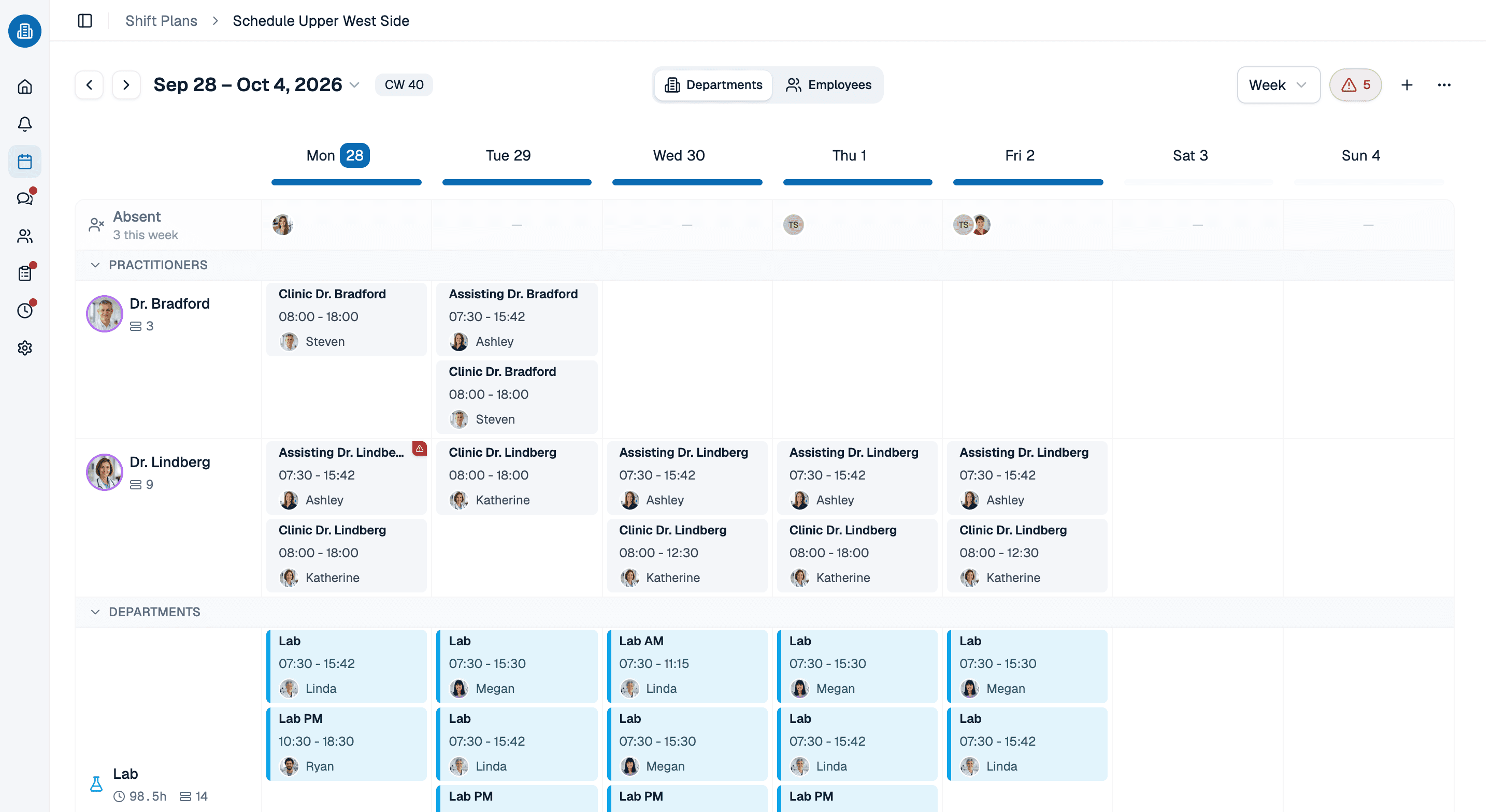
- Front desk, exam rooms and lab planned as separate work areas
- A shift can carry the provider it supports, not only the person working it
- Double bookings, time off and rest gaps checked as you assign
More than 100 practices already trust medishift







From clinic hours to a covered week
Before and after
A schedule on the break room wall
- The printout is out of date by Tuesday.
- Front desk, MAs and lab share one column of names.
- A double booking shows up when two people arrive for one shift.
- When someone calls in sick, the office manager works the phone.
- Anyone who wants to know their hours calls the office.
With medical practice scheduling software from medishift
- One current schedule for managers and staff, on every device.
- Every work area has its own headcount.
- The conflict warning appears as you assign.
- A cover request shows who can really step in.
- Everyone sees their own shifts in the app.
Who is this for?

Primary care and family practices
A small team covering the front desk, rooming and the lab, where one sick call can leave check-in without anyone.

Specialty practices
Procedure days and equipment tie staff to fixed times, and not everyone can work every area.
Group practices
Several providers, one support team: each shift can show which provider the MA is working with.

Multi-location practices
Each office keeps its own rules and holidays, and staff who float between two nearby offices can run on two schedules under one location.
Your staff see the shift, the time and the provider
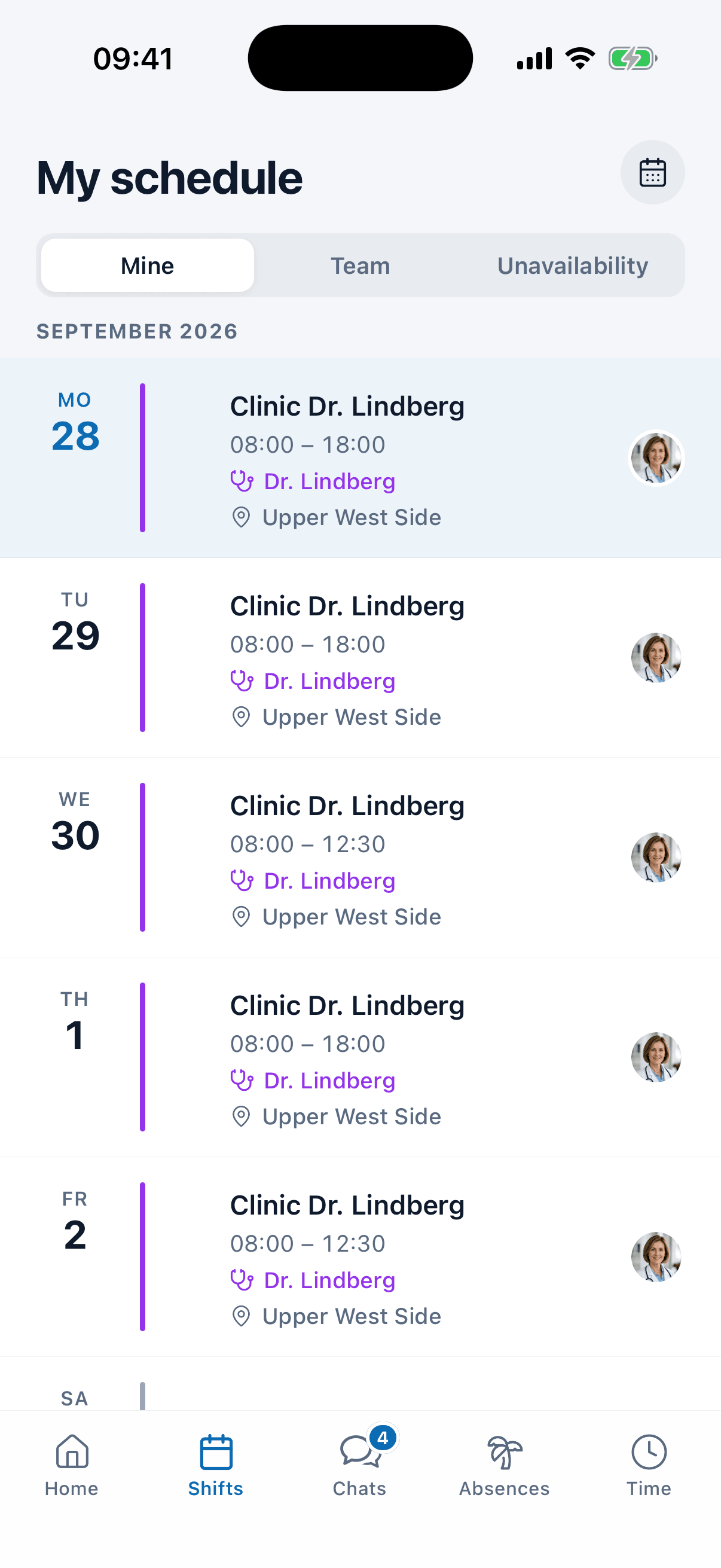
Each person's schedule shows the name of the shift, the provider it supports and the location, not just the hours. Days off sit in the same list as a row of their own.
- Morning clinic is the shift's name, not a code.
- The provider can be attached to a shift, with a list of who may work for whom.
- Running a dental or multi-specialty office the same setup works with other work areas.
Sick call and cover in one message
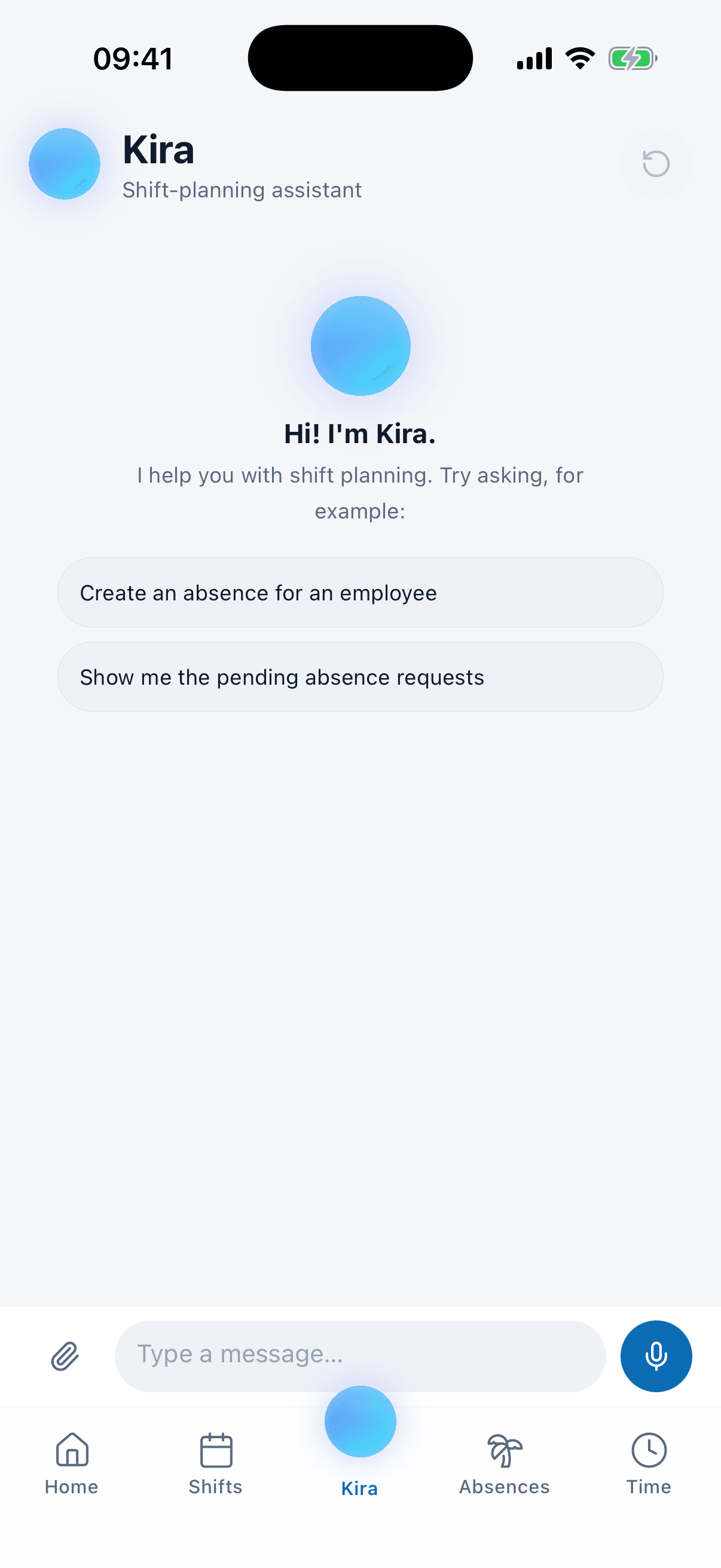
Tell Kira that someone is out for the week. Kira records the absence, takes that person off their shifts and looks for cover for all of them at once. Every change comes to you as a card, and nothing happens until you confirm it.
- Each suggestion shows where that person's hours would stand afterward.
- Anyone a house rule rules out is not suggested at all.
- If nobody is free Kira tells you instead of leaving the day open.
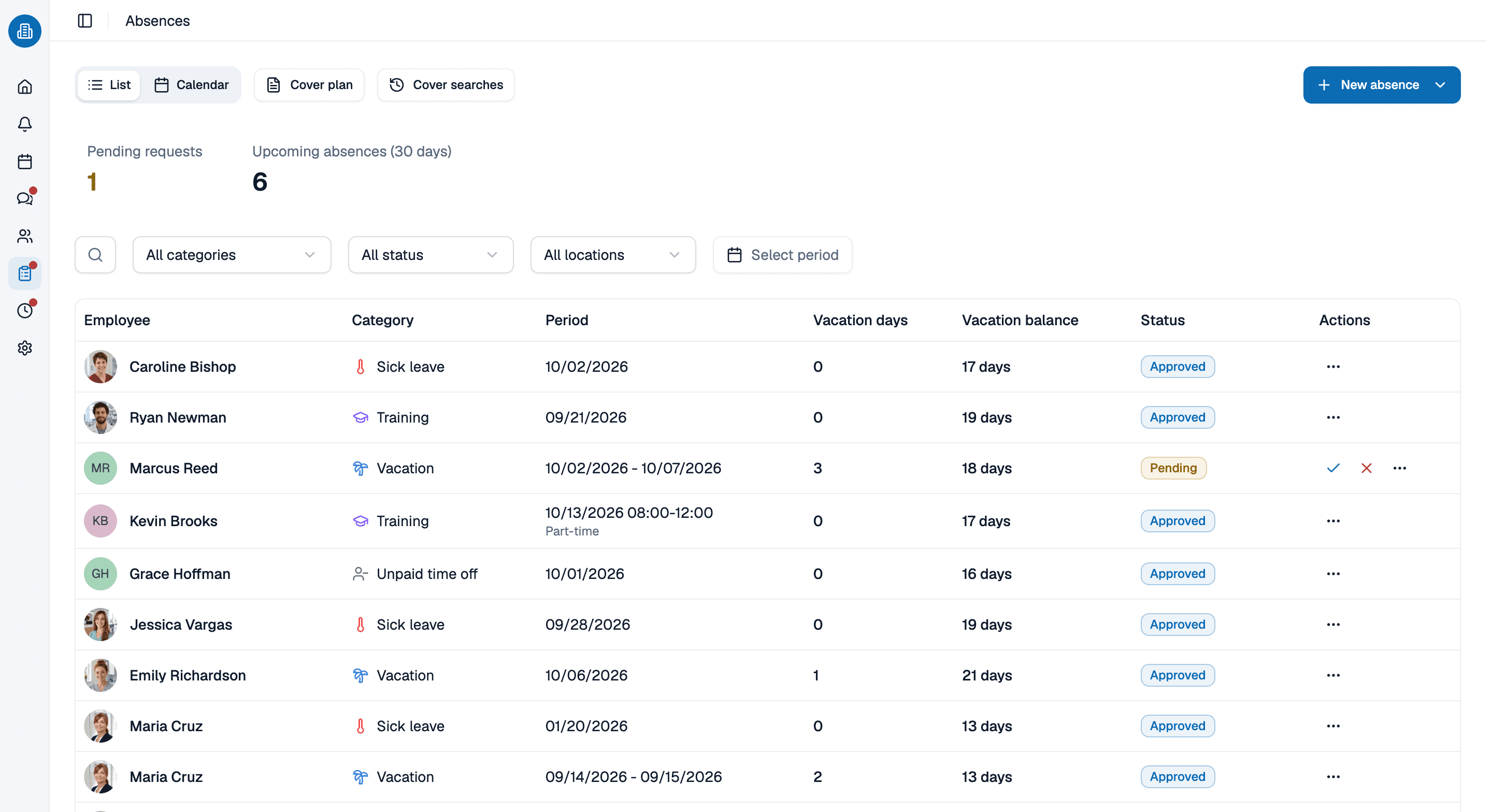
Time off lives in the same schedule
Approved time off leaves a visible gap in the week and is checked again the next time you assign. Half days count as half a day, and federal and state holidays come in automatically for each location.
- Overlaps show up as soon as a request comes in.
- Holidays are imported per location, by state.
- The PTO balance updates from approved days.
Build next week's office schedule with us, in 30 minutes
Bring the week that is giving you trouble. We set it up with you, work areas, providers and rules included, and you keep whatever we built.
- 30 minutes
- Via Google Meet
- Free and without obligation
1. Pick a slot
Thursday, October 8
Medical practice scheduling software: common questions
No. medishift is medical practice scheduling software for your staff: who works which shift, in which area, with which provider. Patient appointments stay in your EHR or practice management system.
Yes. Each person carries their own weekly and daily target hours, so part-time staff are planned against different numbers than full-time staff. The check while you assign uses those numbers too.
You or the employee record the absence, and a cover request goes to one colleague or to everyone in the work area. medishift shows who is out, unavailable or already booked, and the first person to accept takes the shift.
No. medishift does not offer HIPAA compliance or sign a BAA, and your practice data is stored in Europe. It is built for staff schedules, so you plan shifts, work areas and time off, not patient records.
Yes. Several locations live in one account, each with its own work areas, rules and federal and state holidays. When staff float between two nearby offices, run them as two schedules under one location: the person stays one person on one staff list, and both offices share that location's rules and holidays. A shift can also carry the provider it supports.
For teams of up to ten people medishift is free forever, including the schedule, time off and the mobile app, with no card details needed. Larger teams move to a paid plan, and the pricing page lists the prices.