
Auto scheduling software that fills next week's shifts, not your calendar
Kira is the assistant inside medishift. It brings your team in from a file, turns a sentence into a schedule rule, fills every open shift of a week in one pass, and still answers your questions a month later. That is auto scheduling software for medical and dental teams of five to fifty, free for the first ten.
- Your team and their hours come in from a file, not from typing
- Say bring this week into order, and Kira fills every open shift at once
- Free for up to ten people, permanently, with no card details
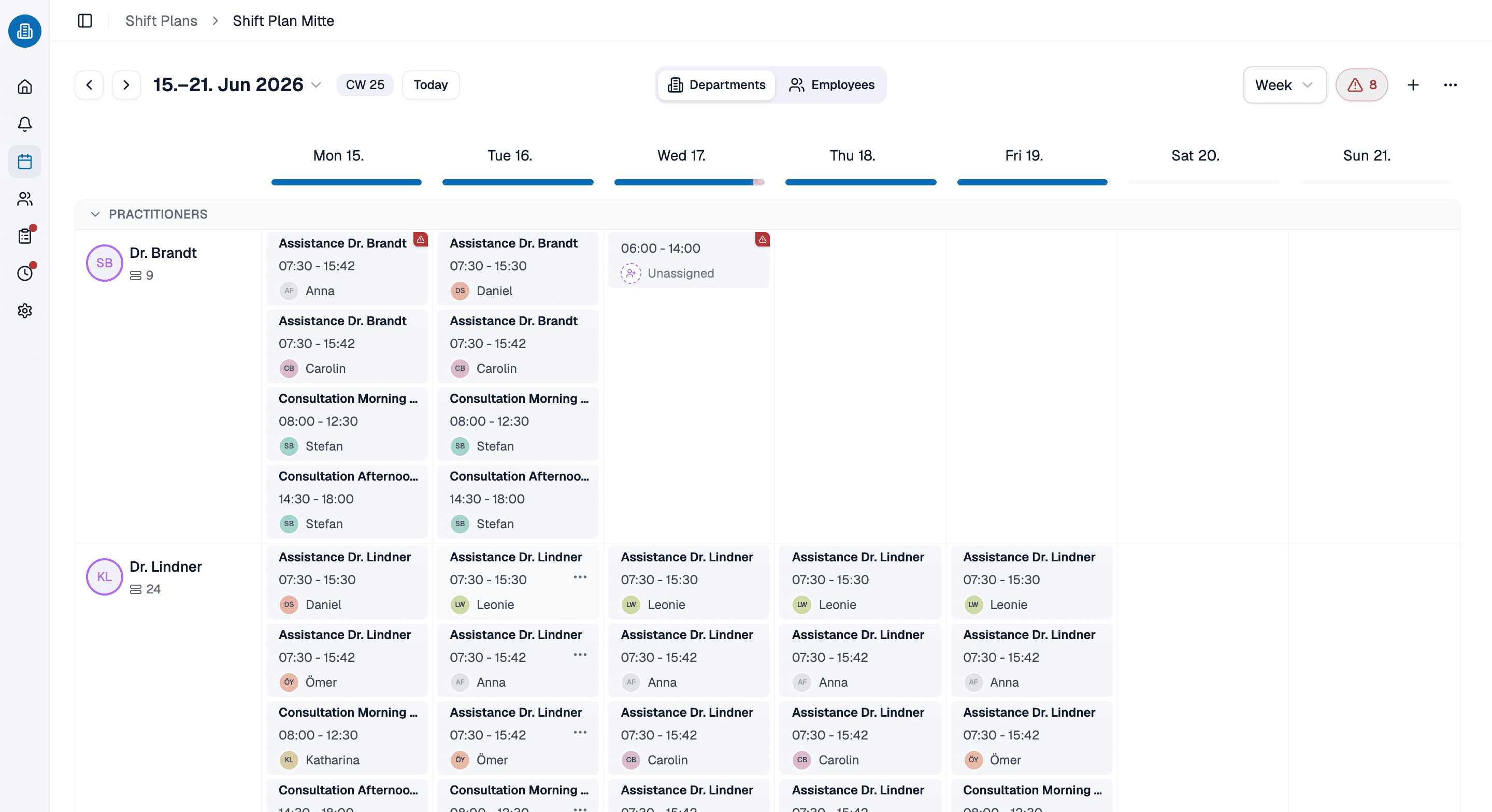
More than 100 practices already trust medishift






How automated scheduling software carries a clinic week, in five steps
Two ways to run the same month
By hand, in a spreadsheet
- Team, hours and last year's PTO get typed in row by row.
- The rules that matter live in one person's head.
- You fill the easy days first and leave Thursday until last.
- A sick day at seven costs you the morning.
- Every question about hours means another spreadsheet.
Auto scheduling software, rules first
- The old file goes into the chat and you approve the rows.
- Your own sentences sit on the schedule and get checked as you plan.
- Every open shift in the week is filled in one pass.
- Automated employee scheduling names who could cover, and why.
- You ask the question and a table comes back.
Which week are you trying to fill?

Medical practices
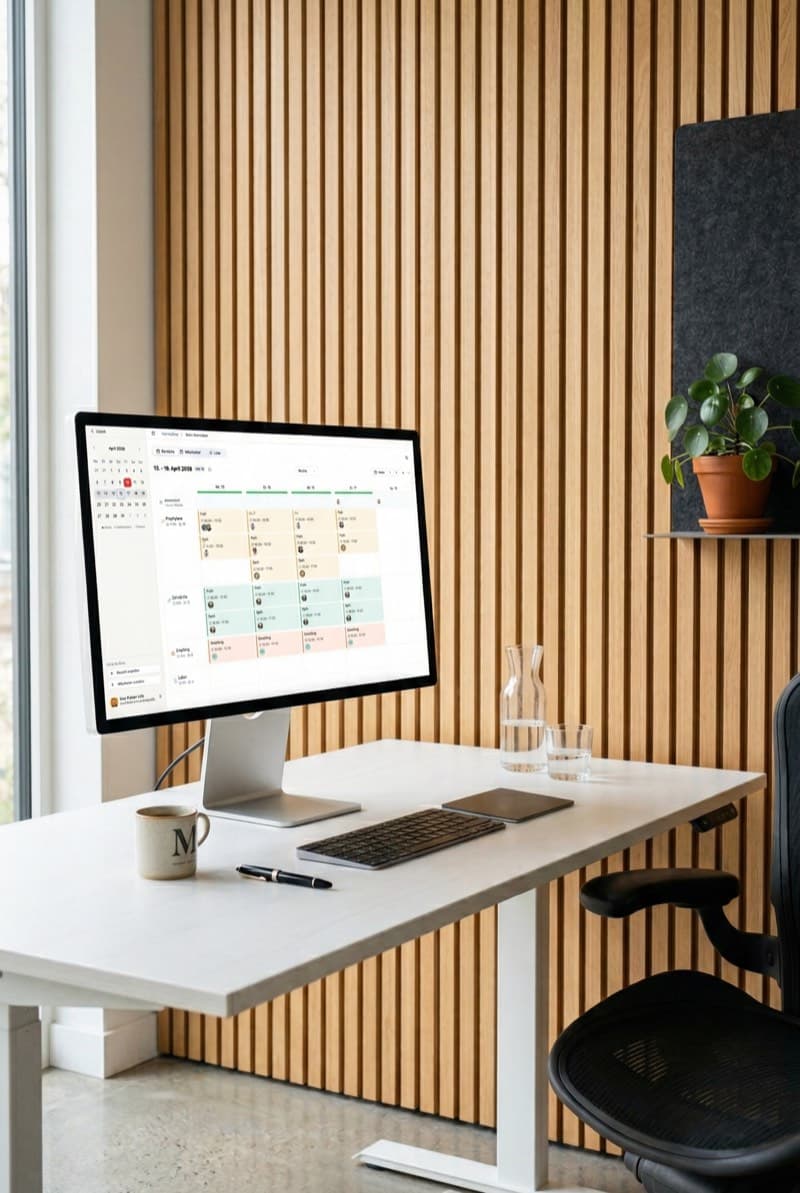
Open to close at the front desk, two providers in parallel on Tuesday, and the afternoon that obeys neither.

Dental practices
Operatories side by side, an assistant next to each dentist, and a hygiene column that moves weekly.

Home health and senior care
Where the rest gap between a late and an early decides whether next week holds together.
Multi-site groups
A main office and its satellites as separate schedules, each site keeping its own rules and holiday calendar.
Kira goes with you on the phone
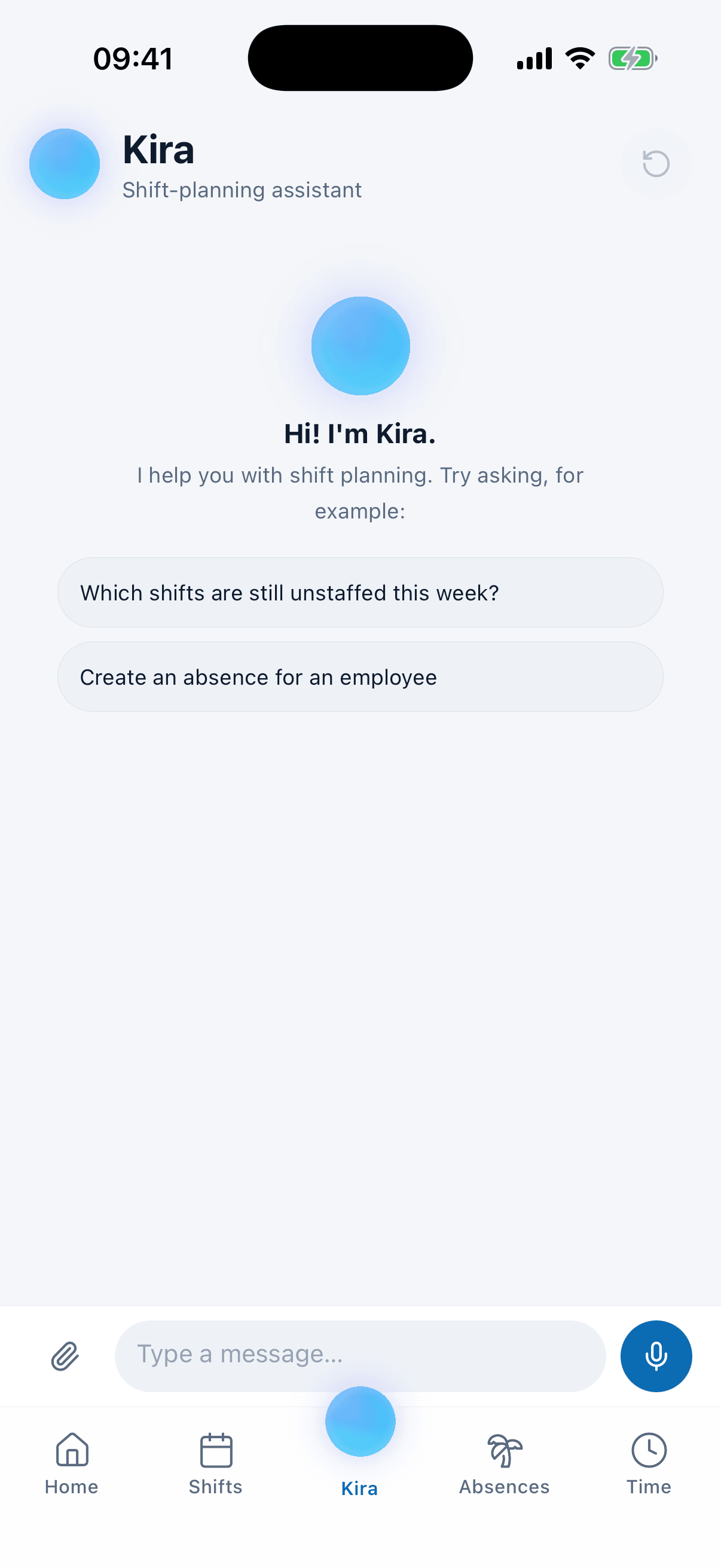
A sick day rarely arrives while you are at your desk. In the medishift app Kira has a tab of its own for owners and admins, with the same confirmation cards, attachments and voice messages as the browser: hold the mic, say what happened, let go.
- Say it on the way in, as a voice message of up to 59 seconds, or typed, with a file.
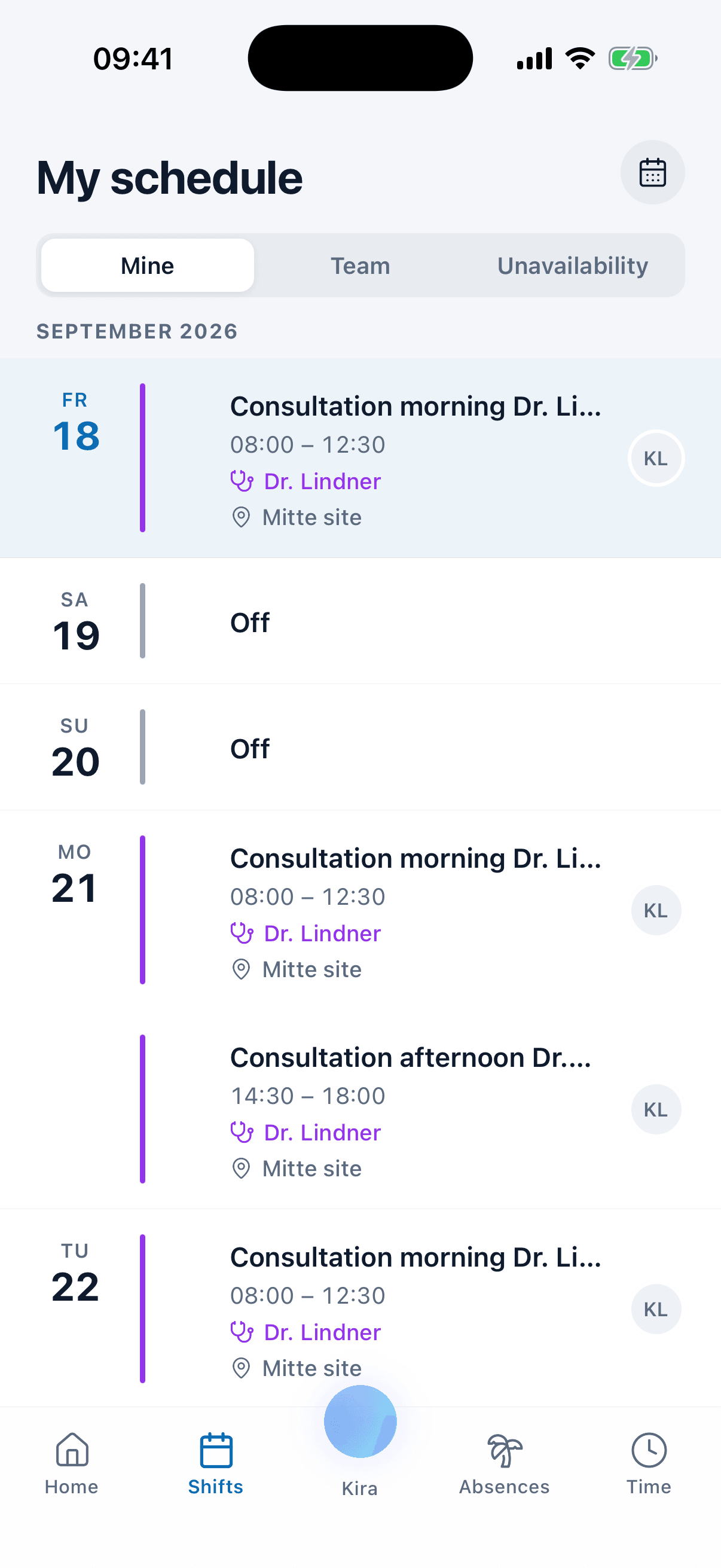
- Your team sees its own shifts, requests PTO and applies for the open shifts you post.
- Push notifications, the moment you publish a week or change one.
Ask Kira how the hours stand
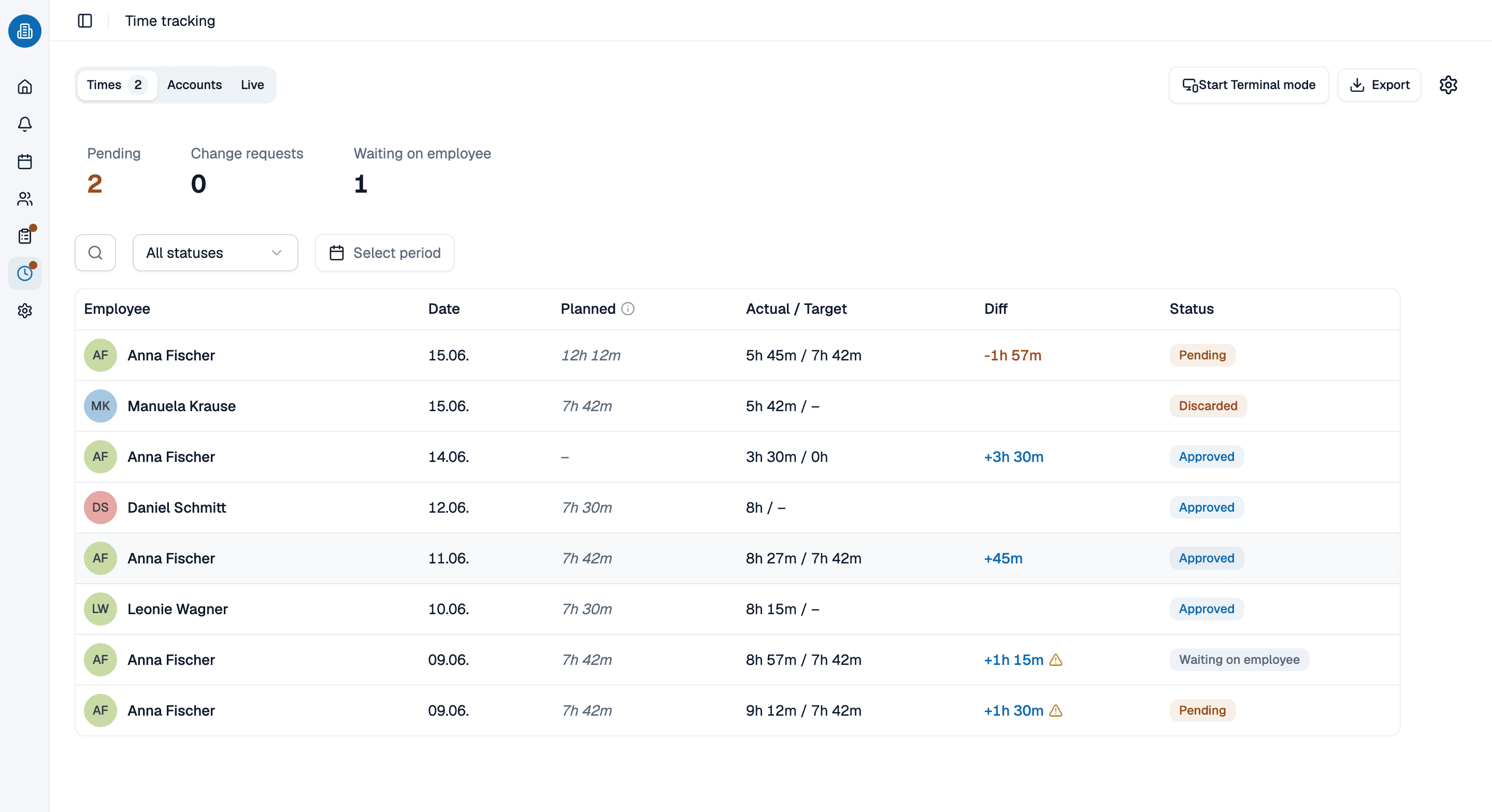
Plan and reality part company the moment somebody stays late. Captured hours feed the overtime balance and the hours report, and Kira reads you the state of it without you opening the report. It never rebuilds those numbers but calls the same calculation the page shows, so it cannot contradict the screen.
- How does Anna's overtime balance stand? comes back as the number the report shows.
- Target and actual hours side by side per person, per month, filterable by location.
- A follow-up question builds a second table; the first stays put.
See Kira work on your week, in 30 minutes
Bring the week you are wrestling with, and the file your team still lives in. We will put your rules in, run the auto scheduling software at it and stop wherever it gets interesting, including where it says no.
- 30 minutes
- Via Google Meet
- Free and without obligation
1. Pick a slot
All times in Europe/Berlin.
Wednesday, September 23
Auto scheduling software: common questions
It carries the week from an empty account to the question you ask a month later. Kira takes your team in from a file, turns a sentence into a schedule rule, fills every open shift in one pass, books a sick day and names who could cover, and publishes the week to the phones. Fifty of its actions show a confirmation card first; four only calculate.
No. Those tools hunt for a free slot in two people's calendars. This is automated scheduling software for staff shifts: who stands at the front desk on Wednesday afternoon, whether a trainee has an experienced colleague in the same area, whether eleven hours sit between a late and an early. No meeting invite is involved anywhere. AI employee scheduling here means a week of coverage, not a free half hour.
Kira holds your rules, rest gaps, contracted hours and overtime balances all at once, and it changes both sides of the week: it creates and edits shifts, and it assigns people to them. What the planning run itself does is place assignments straight into the week, so you judge the filled grid and discard the run or any single assignment rather than approving twelve suggestions one by one. Anything that takes something away, lifting somebody off a shift or dropping a shift, still goes through a confirmation card first. What it will not do is set its own priorities: the goals are the rules you wrote, and Kira offers no ways around them, so a shift one of your rules deliberately keeps open is the plan you ordered. Where the week cannot work, you get the smallest possible explanation, which rules cannot hold together, in your practice's own words rather than a constraint number. That is the honesty auto scheduling software needs before you leave it running.
The typing. Attach the list from your old system and Kira reads CSV, Excel, PDF and photos, then shows every row with what it will become before anything is written. It creates people in bulk with their hours, work areas and PTO days, and turns a photo of the wall schedule into draft shifts. AI staff scheduling starts with knowing who is on the staff.
Yes. Kira has a tab of its own in the medishift app, with the same confirmation cards, attachments and voice messages as the browser, so a sick day can be handled from the parking lot. Your team uses the same app to see the schedule, request PTO and apply for open shifts. Automated employee scheduling that only works at the desk misses the calls that break the week.
Anything your data can answer that has no screen of its own: who worked the most weekends this year, how many PTO days the team took in June, who is free on Thursday afternoon. Kira reads the definition out of your own data rather than inventing one. Small results arrive as a table you can download as a CSV file, and a follow-up builds a second table instead of editing the first. It can also walk you through how something is done.
Yes. A team of ten or fewer pays nothing, permanently and without card details, covering the schedule, PTO planning and the app your staff carry. Past ten the price is per person and the pricing page states it.