
Shift Scheduling App: How to Choose and Roll Out
Which shift scheduling app fits a practice, nursing service, hospital ward or social-care setting: selection by operating model, the legal frame from the Working Hours Act, and a four-week rollout.

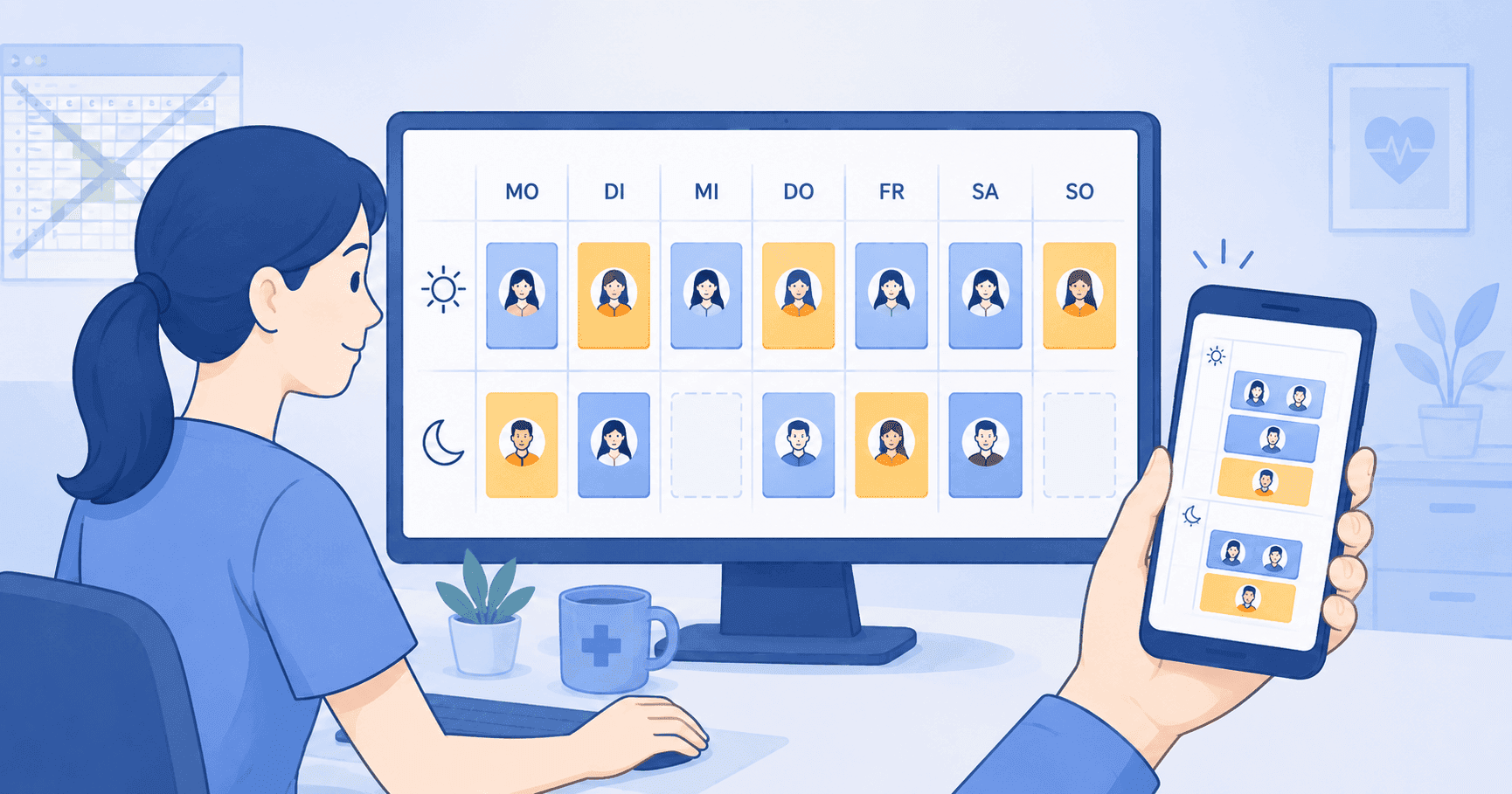
Switching to a shift scheduling app replaces the Excel sheet with a shared, live duty roster that handles your entire shift schedule and personnel planning in one place, including every coverage request and vacation entry. That is precisely where most practices, nursing services, and hospitals find themselves today: Excel still works for a small practice with three medical assistants but breaks down quickly once multiple people, coverage rules, or terms from a collective bargaining agreement come into play.
This guide explains what a modern shift scheduling app needs to deliver, which legal foundations from the Working Hours Act (Arbeitszeitgesetz) and labor agreements you must follow, and how to migrate without friction. We focus on the German healthcare sector because the requirements are tightest here and the available solutions differ the most.
What is a shift scheduling app?
A shift scheduling app is software that does three things at once: it plans shifts centrally, distributes the plan automatically to everyone involved, and documents every change. That sounds simple but is exactly what sets it apart from a classic Excel sheet. In the Excel world every change has to be sent out manually, nobody is sure which version is current, and conflicts such as double bookings or rest-period violations only surface when someone complains.
In a shift scheduling app the duty roster is a living document. When you enter a shift you immediately see whether the rest period is met, whether the person is already scheduled, and whether an approved vacation collides. Employees open the mobile app on their phone and see the current state. Push notifications alert them to changes.
Three core capabilities define a mature shift scheduling app: the rule system, which checks compliance as you enter shifts; the mobile connection, which keeps every staff member informed at all times; and the audit log, which makes every change traceable. Skip any of those three and you end up back at Excel-level value.
The distinction from pure shift templates is important: an Excel template is a static file, a shift scheduling app is a platform. Both have their place. The template helps you get started and works for very small teams. The app pays off as soon as you plan regularly or the team grows beyond a handful of people.
Which app fits which operation?
The most common question is not "what can the tool do" but "which app helps me create my duty roster". The answer follows from your operating model, not from the length of a feature list. A medical practice needs different defaults than a residential care group, and a hospital ward needs different ones again. The table below is the filter to apply before you compare any vendors.
| Operation | Typical shape of the week | What the software must be able to do |
|---|---|---|
| GP or specialist practice, MVZ | Morning and afternoon consultation hours, one late shift, coverage for absences | Consultation hours as shift templates, fast coverage search, break and rest-period checks |
| Ambulatory nursing service | Early and late shifts alternating, rotating weekend duty, routes during the day | Routes alongside shifts, rotation across several weeks, planning without a fixed desk |
| Hospital ward | Three-shift operation with night duty, on-call, movement between wards | Night and on-call shift types, several wards in one account, rotating-shift logic |
| Social care, residential group, day-care | Group duties, split shifts on the same day, night standby, floaters | Several areas in parallel inside one plan, freely defined shift types, cross-group floaters |
| Multiple sites or multiple teams | One team per site, shared floaters, different public-holiday regions | Separate plans per site, holiday calendar per region, permissions per team rather than per head |
Two consequences fall out of that table. First, if you plan in social care, do not search for generic scheduling software; check whether areas and shift types are freely configurable. That is exactly where tools built for consultation-hour operations fail. Second, with several sites the deciding factor is not the planning screen but the permission model. If every planner sees everything, the shared plan becomes a source of conflict rather than relief.
One distinction that search terms tend to blur: a shift scheduling app answers "who works when", while workforce-planning software answers "how many people do we need at all". The two belong together but are not the same tool. If you are still sizing demand and capacity, start with the overview of workforce planning. If you already know how many heads you are scheduling, you are in the right place. For sector depth there are dedicated pieces on scheduling software in nursing and scheduling software in hospitals.
Excel template or shift scheduling app: When the switch makes sense
The question "Excel or shift scheduling app" gets asked too early or too late, rarely at the right time. Too early means the team consists of two people and the plan fits on one sheet of paper. Too late means you have already spent months of Thursday evenings on Excel frustration and team morale is slipping.
The pragmatic indicator is time. If you regularly spend more than two hours a month just on planning and the team produces three or more questions per week on average, Excel has outlived its purpose. Another hard indicator: as soon as you need to organize coverage for sick leaves without half the team ending up on WhatsApp, a shift scheduling app is overdue.
Excel has two advantages that matter in the early phase: zero cost and zero learning curve. Both lose weight as complexity rises. Most vendors today have free tiers for small teams or a full-featured trial. The learning curve for a modern shift scheduling app is about an hour for the admin role and under ten minutes for employees.
There is a third path that often gets overlooked: parallel use. Some teams keep a simplified Excel template as a long-term cheat sheet or print layout but only plan actively in the app. That works as long as it is clear which system is the source of truth. If both are maintained actively, you introduce consistency problems that are worse than either solution alone.
Which features really matter
A shift scheduling app can offer a hundred features. In a medical practice or nursing service, only six to eight of those decide acceptance and value. Here is the honest list.
Creating and copying shifts. Sounds trivial, but this is the path you walk daily. Drag and drop, applying shifts from templates, copying whole weeks, moving shifts to alternative people. If those basics are clumsy, nothing else matters.
Separating draft and published versions. A good schedule rarely emerges in one pass. You plan, sleep on it, correct, adjust. A shift scheduling app that shows drafts only to admins and publishes only on a deliberate click protects you from confusion in the team.
Rule system for rest periods, double bookings, and maximum working time. The heart of conflict checking. If you try to enter a shift that violates the Working Hours Act or an internal rule, you should see it immediately. A warning marker is enough, a hard block can also make sense depending on practice policy.
A genuine mobile app for staff. The biggest acceptance lever. People who can see the plan on their phone stop asking at reception. Equally important: seeing open shifts, requesting swaps or coverage, recording unavailability, viewing the vacation account. Those are the workflows employees expect.
Vacation planning and absence management. Vacation is not an appendage to scheduling, it is part of it. A shift scheduling app should map vacation requests with approval logic, capture sick leave, and let both flow seamlessly into the duty roster. Needing a separate tool for that means double maintenance and stress.
Audit log and versioning. Who changed which shift when? That question surfaces the moment a conflict escalates. A modern shift scheduling app documents every change automatically and makes it visible. That protects you legally and keeps discussions fact-based.
Labor-agreement mapping and holiday calendar. German public holidays must at least be covered, ideally DE, AT, and CH. If you work with the collective bargaining agreement for medical assistants, ready-made tariff profiles save real setup time. If the app has no labor-agreement knowledge, you translate the rules manually, which works but adds effort.
GDPR compliance with European hosting. Non-negotiable. Personal patient data does not appear in a scheduling app, but employee data is sensitive enough. Hosting in the EU, a data-processing agreement, documented technical and organizational measures. Alongside the GDPR, the German Federal Data Protection Act adds national rules on processing employee data [5].
Where marketing material deserves a closer look is the line between assistance and automation. An assistant that creates shifts on your instruction, applies a template or checks your rules is everyday reality today and saves real clicks. The fully optimized plan, where the software decides by itself what a good roster looks like, is promised more often than it is delivered. The useful question in a sales call is therefore not "do you have AI" but: which input does the system need from me, and what happens when I change it?
Legal foundations: ArbZG, MTV, and BAG
A shift scheduling app does not relieve you of legal responsibility. It supports you in keeping the rules but the responsibility for a correct schedule stays with you as the employer. Three legal sources frame the picture [4].
The Working Hours Act (Arbeitszeitgesetz) is the foundation. It states that daily working time must not exceed eight hours but can be extended to ten hours if a six-month rolling average stays at eight. The uninterrupted rest period must be at least eleven hours. Breaks become mandatory once working time exceeds six hours [1]. A shift scheduling app that codifies those rules in its rule system is the basis for legally safe planning.
The collective bargaining agreement (Manteltarifvertrag), for example the one for medical assistants, goes beyond the Working Hours Act and additionally regulates premiums, vacation entitlements, special leave, and termination periods. The statutory floor for vacation sits in the Federal Leave Act instead, which sets a minimum of 24 working days on a six-day week [2]. Practices that are not bound by an agreement can still voluntarily plan along its terms. A shift scheduling app that ships tariff profiles saves substantial configuration effort here.
The Federal Labor Court (Bundesarbeitsgericht) shapes case law on duty-roster disputes. Especially relevant are rulings on how much advance notice is required to change a duty roster, when the employer’s right to give instructions applies unilaterally, and the role of a works council. Practices without a works council should still know the standards of the Federal Labor Court because they serve as benchmarks in individual cases before regular labor courts [3].
A practical point: a shift scheduling app that documents every change in the audit log gives you valuable evidence in a dispute. Who changed what when, when the plan was published, when a person saw the change. That level of documentation is something no one maintains in Excel.
Mobile app, web app, desktop: where which function belongs
A recurring point of confusion: does shift scheduling app mean only the mobile app? The short answer is no. A mature shift scheduling app typically consists of a web app for full planning and a mobile app that serves both roles.
The jobs still differ. Full planning happens on a screen, ideally with an overview of the whole week and several employees at once. Drag and drop, week templates, the rule system, reports. The mobile app, in contrast, is built for the short action: when am I working, who is on duty with me today, and on the planning side, adding a shift, approving a vacation request or posting a note for the day while you are already in the consulting room or between two routes.
Medishift runs both paths. The web app remains the most complete surface, especially for week templates, rules and hours reporting. The mobile app is not limited to staff, though: owners and planners create, edit and delete shifts there, approve absence requests, view the team roster filtered by site and department, and use the Kira assistant, including by voice. The Thursday-evening fix no longer needs a computer.
That Kira layer is the second half of the answer to "which app helps me plan". Planning rules can be stated in plain language, for example "whoever works Saturday has Monday off" or "at least eleven hours between a late shift and an early shift". Kira checks the plan against those rules continuously, fills open shifts along them and repairs assignments that contradict them. One point for the price comparison: at Medishift, rules in plain language and filling or repairing whole weeks belong to the Premium tier rather than the free one, and Kira usage is metered per tier. What deliberately does not happen: the software does not invent its own objective and does not write the plan without your input. It works through the rules you set.
So when evaluating a shift scheduling app, test both sides. The web app for planning fitness, the mobile app for both: quick information for the team and quick correction for the planner. If only one of the two holds up, you will find out during the first wave of sick leave.
Rollout: what happens in the first quarter
Rolling out a shift scheduling app is not an IT project in the classical sense. It is a change in the daily workflow of the whole team. Underestimate that and Excel comes back faster than you would like.
Week one is configuration: assign roles, enter labor rules, define shift types, check the holiday calendar. That work pays off because it simplifies every subsequent plan. Block half a day of focused time, ideally on a quiet day.
Weeks two and three you plan in parallel: once in the new shift scheduling app, once in your familiar Excel sheet. It is awkward, but it gives you a safety net in case something does not match. You also learn where Excel workflows are solved differently in the app.
From week four you turn off Excel and plan only in the new tool. The transition therefore runs four weeks, two of them in parallel. Now the configuration shows whether it holds. Keep deliberate time free for small adjustments, especially when the team gives feedback on the mobile app or new shift types are needed.
In months two and three you build routine. Weekly planning shrinks because templates emerge and the team raises swap requests through the app. This is where the real value shows: less time on administration, more time on patient care or other priorities.
A practical tip: keep a short list during the first quarter of what works well and what still stings. That list is gold during conversations with the vendor. Most good vendors are highly interested in concrete feedback and act on it.
Common pitfalls and how to avoid them
Even with careful selection, recurring pitfalls cost money. Four of them stand out.
The mobile app does not get installed. When half the team has not installed the app, information flows back through hallway chatter, messages, and calls. Solution: launch the installation together in a team meeting. People who feel unsure technically get help on the spot. Within two weeks the app should be running on every phone.
The rule system gets ignored. Warnings from the rule system get clicked away because "today an exception is needed". When that becomes the norm, conflict checking loses its bite. Solution: a clear team agreement that exceptions are justified and documented. A tool that requires a comment when overriding rules helps here.
The configuration becomes outdated. Shift types, labor-agreement clauses, and locations change. If nobody maintains them, the tool starts lying. Solution: a quarterly ten-minute routine to check the configuration against current reality. That usually suffices.
No clear owner for the tool. If nobody is responsible, no one decides whether to enable new features or adjust settings. Solution: one person on the team gets the "tool owner" role. In small practices that is often the practice manager, in larger structures the nursing-service lead.
What matters after three months
Once the rollout has succeeded, the mature phase begins. The point is no longer to replace Excel but to extract full value from the new solution. Four topics become relevant.
Building templates. Most weeks resemble each other. Teams that set up templates for typical weeks plan in five minutes instead of fifty. A good template system lets you copy entire weeks, mark single shifts as recurring, and adapt templates per season, for example for school holidays or peak working periods. This is the lever that delivers the largest time savings.
Reporting and analysis. If you manage the duty roster regularly, you will eventually want to know: how many overtime hours have accumulated? How does weekend duty distribute across the team? How often did a shift need to be changed within 48 hours? A mature solution answers those questions with built-in reports or an Excel export.
Integration with other tools. In the second half-year after rollout, the wish for integrations often arises. To payroll, to the practice management system, to a calendar. Not every vendor offers those integrations. Clean import paths for employee data and a dependable output of the published plan, at least as print or PDF, are the minimum.
Maintaining the vendor relationship. A good solution keeps evolving. Stay in dialog with the vendor, test new features and feed your findings back, and you get a tailored experience. With specialized healthcare vendors that often means direct contact with the product team, not an anonymous support queue.
Vendors in the German market
The German market for scheduling solutions is smaller than the international market but lively. Some vendors focus deliberately on medical practices and small nursing services, others target hospitals or general shift-based teams across industries.
Medishift sits at the intersection of practice requirements and a mature mobile experience. The web app covers full planning, the mobile app serves staff and planners alike, hosting runs in Germany, GDPR compliance is documented. Practices with up to ten employees have a free tier, larger teams pay per head. If you are replacing a paper roster, you can upload a photo of it and have Kira turn it into shifts instead of typing the first week by hand.
Other established German-market vendors target hospitals or industry-agnostic teams, or pure nursing services with route planning. The right choice depends on how close your use case sits to a medical practice. The more specifically a vendor is built for your sector, the less configuration work you carry.
When evaluating, focus on four hard criteria: hosting in Germany or at least in the EU, a German-language interface, a real mobile app for staff, and a rule system that codifies the key requirements of the Working Hours Act. A vendor covering those four points is a serious option. Everything else is fine-tuning.
An additional filter practices often underestimate is German-speaking support. When you need help on Thursday evening just before publishing the plan, you do not want an English-language chatbot loop. Vendors with real German-speaking support by email or phone, ideally with sector knowledge, win on this dimension. That is not a luxury, it is a baseline for smooth operations.
Security, backups, and outages
A point that rarely tops the evaluation list: what happens if the tool is unreachable for once? In the Excel world the plan sits locally on a computer, making it vulnerable to hardware defects but independent of the internet. A cloud solution flips that around: hardware problems are irrelevant but a stable connection is required.
Reputable vendors offer an availability guarantee of 99.5 percent or better, perform regular backups to separate servers, and communicate transparently when an incident occurs. Ask explicitly during the sales conversation: where are backups stored? How quickly would the data be restored after a crash? Is there a status dashboard?
For day-to-day operation, a contingency plan is sensible: print the published plan once a week or download it as a PDF. That is the simplest insurance against rare but expensive outages and takes under ten seconds a week. The second safety layer is data portability, and that is a genuine selection criterion: settle before signing in which form you get your data back out. The range runs from a print or PDF copy of the published plan, which practically every solution offers, to a machine-readable file, which far fewer do. Guidance from the supervisory authority on data portability clarifies which data you are entitled to [6]. The meaningful test is not a tick in a feature matrix but the question of what concretely happens at cancellation and in which format. A vendor who answers that evasively is the warning sign, not the missing file format.
Summary
A shift scheduling app is no longer a nice-to-have but, for most practices and nursing services with a team of about five people or more, the obvious choice. Excel templates have their place at the starting line but break down quickly once coverage rules, labor agreements, and mobile access enter the picture.
The most important capabilities are a clear rule system, the separation between draft and published versions, a real mobile connection for staff, and an audit log that documents every change. Legally these features do not exempt you from responsibility but they help you stay compliant with the Working Hours Act, the collective bargaining agreement, and the case law of the Federal Labor Court in day-to-day operations.
The rollout pays off if you spread the transition over four weeks, two of them in parallel with Excel, involve the team early, and assign clear responsibility for the tool in your organization. Three months after the start the routine should be in place: you save the bulk of the planning time that used to accrue every month, plus most of the follow-up questions that arrived by hallway chatter and messages. Keep in mind that no tool takes over professional responsibility for your duty roster: the software provides safety nets, the decision stays with you and your team. This guide frames the legal context but does not replace legal advice in an individual case.
Comparison
| Aspect | Excel template | Shift scheduling app |
|---|---|---|
| Update visibility | After manual distribution | Instant, real time |
| Conflict checking (rest, double booking) | No, only visual review | Automatic on entry |
| Mobile access | Via email attachment or print | Dedicated employee app |
| Shift swaps and coverage | Manual messages | In-app with approval logic |
| Vacation requests | Separate Excel list | Same system, flows into plan |
| Change documentation | Version files, fragile | Automatic audit log |
| Scaling beyond 10 staff | Becomes unwieldy | Designed for larger teams |
| GDPR documentation | On you, no support | Documented by vendor |
How to do it
- 1
Identify the actual pain in your practice
Before comparing tools, write down what really hurts: How many hours per month do you currently spend on scheduling? How often do questions or conflicts come up? Which labor-agreement rules and shift types must be reflected? These answers form your requirement profile and determine which features really count.
- 2
Test two or three vendors in parallel
Choose tools that offer a real trial period and create a typical week with each one: consultation hours, coverage, a vacation request, and a shift swap. You will notice very quickly which tool fits your day-to-day. Avoid being impressed by feature lists you will never use.
- 3
Involve the team early
A shift scheduling app only works if everyone uses it. Invite one or two team members into the trial and actively collect feedback. How well does the mobile app work on the move? Are push notifications clear? Buy-in from the start decides whether the new tool will be embraced or relegated to a shadow solution next to Excel.
- 4
Configure labor rules and shift types cleanly
Before the first real plan goes live, the basics need to be right: break rules, rest periods, maximum hours per week, weekend and holiday logic. If you want to reflect the collective bargaining agreement for medical assistants, translate its core rules into the tool’s rule system. That way you catch violations on entry.
- 5
Four weeks of transition, two of them in parallel
Budget a transition month: week one belongs to configuration, in weeks two and three you plan in both systems, once in the new app and once in your familiar Excel sheet. That gives you a benchmark in case something is off. From week four you turn off Excel and plan exclusively in the app.
- 6
Prepare onboarding material for new hires
Once the tool is running, a single-page handout for new team members pays off: how to install the app, where to find their shifts, how to request time off. That way the shift scheduling app becomes part of standard onboarding and you no longer have to explain it from scratch every time.
For your practice
For medical practices
In a medical practice, the requirements for a shift scheduling app are manageable but very specific. Consultation hours, coverage rules, the collective bargaining agreement for medical assistants, and the clean separation between the practice owner and the MFA team shape the day. The essentials are a simple rule system that checks breaks and rest periods, a mobile app for staff, and a German-language interface. A vacation logic that supports blackout periods such as school holidays is a bonus.
For nursing services and hospitals
In nursing services and hospitals, a shift scheduling app grows more complex. Shift patterns with early, late, and night shifts, on-call duty, standby duty, multiple locations, and partly collectively bargained working hours are part of daily life. A suitable shift scheduling app supports those shift types, faithfully reflects the German Working Hours Act, and lets you model multiple wards or routes. If you run an ambulatory nursing service, also check how shift planning and route planning interact.
For social-care providers
In social care, meaning residential groups, disability services, youth welfare or day-care centres, planning follows groups rather than consultation hours. Typical patterns are several areas inside one plan, split shifts on the same day, night standby as its own shift type, and floaters moving between groups. Scheduling software for this sector has to show those areas in parallel and let you define shift types freely. If you plan along a collective agreement, rest-period and maximum-hours rules need to be configured carefully, because night standby followed by an early shift runs into those limits fast.
Frequently asked questions
Related articles
How to Create a Shift Schedule: Step-by-Step Guide with Example, Tools and Pitfalls
Create a shift schedule with confidence: preparation, step-by-step guide, tool comparison (paper, Excel, software) and a practical example for medical practices, care services and therapy teams. Includes checklist, employment-law pitfalls and fairness tips.
Nursing Scheduling Software: Home & Care Homes
What nursing scheduling software costs and where the free version is enough. Plus staff ratios, route planning and 24/7 shifts, home care and care homes.
Hospital Scheduling Software: Costs & Compliance
A few hundred euros a month up to six figures a year, rollout in a few weeks or up to 12 months: the numbers behind hospital scheduling software.
Shift Schedule Change Law: Notice Periods
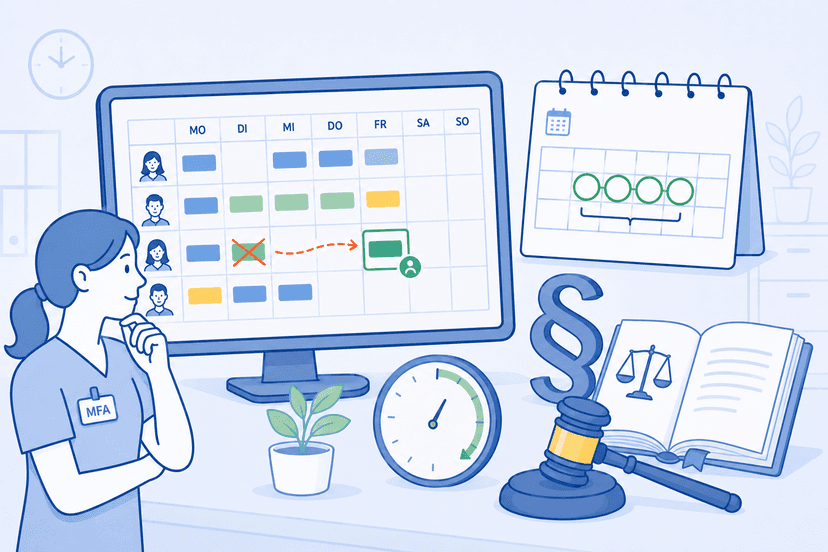
Shift schedule change law explained: What notice period applies? Can your boss change the shift schedule on short notice? Practical guide to Section 106 GewO, the Working Hours Act and collective agreements — specifically for medical practices and MFA teams.
Sources
This content references the following public sources:
- [1]Working Hours Act (Arbeitszeitgesetz / ArbZG) — Federal Ministry of Justice (Germany) (2024-01-01)
Full text of the German Working Hours Act, including maximum working time, rest periods, and break regulations.
- [2]Federal Holiday Act (Bundesurlaubsgesetz / BUrlG) — Federal Ministry of Justice (Germany) (2024-01-01)
Rules on minimum vacation entitlement, carry-over, and fulfilment of the leave claim.
- [3]Decisions of the Federal Labor Court — Federal Labor Court (Bundesarbeitsgericht) (2024-03-15)
Searchable decision archive of the German Federal Labor Court on employment-law matters, including working time, the employer right to direct, and changes to duty rosters.
- [4]Working time and working-time protection — Federal Ministry of Labour and Social Affairs (BMAS) (2024-06-01)
Government overview of working-time regulations and protective provisions.
- [5]Federal Data Protection Act (BDSG) — Federal Ministry of Justice (2024-01-01)
The German act supplementing the GDPR, including Section 26 on the processing of employee data.
- [6]Federal Commissioner for Data Protection and Freedom of Information — Federal Commissioner for Data Protection and Freedom of Information (2025-01-01)
The federal data protection authority, including guidance on the right to data portability under Article 20 GDPR.